Для письма, рисования и управления: рейтинг лучших стилусов для IPAD в 2021 году

*Обзор лучших по мнению редакции Zuzako.com. О критериях отбора. Данный материал носит субъективный характер, не является рекламой и не служит руководством к покупке. Перед покупкой необходима консультация со специалистом.
Стилус – это специальная ручка для айфона, имеющая силиконовый наконечник. Она используется для управления гаджетом, рисования и письма на экране смартфона или планшета. Прежде чем купить себе такое устройство, посмотрите рейтинг лучших стилусов для IPAD в 2021 году, который редакция Zuzako составила на основании отзывов экспертов и мнений простых покупателей. В него включены наиболее качественные, надёжные и долговечные модели.
Популярные производители стилусов для айпада
Стилусы для айпада (для рисования, письма, управления) производит сравнительно небольшое количество фирм. Среди них выделяется несколько наиболее популярных компаний, поставляющих качественные устройства во все страны мира.
- Apple;
- Baseus;
- WiWU;
- SwitchEasy;
- Devia;
- Logitech;
- Adonit.
Обзор топа моделей стилусов для письма и рисования на IPAD
А что из этого предпочтете Вы?
Apple Pencil (2nd Generation)

Этот стилус от фирмы Apple является лучшим для современных моделей iPad. Он имеет хорошо узнаваемый белый цвет, характерный для Apple Pencil разного поколения. Длина устройства составляет 16,6 см, а вес – 21 г. Эта модель выделяется наличием одной плоской грани. Она используется для примагничивания к планшету для зарядки. Среди прочих особенностей пользователи выделяют совместимость только с гаджетами на платформе iOS и возможность самостоятельной смены наконечника.

- Качественная сборка
- Небольшой вес
- Простая зарядка
- Возможность смены наконечники
- Высокая цена
Apple Pencil (1st Generation)

Это электронное перо от фирмы Apple совместимо со старыми моделями iPad. Оно на 10 мм длиннее модели второго поколения. Несмотря на это, весит всё тот же 21 г. Важной особенностью устройства является наличие в комплекте сменных наконечников, позволяющих адаптировать Apple Pencil под потребности пользователя. Модель оснащена магнитным колпачком, защищающим наконечник от повреждений во время транспортировки, тем самым снижая вероятность его быстрого выхода из строя.

- Небольшой вес
- Магнитный колпачок
- Сменные наконечники в комплекте
- Завышенная стоимость
Baseus Square Line Capacitive Stylus Pen Anti Misoperation
Этот стилус из средней ценовой категории привлекает внимание покупателей своим небольшим весом и совместимостью с любыми моделями iPad, выпущенными с 2018 года. Устройство имеет прочный корпус из цельного алюминия. Он обеспечивает долгий срок службы и придаёт технике красивый внешний вид.
Важным преимуществом модели является долгий период автономной работы. В комбинации с быстрой зарядкой эта особенность делает Baseus Square Line лучшей альтернативой Apple Pencil.

- Долгий период автономной работы
- Быстрая зарядка
- Алюминиевый корпус
- Красивый внешний вид
- Сложно найти в продаже
WiWU Pencil One

Эта модель китайского производства подходит людям, которые привыкли работать с габаритными стилусами. Она имеет длину 250 мм, 10 из которых приходятся на наконечник, и весит 90 г.
Pencil One – это универсальное устройство. Оно совместимо не только с любыми гаджетами на платформе iOS, но и с планшетами или смартфонами на Android. Среди других положительных моментов покупатели отмечают наличие в комплекте сменных наконечников и защитного колпачка. Дополнительным плюсом станет сравнительно невысокая стоимость, благодаря которой купить стилус смогут все желающие.

- Универсальность
- Сменные наконечники в комплекте
- Защитный колпачок
- Долгий срок службы
- Большой размер и вес
Baseus Golden Cudgel Capacitive
Этот компактный и удобный в использовании стилус подходит для работы с любыми сенсорными дисплеями. Он совместим со всеми моделями iPad, независимо от года их выпуска. Корпус устройства изготовлен из алюминия, обеспечивающего приятные тактильные ощущения и исключающего выскальзывание стилуса из мокрых рук.
Golden Cudgel Capacitive подходит для выполнения любой работы. С его помощью удобно писать, рисовать и просто настраивать гаджет. Бонусом для покупателя станет возможность менять толщину линий путём уменьшения или увеличения силы нажатия.

- Удобство использования
- Компактность
- Универсальность
- Корпус из алюминия
- Толстый наконечник
SwitchEasy EasyPencil Pro
Этот стилус является одним из наиболее дорогих заменителей Apple Pencil. Его высокая цена объясняется хорошим качеством сборки, красивым внешним видом и долгим периодом автономной работы.
Устройство внешне напоминает обыкновенный карандаш. Оно имеет длину 167 мм и весит всего 17,2 г. Среди других преимуществ выделяют прочность корпуса, небольшую толщину наконечника и совместимость со многими планшетами Apple.

- Долгий период автономной работы
- Красивый внешний вид
- Качественная сборка
- Прочный корпус
- Цена выше среднего
Devia Touch Pencil

Touch Pencil – это красивый, но довольно габаритный стилус. Он имеет прочный корпус, в котором размещаются датчики, измеряющие силу нажатия на экран планшета. Также устройство предлагает пользователям широкий выбор дополнительных художественных эффектов, которые обязательно понравятся художникам и дизайнерам.
Модель быстро заряжается и долго работает в автономном режиме. Кроме этого, она оснащается магнитным колпачком, исключающим случайные повреждения наконечника.

- Красивый внешний вид
- Измерение силы нажатия на дисплей
- Много дополнительных художественных эффектов
- Большой вес
Logitech Crayon
Этот лёгкий и компактный стилус подходит для работы практически с любыми современными гаджетами компании Apple. Он имеет прочный корпус, который надёжно защищает внутренние детали и не трескается при падении с высоты человеческого роста. Crayon выделяется высоким качеством сборки и оснащается специальным колпачком, защищающим порт для зарядки от попадания воды и пыли.

- Универсальность
- Красивый внешний вид
- Прочный корпус
- Защитный колпачок
- Большая цена
Adonit Note UVC
Эта модель фирмы Adonit стала популярной благодаря привлекательному внешнему виду и простоте использования. Она оснащена световой индикацией и двумя кнопками, которые пользователь может самостоятельно настроить на выполнение определённых команд. Дополнительным преимуществом устройства станет наличие в комплекте сменных наконечников.

- Стильный дизайн
- Световая индикация
- Программируемые кнопки
- Сменные наконечники
- Завышенная цена
Wiwu Pencil X

Pencil X представляет собой универсальный стилус, который могут использовать владельцы любых гаджетов на платформе iOS. Он отличается компактностью и красивым внешним видом, а весит всего 14 г. Устройство оснащено встроенным аккумулятором. Его полного заряда хватает на 10 ч. активного использования электронного пера. Также к числу преимуществ относят прочность корпуса и быструю зарядку.

- Универсальность
- Компактность
- Малый вес
- Прочный корпус
- Сложно найти в продаже
Советы редакции Zuzako по выбору стилуса для планшетов Apple
Правильно выбрать стилус для планшета фирмы Apple – это целое искусство. Для этого нужно учесть множество различных параметров, которые могут повлиять на качество работы устройства, а также принять во внимание рекомендации нашей редакции.
Apple Pencil первого и второго поколения
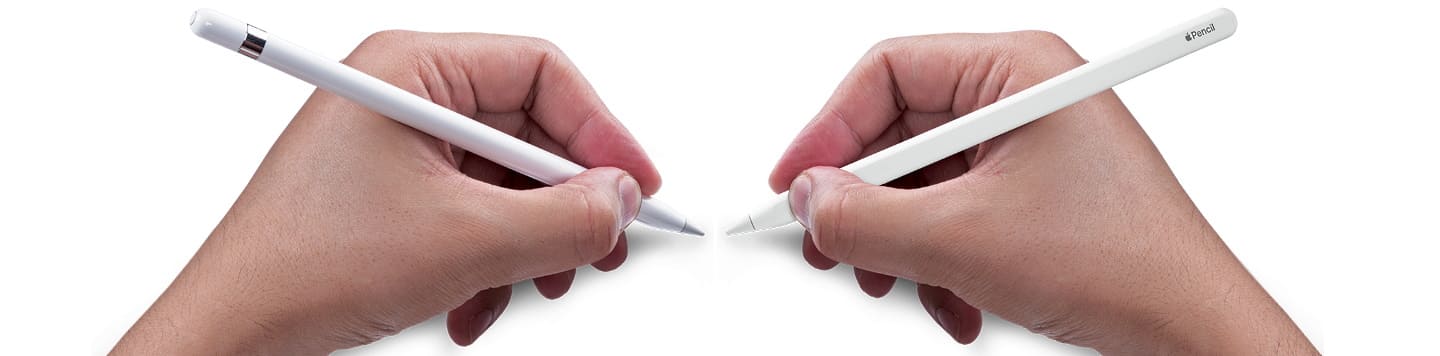
Лучшим стилусом для управления iPhone или iPad является Apple Pencil. Это фирменное устройство, которое выпускается специально под эти виды современных гаджетов. В наши дни существует две разновидности стилусов Эпл Пенсил:
- Модель первого поколения. Это устройство в момент своего выхода было предназначено исключительно для планшетов серии Pro. Впоследствии его поддержка была реализована в моделях iPad 6, 7, 8, iPad Air 2,3 и iPad mini 5. Такой стилус советуем выбирать владельцам бюджетных планшетов от фирмы Apple, а также пользователям, которые часто пользуются этим инструментом для письма и рисования.
- Модель второго поколения. Это устройство является улучшенной версией Apple Pencil первого поколения. Его поддержка реализована на гаджетах iPad Pro 12.9, iPad Pro 11, iPad Air 4 и других более современных версий планшетов. Такой стилус рекомендуем использовать людям, которые владеют дорогостоящей техникой и любят создавать себе максимально комфортные условия для управления гаджетом.
Альтернативы Эпл Пенсил
Эпл Пенсил – далеко не единственный стилус, который можно использовать для iPad. Существует большое количество аналогов, обладающих хорошим качеством и работающих не хуже фирменного электронного пера. При выборе альтернативных вариантов советуем учитывать следующие моменты:
- Главным критерием выбора стилуса является его совместимость с iPad. В продаже можно легко найти модели, подходящие для работы с конкретным гаджетом, или универсальные устройства, совместимые с iPad всех поколений.
- Рекомендуем выбирать модели со сменными наконечниками в комплекте. Их наличие даст возможность адаптировать стилус под потребности пользователя и характер выполняемой работы.
- Покупая аналоги Эпл Пенсил, отдавайте предпочтение моделям с наконечником из мягких материалов (силикон, тефлон, пластик). В отличие от металлических, они практически не царапают поверхность экрана и увеличивают срок службы гаджета.
- Дополнительным преимуществом стилуса будет наличие программируемых кнопок. Их можно настроить на выполнение определённых команд (смена кисти на ластик, изменение толщины линий и др.), тем самым упрощая процесс эксплуатации устройства.
Стилус является важным элементом управления интернет-планшета iPad, выпускаемого корпорацией Apple. Он необходим для художников, писателей, дизайнеров и других творческих личностей, а также для простых пользователей, желающих повысить комфорт управления своим гаджетом. Прежде чем покупать себе такое полезное устройство, ещё раз прочитайте нашу статью. В ней представлены обзоры наиболее популярных моделей, имеющих хорошее качество и прекрасный набор характеристик. Не забывайте радовать нас своими лайками и комментариями, а также не ленитесь делиться полученной информацией в социальных сетях.
10+ Best iPad Stylus in 2023

We independently research, test, review, and recommend the best products—learn more about our process. If you buy something through our links, we may earn a commission.
Whether you’re navigating apps on your iPad, taking notes in real life, or creating art, the best iPad stylus is an essential tool for anyone who owns an iPad. It allows for greater precision when using the device and can significantly help while drawing or writing on the screen.
There are several different stylus options on the market, so it’s essential to find one that suits your needs. A good iPad pen will be comfortable to use and will offer good accuracy.
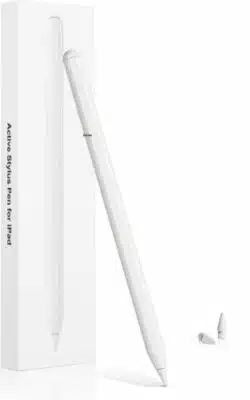
With so many different options available, find a stylus that’s perfect for you. This article discusses the 10 best styluses available for the iPad.
10+ Best iPad Stylus in 2023
- Apple Pencil (2nd Generation)— The best iPad stylus in 2023 overall ( Editor’s choice) — The best budget iPad stylus — The best value iPad stylus
- Apple Pencil (1st Generation)— The best stylus for older iPads — The best iPad stylus for kids — The best third-party iPad stylus — The best iPad stylus for note-taking — The best passive iPad stylus — The most versatile iPad stylus — The best iPad stylus for beginners
What is the Best iPad Stylus Overall?
While the ingenuity behind the iPad lets you use it without a stylus or pen, you cannot truly experience all the tech can do without a good stylus. If you’re in the market for a new stylus, you cannot go wrong with the Apple Pencil (2nd Generation).
Interested in some of our other top choices? Check out our comparison table below.
10+ Best iPad Stylus / Pen in 2023
1. Apple Pencil (2nd Generation) (Editor’s choice)
The best iPad stylus in 2023 overall
Type: Active | Connectivity: Bluetooth | Run Time (Up To): 12 hours | Pressure levels: 4,096 | Dimensions: 6.53 x 0.35 x 0.35 inches
If you are looking for the best stylus for your iPad, it is hard to go wrong with a device from Apple itself. The Apple Pencil 2 is the newest and latest stylus from the tech giant, and it’s a step up from its predecessor. For starters, it’s much thinner and more lightweight than the original Apple Pencil, making it more comfortable to hold for extended periods.
The Apple Pencil 2 has a new matte finish, so you don’t have to worry about slipping on your iPad Pro. It also has magnetic charging to charge the Pencil 2 without plugging it in with a Lightning cable.
With Apple Pencil 2, you can vary the intensity of your strokes depending on how hard you press down. The new tilt recognition of the Apple Pencil 2 makes it easier to change the angle of your pen strokes depending on how you hold it. All in all, the Apple Pencil 2 is a great stylus to please artists and note-takers alike.
| Pros | Cons |
| ➕Works flawlessly with newer iPads | ➖Expensive |
| ➕Best-in-class drawing experience | ➖Does not work with older iPads |
| ➕Charges while magnetically attached to iPad | |
| ➕Extremely precise | |
| ➕Improved design |
Latest Price on Amazon:

- Apple Pencil (2nd generation) brings your work to life. With imperceptible lag, pixel-perfect precision, and tilt and pressure sensitivity, it transforms into your favorite creative instrument, your.
- It makes painting, sketching, doodling, and even note-taking better than ever.
- It magnetically attaches to iPad, charges wirelessly, and lets you change tools with a simple double tap.
- Compatible with iPad mini (6th generation), iPad Air (5th and 4th generation), iPad Pro 12.9-inch (3rd, 4th, 5th and 6th generations), iPad Pro 11-inch (1st, 2nd, 3rd and 4th generations)
2. JamJake K10 Stylus Pen
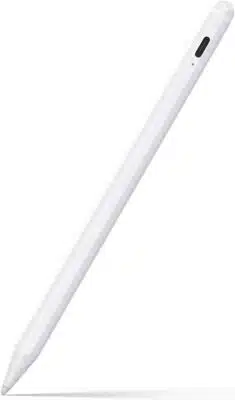
The best budget iPad stylus
Type: Active | Connectivity: Wireless | Run Time (Up To): 20 hours | Pressure levels: – | Dimensions: 8.4 x 2.4 x 0.6 inches
If you’re on a tight budget, the JamJake K10 Stylus is a great alternative to the Apple Pencil. It is similar to the Apple Pencil in more ways than one, with a similar design and grip as well as palm rejection to prevent any unnecessary smudges on your screen. Add to that a 1.5 mm fine tip, and you have a pen that is excellent for drawing and taking notes on your iPad.
It is compatible with all the latest iPads and offers 20 hours of power with just 90 minutes of charge. Overall, the JamJake K10 Stylus is the way to go if you’re looking for a pen that won’t break the bank, and Amazon is even offering an additional 10% off on it if you apply a coupon on the product page.
| Pros | Cons |
| ➕Affordable | ➖Lacks pressure sensitivity |
| ➕ Long-lasting 20-hour battery life | |
| ➕Fast charging | |
| ➕1.5mm tip | |
| ➕Palm rejection | |
| ➕Similar design to the Apple Pencil |
Latest Price on Amazon:
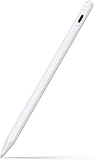
- 【Compatible with 2018-2022 iPad & iPad Pro】The stylus supports for iPad series 2018-2022 model: iPad 10th/9th/8th/7th/6th Gen, iPad Air 3rd/4th/5th Gen, iPad Pro 11 inches,iPad Pro12.9 inches.
- 【Not compatible with models before 2018】The stylus doesn’t support iPad pro 1st&2nd, iPad pro 10.5″, iPad pro 9.7″, iPad 1 to 5 Gen, iPad mini 1 to 4 Gen, iPad Air 1st/2nd Gen versions of iPad.
- 【Precise and Smooth】1.5mm pen tip can replace your finger to execute finer instructions, it easy to install and tear off the tips on your stylus pen without any tool. No lag/offset/breaking.
- 【Palm Rejection Design】Stylus pen with palm rejection technology provides a natural writing feeling and quick, effortless interaction with your screen, gives you more accuracy and control against.
- 【Touch Switch & Fast Charging】No need for Bluetooth connection, turn on this stylus pen by simply touching the cap button,charging 15-20 minutes, can support the work of 8-10 hours.
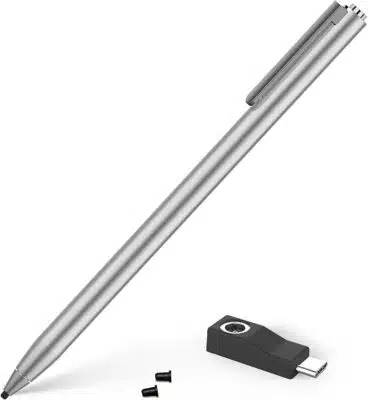
3. Adonit Dash 4
The best value iPad stylus
Type: Passive | Connectivity: Wireless | Run Time (Up To): 15 hours | Pressure levels: – | Dimensions: 7.56 x 2.22 x 2.22 inches
It’s no surprise that Adonit Dash 4 is regarded as one of the best iPad stylus pens available. It is a “dual stylus”, which means that it is compatible with all Apple and Android devices.
While it is a passive stylus, it supports palm rejection and the extra-fine tip makes it perfect for drawing and writing. All you need to do is push the button at the top and it is ready to use!
This sleek aluminum stylus boasts a unique magnetic charging mechanism via USB-C charging and extended battery life, so you can sketch, doodle, and take notes for hours without recharging it anytime soon. Plus, it comes with a USB-C charger, two replaceable nibs in the box, and a 12 months warranty so you get a lot of bang for your buck.
| Pros | Cons |
| ➕Compatible with Apple as well as Android devices | ➖No pressure sensitivity |
| ➕Great features for its price | |
| ➕Sleek design | |
| ➕Great battery life |
Latest Price on Amazon:

- 【2 Separate Modes for iPad & Touch Screens】- Clicking the power button at the end of the stylus to illuminate green means Dash 4 can be used on any iPhone, Android, and all touch screens to take.
- 【Magnetic Charging】- Dash 4’s magnetic charging via USB-C charging stand allows for a completely portless design for an even sleeker look. With increased battery power, Dash 4 can be used for up.
- 【Just Tap and Go】- Dash 4 is ready to use with the simple push of a button at the top of the stylus, with no Bluetooth pairing needed. Incredibly easy to use and ready when inspiration strikes.
- 【Palm Rejection on New iPad】- Users can safely rest their hand naturally on the screen with no interruptions to writing, drawing, or other activities. Please note that Blue light mode only
- 【What You Get】- Package includes Adonit Dash 4, USB-C Charger, 2x Replaceable Nibs, User Manual, 12 months warranty.
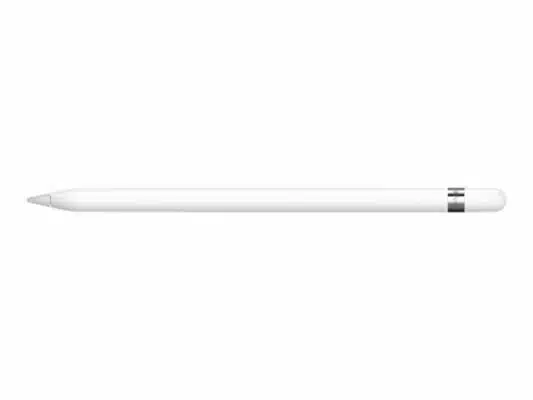
4. Apple Pencil (1st Generation)
The best stylus for older iPads
Type: Active | Connectivity: Bluetooth/Lightning connector | Run Time (Up To): 12 hours | Pressure levels: 4,096 | Dimensions: 0.07 x 0.35 x 0.07 inches
The original Apple Pencil isn’t just a great choice for older iPads as some of the newer models, such as the 10.2-inch (9th gen) iPad, still come with Apple Pencil (1st gen) compatibility. It is an excellent option for most users, especially those who want to pick up a capable Apple stylus at a discount.
It has a slender, cylindrical design that’s easy to hold. The tip is made of fine-pointed rubber, which makes it perfect for drawing and writing. The original Apple Pencil offers a premium drawing and writing experience with exceptional tilt and pressure sensitivity so that you can create subtle shading and variations in line weight.
| Pros | Cons |
| ➕Works with older iPads and some recent ones | ➖No eraser |
| ➕Precise | ➖Tends to roll-off |
| ➕Easy to pair and use | |
| ➕More affordable than the 2nd generation Apple Pencil |
Latest Price on Amazon:

- Apple Pencil features the precision, responsiveness, and natural fluidity of a traditional writing instrument and the versatility to become so much more.
- With Apple Pencil, you can turn iPad into your notepad, canvas, or just about anything else you can imagine.
- Pad Air (3rd generation), iPad mini (5th generation), iPad (6th, 7th, 8th and 9th generations), iPad Pro 12.9‑inch (1st and 2nd generations), iPad Pro 10.5‑inch and iPad Pro 9.7‑inch
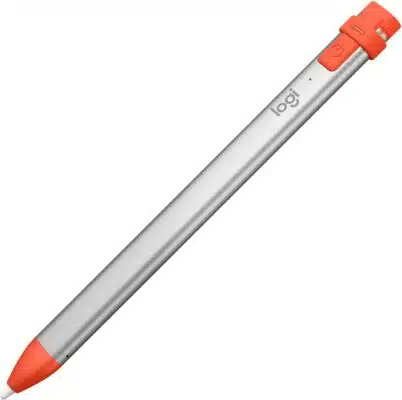
5. Logitech Crayon
The best iPad stylus for kids
Type: Active | Connectivity: Wireless | Run Time (Up To): 7.5 hours | Pressure levels: – | Dimensions: 0.3 x 0.4 x 6.4 inches
Built using the same technology used by Apple Pencil, the Logitech Crayon is the only non-Apple stylus for iPad that has an official stamp of approval from Apple itself. It was originally designed for those working in the education sector, but since then has grown steadily in popularity, especially among creatives. It is safe to say that we are huge fans of this stylus, too.
Packed with palm rejection technology, tilt sensitivity, virtually no lag, and seamless connectivity with iPads, this stylus offers a lot. There is also a decent battery on board with support for quick charging, which gives the pen a 30-minute battery boost just after two minutes of charging. You can never run out of power during long marathon drawing sessions.
The sleek aluminum body is incredibly comfortable to hold and use for hours on end, too and has a kid-friendly design so it does not roll off the table like other styluses. the Logitech Crayon is an easy-to-use and fun stylus for kids, but it is just as good for adults who want a reliable stylus for their needs.
| Pros | Cons |
| ➕Does not require pairing | ➖Lacks pressure sensitivity |
| ➕Lag-free performance | |
| ➕Palm rejection and tilt sensitivity | |
| ➕Quick-charge | |
| ➕Kid-friendly design |
Latest Price on Amazon:
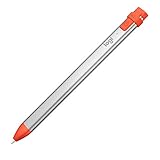
- No limits to what you can do. Works seamlessly with iPad Pro 12.9 Inch (5th and 6th gen) , iPad Pro 11 inch, iPad (6th, 7th, 8th, 9th and 10th Gen), iPad Air (3rd, 4th, 5th Gen), iPad Mini 5, iOS 12.2.
- Write and draw naturally without fear of missing a single line or detail.
- Go right ahead and rest your palm on the screen while you write. Palm Rejection Technology lets you enjoy natural hand placement while using Logitech Crayon.
- Need a thicker or thinner line? Just tilt — the smart tip adjusts line weight automatically.
- Logitech Crayon connects to iPad instantly — just turn on and draw. No complex device pairing or other delays required.
6. Zagg Pro Stylus
The best third-party iPad stylus
Type: Active | Connectivity: Wireless | Run Time (Up To): – | Pressure levels: – | Dimensions: 9 x 3 x 1 inches
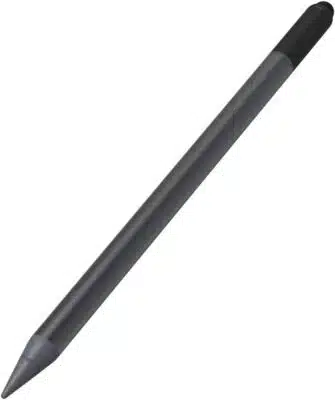
Looking for a third-party budget alternative to the Apple Pencil that does not compromise on features? Consider the Zagg Pro Stylus. It is a dual-tip stylus with a universal capacitive touch backend tip and an active tip on the other side, so you get both versatilities.
The Zagg Stylus lets you draw, write and interact with your iPad using palm rejection and tilt sensitivity, making it comfortable and easy to use. It’s compatible with most iPad apps so that you can stay productive on the go. There is also support for Type-C fast charging, and you can pair it to your iPad and use it more easily.
When it comes to the design, the Zagg Pro has a comfortable grip and a friendly, weighty feel that makes it effortless to create intricate designs. It has built-in embedded magnets, too, so you can magnetically attach it to any iPad Pro 11 or Pro 12.9 for convenience.
| Pros | Cons |
| ➕Great value | ➖No pressure sensitivity |
| ➕Handy palm rejection | |
| ➕Tilt sensitivity | |
| ➕Magnetically attaches to newer iPads | |
| ➕Active+passive tip | |
| ➕Comfortable grip |
Latest Price on Amazon:

- ACHIEVE MORE & GET MORE CONSTRUCTIVE — Increase your productivity with the ZAGG Pro Stylus that lets you take notes, sketch, swipe, mark documents and get more work done on your Apple devices — giving.
- DUAL-TIP FOR ABSOLUTE ACCURACY — Features a capacitive back-end tip for effortless navigation and easy scrolling, and an active stylus on the other end for error-free writing and sketching with smooth.
- PALM REJECTION & TILT RECOGNITION — Rest your palm freely on the device without leaving unwanted marks on the digital paper. Just like a real pencil, the stylus accepts all inputs & widths even when.
- QUICK & EASY PAIRING WITH IPAD 2018 & NEWER MODELS — Just bring this pen close to your iOS tablet and it will pair automatically. Additionally, this stylus can magnetically attach to iPad Pro 11 &.
- LONG-LASTING BATTERY W/ TYPE-C CHARGING — Work, draw and sketch 8-hours straight without running out of battery. The LED battery indicator tells you how much charge is left. With the USB-C fast.
7. Adonit Pixel
The best iPad stylus for note-taking
Type: Active | Connectivity: Bluetooth | Run Time (Up To): 15 hours | Pressure levels: 2048 | Dimensions: 0.41 x 0.41 x 5.91 inches
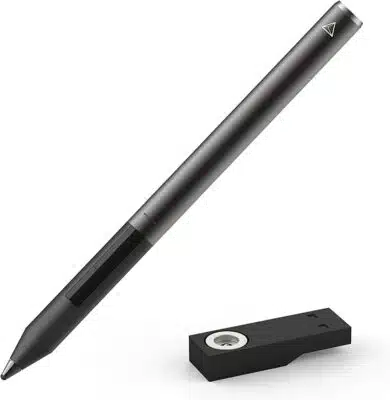
With a smooth tip and comfortable design, the Adonit Pixel is the best stylus for note-taking. It’s made specifically for use on the latest iPads and iPhones from Apple, which means your writing techniques will be enhanced.
Featuring a tip of just 1.9mm, it has a point smaller than most other iPad styluses on the market. That means you’ll be able to get more precision and better responsiveness when you’re drawing or taking notes.
Combined with 2048 levels of pressure sensitivity and enhanced palm rejection, the Adonit Pixel offers a realistic pen-on-paper feel and makes note-taking feel like a breeze.
The Adonit Pixel also comes with Bluetooth built-in and is compatible with most of the apps you would use as a creative. It is crafted with a durable aluminum body that gives it a premium look and has a long-lasting 15-hour battery life.
It boasts a range of shortcut buttons on the chassis that can be programmed easily to give you one-touch access to functions such as erase, undo and redo.
| Pros | Cons |
| ➕Pen on paper feel | ➖Awkwardly placed buttons |
| ➕Reliable battery life | |
| ➕Programmable shortcut buttons | |
| ➕Excellent palm rejection and pressure sensitivity | |
| ➕Compatible with a wide range of apps |
Latest Price on Amazon:
- Improved Pixel Point Tip the New and Improved 1.9mm Pixel Point Tip Provides Increased Accuracy and a Paper-like Drag for a Natural Writing and Drawing Experience.
- Pressure Sensitivity & Palm Rejection with 2048 Levels of Pressure Sensitivity and Enhanced Palm Rejection, the Pixel Writes and Draws Where You Want, How You Want.
- Shortcut Buttons: The Pixel’s Programmable Shortcut Buttons Allow You to Get to Frequently Used Tools like Undo, Redo or Erase, Faster.Grip Sensor: The Pixel’s New Grip Sensor Turns It on When You.
- Green — pixel is finished charging, orange — low battery, red — dead / recharge. iBT features with Adonit Connected iOS apps. Pixel Compatible Apps-Goodnotes, Photoshop sketch, Procreate, Concepts.
- Compatible Devices: iPad mini 6, iPad mini 5, iPad 8, iPad 7, iPad 6, iPad 5, iPad 4, iPad 3, iPhone 13, iPhone Pro, iPhone Pro Max, iPhone 12, iPhone 12 Pro Max, iPhone 12 Pro, iPhone X, iPhone XR.
8. Adonit Pro 4

The best passive iPad stylus
Type: Passive | Connectivity: Wireless | Run Time (Up To): – | Pressure levels: – | Dimensions: 5.51 x 0.35 x 5.51 inches
If you prefer something more simple, more affordable, and easy to use than an active stylus, the Adonit Pro 4 is our top choice. It has a soft touch precision disc that will help you create precise lines while protecting your screen from damage.
You can use it for anything from drawing to taking notes and playing games but the best part is that since it doesn’t have any electronic components, it works with any touchscreen device.
The Pro 4’s body is made of lightweight aluminum with a copper twist cap design for improved grip, so using the stylus always feels good in your hand. Another great thing about this pen is that it has a built-in clip that you can use to attach it to your bag, purse, or more, making it easy to carry your stylus with you wherever you go.
| Pros | Cons |
| ➕Affordable | ➖No palm rejection and pressure sensitivity |
| ➕Sturdy build quality | |
| ➕Premium design | |
| ➕Universally compatible | |
| ➕Bluetooth and battery-free |
Latest Price on Amazon:

- Fine point precision — engineered as a singular piece for added stability for a precise line every time.
- Soft touch precision disc — pet material designed Precision disc scratch resistance on touchscreens.
- Streamlined pen clip — a sleek grooved hook designed for your pockets, bags, and more.
- Premium craftsmanship — the Pro 4’s body is made of lightweight aluminum with a efficient copper twist cap design for improved the texture and grip to take your experience to the next level.
- The Stylus is 100% compatible with all capacitive touchscreen devices; Apple, Android and Windows Smartphone’s and Tablets
9. Adonit Note-M
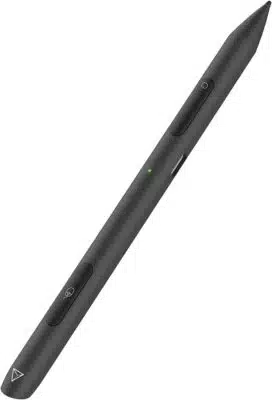
The most versatile iPad stylus
Type: Active | Connectivity: Bluetooth | Run Time (Up To): 10 hours | Pressure levels: – | Dimensions: 6.54 x 0.44 x 0.44 inches
The Adonit Note-M is a modern take on the old-school stylus. It’s got some great features that make it stand out from other Apple Pencil alternatives. For starters, the Note-M uniquely incorporates left and right click functionality with a touch panel and scroll wheel right in your stylus, offering you the versatility of a stylus and a mouse in one device.
In addition, its ergonomic design, palm rejection technology, and 1mm fine point tip give you the accuracy, control, and comfort you need to work and draw like a pro. This lightweight stylus also attaches to the side of your iPad Pro (3rd/4th Gen) so you don’t lose it, and it easily charges through the USB-C connector.
The Adonit Note-M is the ultimate tool to help you unlock the full potential of your time. Working with it feels like a cheat code and costs much less than the Apple Pencil.
| Pros | Cons |
| ➕Versatile | ➖No capacitive tip |
| ➕Ergonomic design | ➖No pressure sensitivity |
| ➕Attaches magnetically to latest iPads | |
| ➕1mm tip | |
| ➕Replaceable tip |
Latest Price on Amazon:

- 【Mouse sensor】Adonit developed a unique multi-angled sensor that can detect up to 5mm away from the surface. This provides you with a seamless experience when using the mouse functionality. 【IOS.
- 【Full mouse functionality】The Note-M has an integrated mouse function, left & right click buttons, and a touch panel to achieve the touch-sensitive scrolling wheel on the stylus. You may rearrange.
- 【Magnetic body】The Note-M attaches to the side of your iPad Pro (3rd/4th Gen) or any other magnetic surface. The 2-in-1 design is lightweight and compact enough for you to bring it with you.
- 【Natural palm rejection】 Palm rejection technology allows you to rest your hand comfortably on the screen while you paint or write. Working with an extensive variety of apps, your palm will never.
- 【Charge with a USB-C connector】 Adonit Note-M uses a USB-C for charging. Replaceable Tips please search B07T34NRGS. Both stylus and mouse functions can be used while it is being charged. When.
10. Meko Universal Stylus
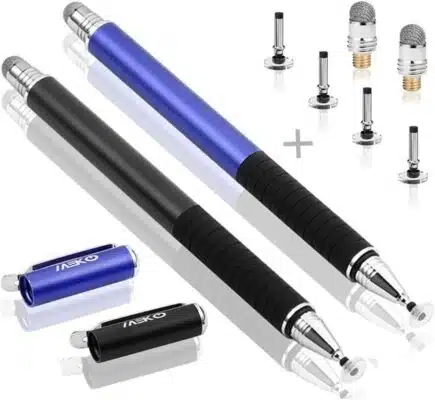
The best iPad stylus for beginners
Type: Passive | Connectivity: Wireless | Run Time (Up To): – | Pressure levels: – | Dimensions: 5.5 x 0.35 x 0.35 inches
The Meko Universal Stylus is the best stylus for beginners and those who have never used a stylus. It is quite simple, easy to use, and is a great stylus at an entry-level price.
The Meko Universal Stylus has a nib with a clear disc so you can accurately see where you are drawing. Plus, you get an extra stylus, four replacement disc tips, and two replacement fiber tips bundled with the stylus, so it will be quite some time before you have to invest in a new stylus.
Since there is no Bluetooth or other electronic components, the Meko stylus works with all devices, no matter which device you own, so it is an option worth considering if you want a basic stylus for note-taking, drawing, or browsing.
| Pros | Cons |
| ➕Easy to use | ➖Basic functionality |
| ➕Works with all touchscreen devices | |
| ➕Durable aluminum build | |
| ➕Cheap | |
| ➕Includes an extra stylus, four replacement disc tips, and two replacement fiber tips |
Latest Price on Amazon:
![MEKO Universal Stylus,[2 in 1 Precision Series] Disc Stylus Touch Screen Pens for All Capacitive.](https://m.media-amazon.com/images/I/41cqWFXkuVL._SL160_.jpg)
- ❤ 【About The Stylus】 — Length:5.5″(140mm); Pen tube diameter 0.35″(9mm); Disc diameter: 0.27″ (6.8mm) including 2mm rubber point ; Fiber tip Diameter:0.24 (6mm); Weight: 24g — Made from.
- ❤【Precision and Sensitivity】- One end is tclear disc tip, which can clearly see exactly where your mark is being made and gives you the accurate point. Perfect for taking notes and drawing apps.
- ❤ 【Compatible with All Touch Screens】-These stylus pens are compatible with Smart Phones, Android Tablets, Touch Screen Laptops /PC. (Apple/ iPhone/ Ipad pro/ Mini/ Air/ Android/ Surface) and.
- ❤【Package Included】- 2Pcs Stylus; 4 Pcs Replacement Disc Tip;2 Pcs Replacement Fiber Tip. To find extra replacement Disc tips, please search ASIN: B016X4QJWE on Amazon. Replacement Fiber Tip -.
- �� 【Note】- Though the Disc works just like a fine point stylus, the disc stylus is not fine point stylus. If you need a true FINE POINT Stylus, please search Asin: B0B5GFDJ3X on Amazon.
How to Choose the Best Stylus for iPad
Active Stylus vs Passive Stylus
There are two main types of styluses: active and capacitive. An active stylus has a pen-like tip and includes several electronic components. It is the preferred choice for creatives as it offers plenty of features that most passive styluses do not, such as memory, electronic erasers, pressure sensitivity, and palm rejection.
A passive or capacitive stylus, on the other hand, usually does not have any electronic components so it works just like your finger does on the touchscreen. While this does not give it any advantages, it does have drawbacks, as you won’t get the same precision as you would with an active stylus.
Pressure Sensitivity
Pressure sensitivity is important for drawing, as it allows you to modify the thickness of your line according to how hard you’re pressing. This is one of the biggest differences between premium styluses and cheaper ones, which can only draw with uniform thickness.
In addition to offering more control, it lets you draw more accurately and expressively compared to a passive stylus. Most styluses offer 2,048 distinct levels of pressure sensitivity, but the number can go as high as 8,192 levels.
Tilt Sensitivity
Tilt sensitivity is like pressure sensitivity. It allows you to vary the line thickness and shape from the pressure of the stylus. You can create smooth, thin lines that feel like they were drawn with a pen or pencil, or you can create thicker lines with more distinct shading effects.
Palm Rejection
Like when you’re writing with a pen, the palm rejection feature lets you rest your hand comfortably on the tablet’s surface while you are drawing. This will prevent your palm from being confused with multiple input signals and play a part in whether or not the tablet registers a touch vs. an unintended pen stroke.
Related posts
- Best touchscreen laptops
- Best Stylus for Android
- Best curved monitors
- Best 5K & 8K Monitors
- Best Tablets with Stylus Pen
- Best gaming monitors
10+ Best iPad Stylus in 2023 Summary
There is a stylus for every purpose and every budget on this list, so you are spoilt for choice when it comes to selecting a stylus for your iPad. We’ve done our research so you won’t have to and it is hard to go wrong with any of these picks.
Which stylus do you think is the best? Let us know in the comments below!
The 5 Best iPad Stylus for Drawing in 2023 (July)
Every person that owns an iPad knows how versatile it is. The amount of activities and tasks we can do with it is incredible; however, if we add portability and long-lasting battery life to the list, we get a powerful device with which we can create, work, study, etc.
All that can be enhanced with a simple accessory, a stylus that will give you another level of precision and control when drawing, speed and clarity when studying, and note-taking, making your experience much more enjoyable overall.
But with so many options available, how could you know which is best for you?
This article will cover several aspects you must consider when buying a new stylus, including compatibility, connectivity, pressure sensitivity, palm rejection, etc.
Whether you’re a student, an artist, or simply looking for a more intuitive interaction experience with your iPad, this article will help you make an informed purchase and choose the best option.
First, let’s answer some questions:
What Is A Stylus and How Does It Work?
A stylus is a pen-like device used to scroll, write or draw on a touchscreen device. It usually has a tip made of conductive material like rubber that sends electrical signals to the screen, which interprets it as a finger touch. Several types of stylus work differently with different devices. For example, a stylus for graphic tablets works very differently than the ones for smartphones.
Active styluses:
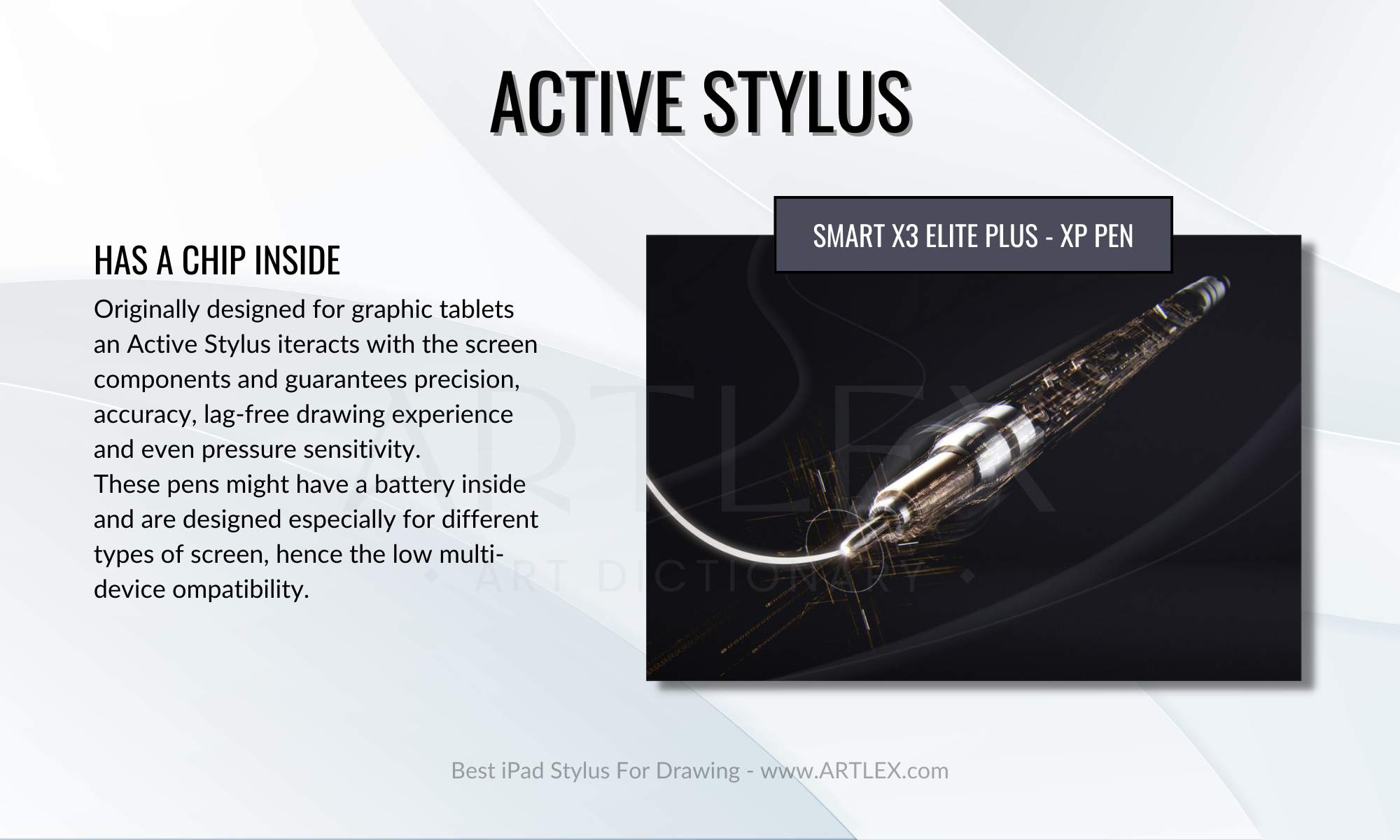
Active styluses have a small battery and electronics inside that allow them to interact with the screen more sophisticatedly, such as detecting pressure and tilt. They are often used for drawing and handwriting.
Passive styluses:
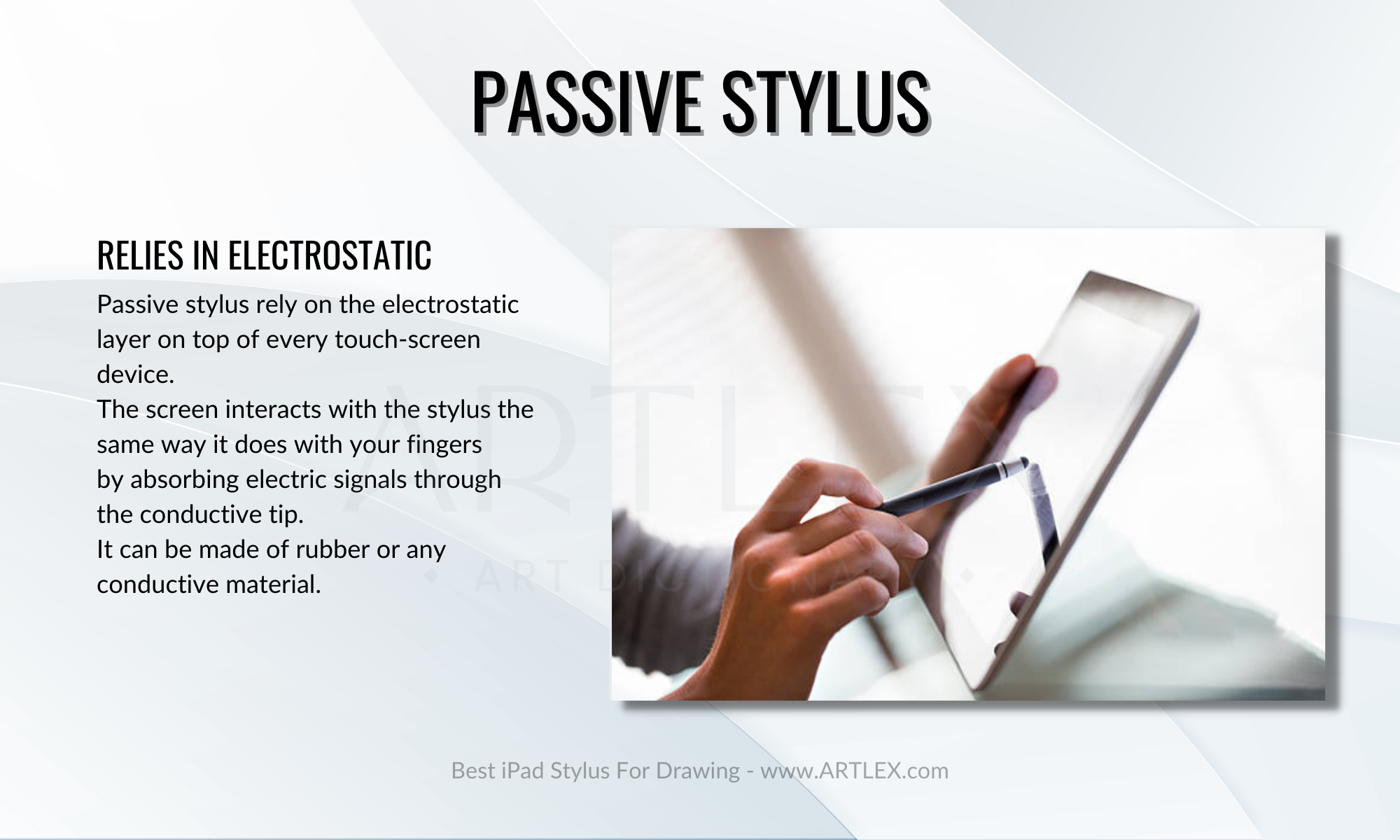
Also called capacitative styluses, passive styluses do not have any electronics and are simply a pen or pencil with a rubber or plastic tip. They are used to interacting with touch screens in the same way as a finger, but they offer more precision than a finger and are less likely to leave smudges.
Hybrid styluses:
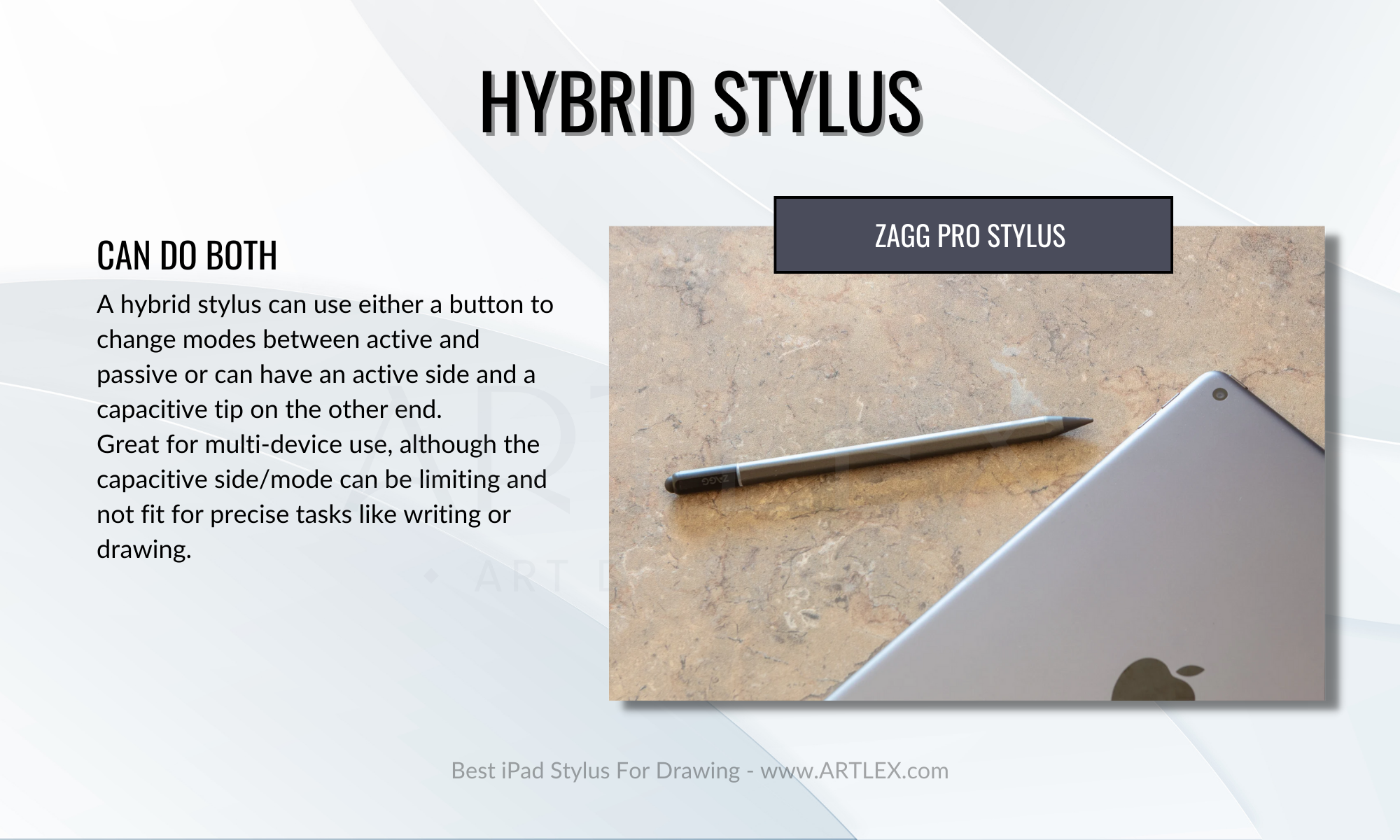
Hybrid styluses can be used as both active and passive, depending on the mode they are in. They often have a switch or button that allows the user to toggle between the two modes.
What Should I Consider When Buying a Stylus?
When shopping for a stylus for your iPad, it is essential to consider some factors to get the best option for your specific needs and preferences. To help you make an informed decision, we have compiled a list of criteria to consider:
iPad Compatibility
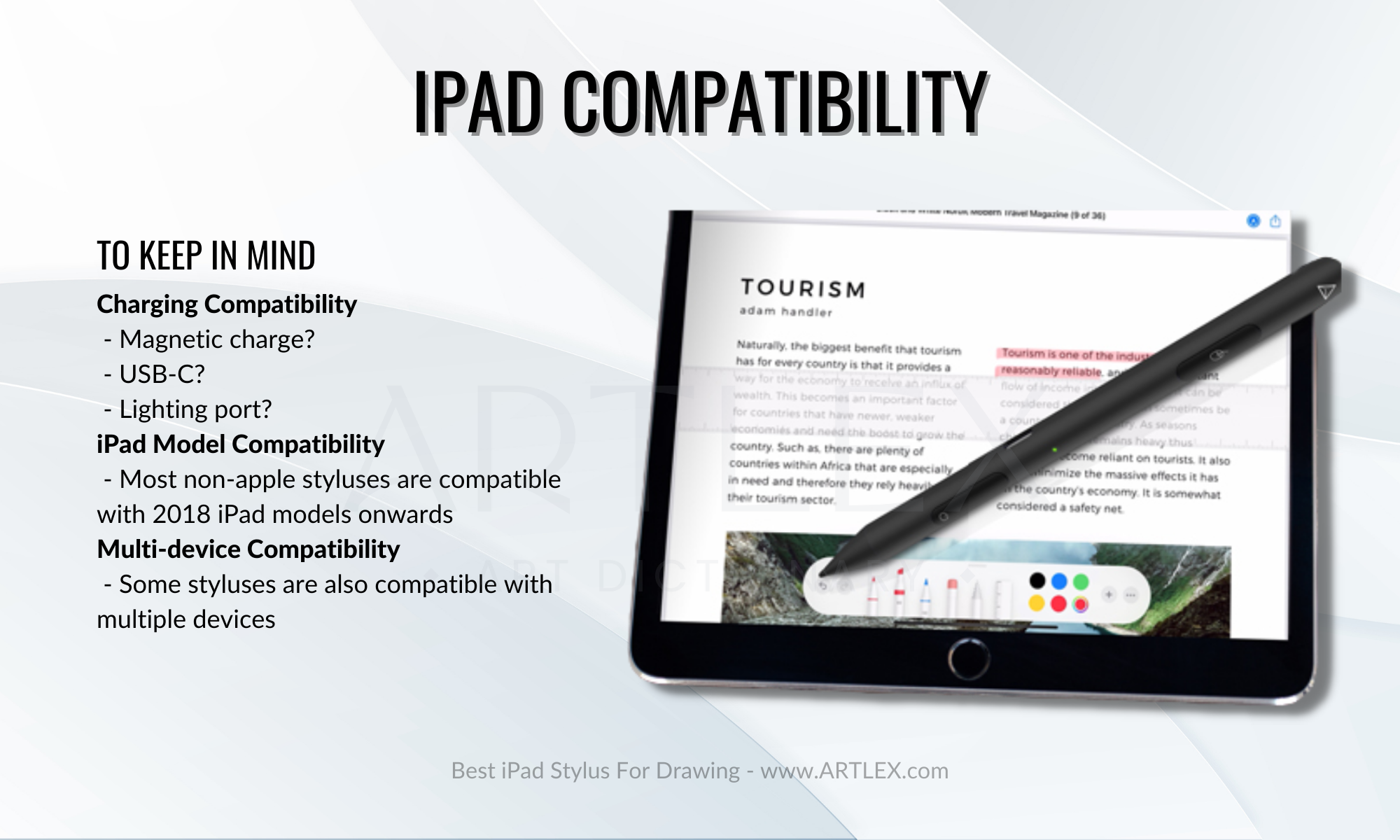
One of the most important factors to consider when shopping for a stylus is its compatibility with your iPad. The Apple Pencil is specifically designed for use with the iPad, but not all versions are compatible with all models.
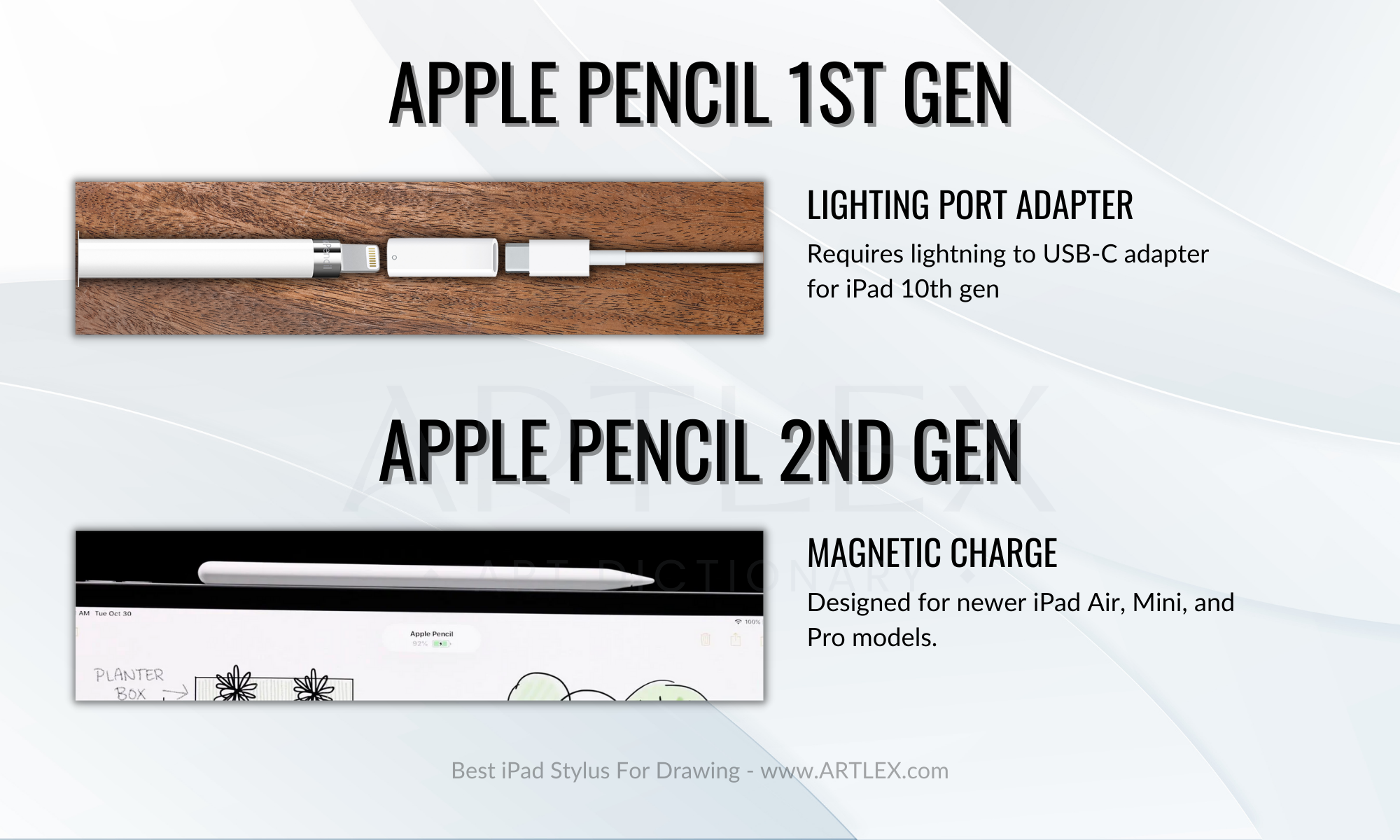
The first generation Apple Pencil is only compatible with the regular iPad, older iPad Pro models, and iPad mini models. On the other hand, the Apple Pencil 2nd generation is compatible with the new iPad mini 6, the iPad Air 5, and the last three generations of the iPad Pro. The main differences between the two styluses are the charging method (lightning for the first generation and magnetic for the second) and the improved responsiveness and sensitivity of the second generation.
It is also worth noting that while many styluses on the market are also compatible with android devices, some are specifically designed for older iPad models or may not be compatible with certain features on newer models. Third-party styluses are generally compatible with most tablets and mobile devices, but it is still important to check for specific model compatibility before making a purchase.
Pressure Sensitivity
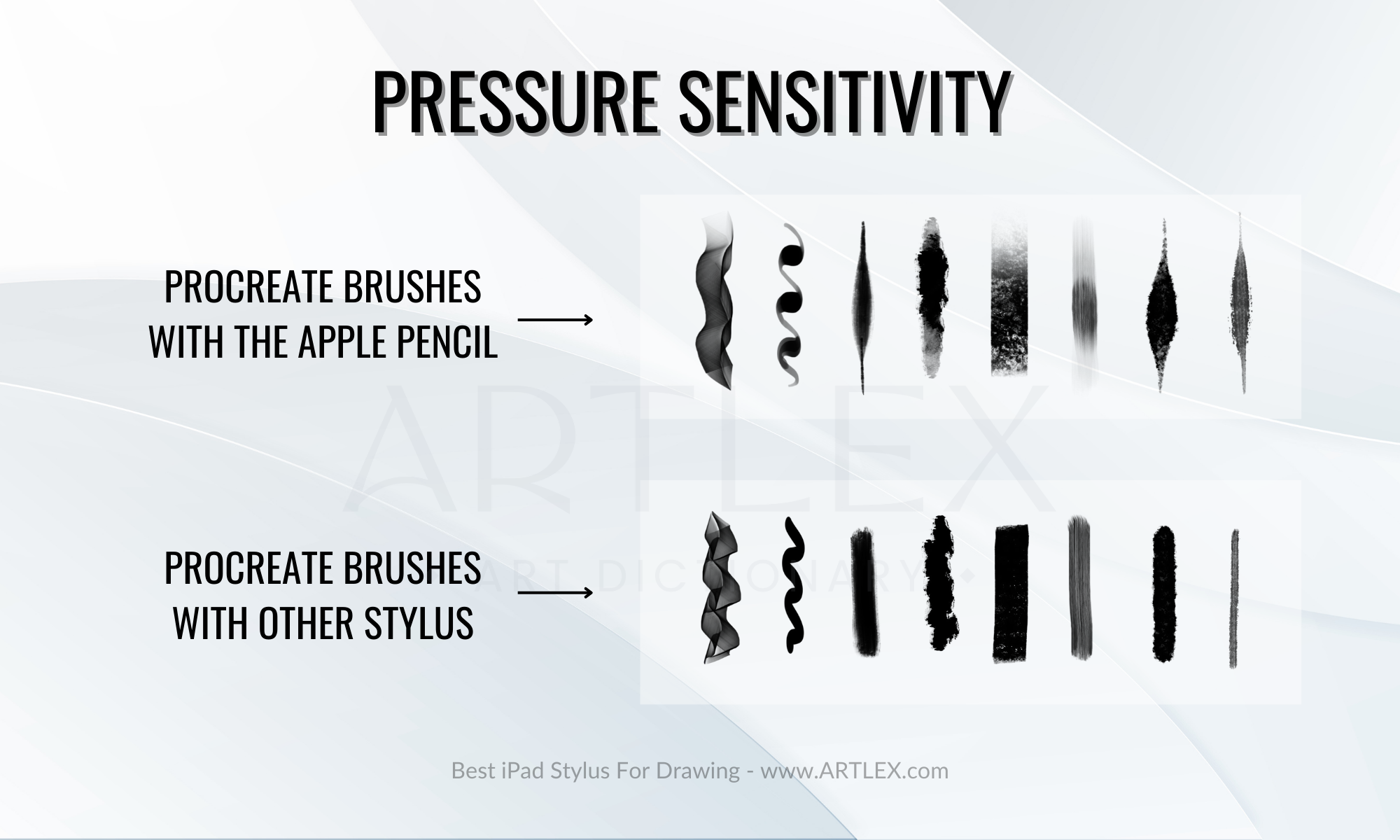
One of the standout features of the Apple Pencil is its pressure sensitivity, which allows for greater control and versatility in drawing and design apps. The ability to adjust brush size, opacity, and other settings through pressure can greatly enhance the user experience.
Unfortunately, no other styluses offer the same pressure sensitivity level as the Apple Pencil. However, some brands do offer tilt sensitivity as an alternative, which can still provide a more dynamic and precise drawing experience.
Palm Rejection
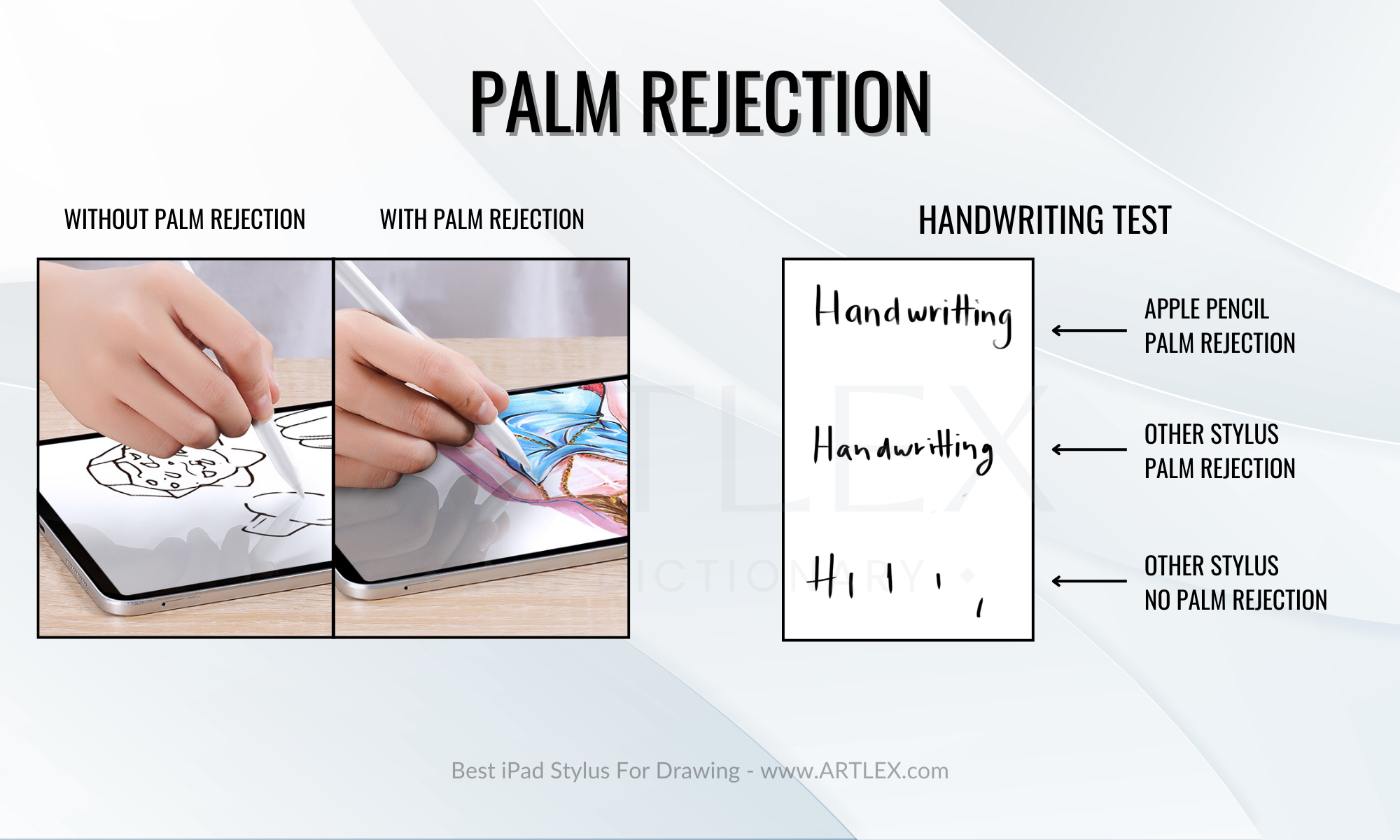
Another important aspect to consider when choosing a stylus is palm rejection technology, which allows the iPad to distinguish between the stylus and your hand or fingers. This is crucial for accurate drawing, painting, and smooth note-taking. Without proper palm rejection, the iPad may register unwanted marks or interruptions in your drawing or note-taking.
Charging and battery life
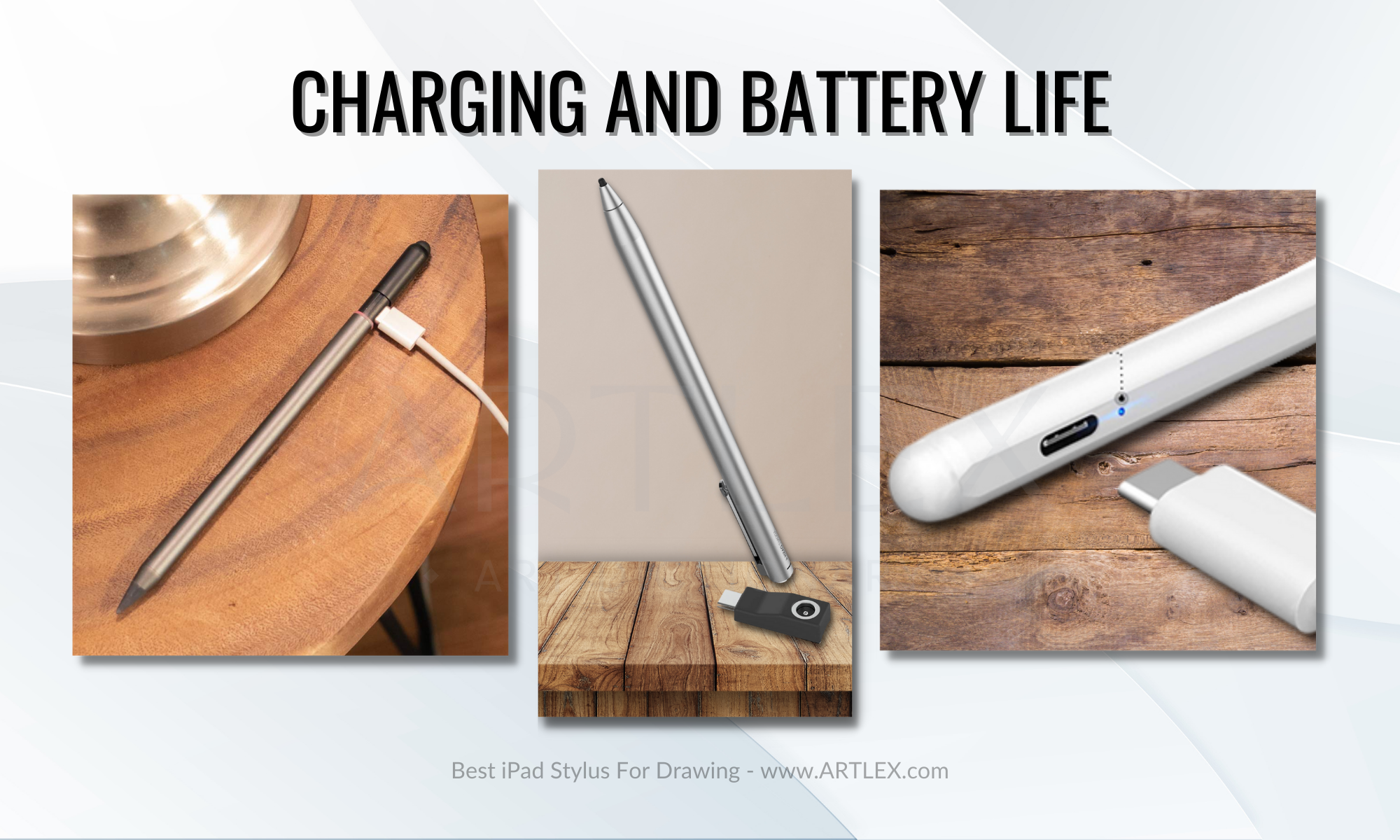
A stylus’s charging method and battery life are also key factors to consider. The second-generation Apple Pencil charges wirelessly and can be charged quickly – a few minutes of charging provides hours of use. In contrast, the first-generation Apple Pencil requires a lightning port or a USB-C adapter for charging and takes longer to fully charge.
Most third-party styluses charge via USB-C cables, but some offer wireless charging or can attach magnetically to the border of the iPad. The average battery life for third-party styluses is about 10 hours, but some offer less. If you’re a heavy user, it is advisable to choose a stylus with a battery life of at least 10 hours and a shorter charging time (usually 1-3 hours), to ensure an uninterrupted and enjoyable experience.
App compatibility
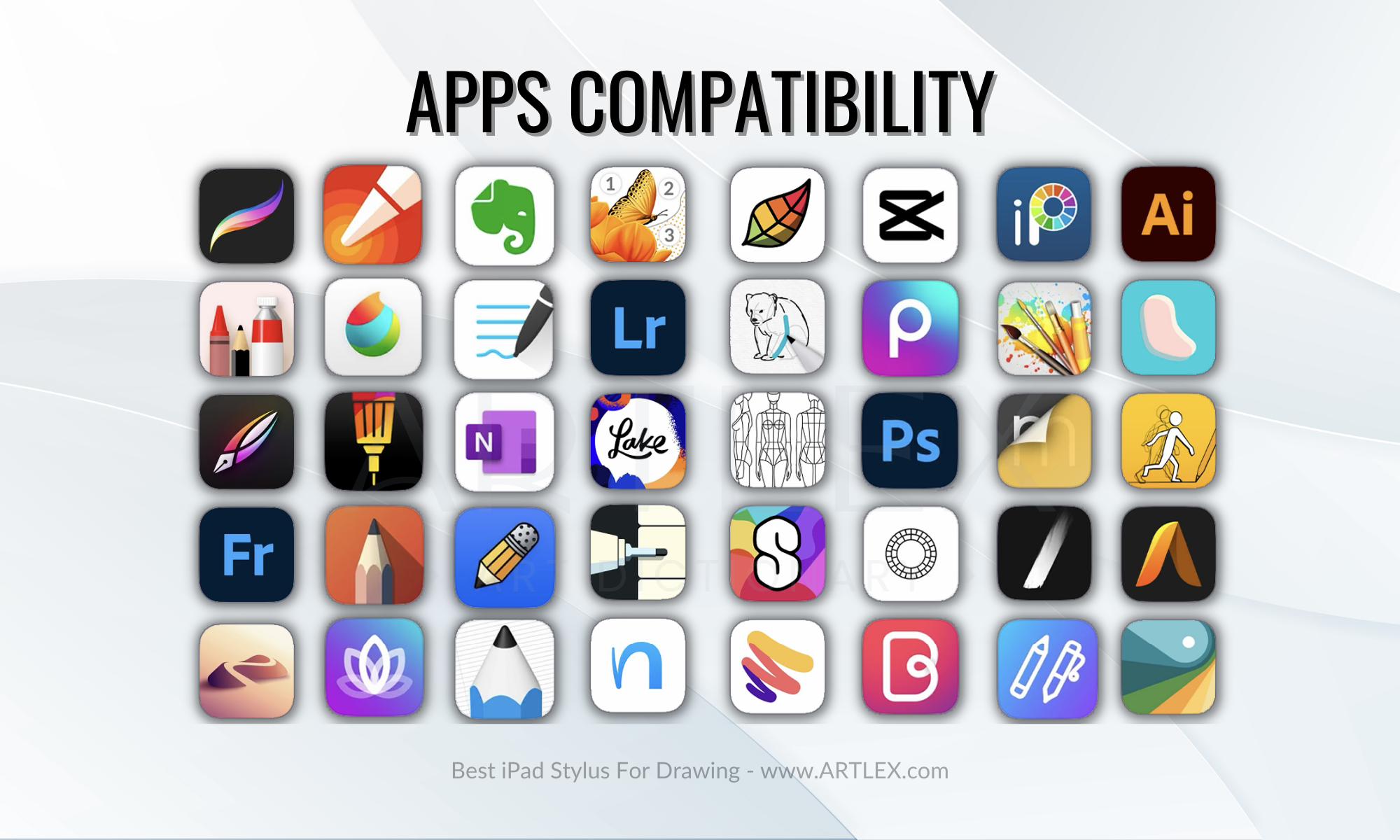
App compatibility can be an important factor to consider when buying a stylus, as certain styluses may be specifically designed to work with certain apps or offer additional features that are only available when used with certain apps. For example, some styluses may offer basic pressure sensitivity or other advanced features that are only supported by certain drawing or note-taking apps.
It is also worth considering whether the stylus is compatible with any apps that you currently use or plan on using in the future. This can help ensure that you get the most out of your stylus and that it meets your needs and preferences.
Finally, it is always a good idea to check the developer’s website or the app store listing for information on stylus compatibility and Apple Pencil-supported apps, as this can help you determine which stylus pens will work best with a given software. This can be especially useful if you are looking for a stylus pen with a specific app or if you have specific feature requirements.
Price
Price is definitely something to consider when buying a stylus. The Apple Pencil 1 and 2 are two popular options for iPad models, and they each have their own price points. The first-gen Apple Pencil costs $99, while the second-gen is $129. There are also lots of third-party iPad styluses that range from $10 to over $100.
These styluses can offer different features and may be designed for specific purposes or apps. Some have tilt sensitivity, programmable buttons, or other advanced features, while others are more basic and focus on providing a smooth writing or drawing experience. When thinking about price, consider what features you need and if it’s worth investing in an expensive stylus. Remember, sometimes you either buy nice or buy twice.
Are there any other features I should look for in a stylus for iPad?
Some other features to consider when choosing a stylus for iPad include shortcut buttons, instant connectivity, and multi-device compatibility.
Shortcut buttons can allow you to quickly access specific functions, such as switching between pen and eraser modes and other shortcuts. Instant connectivity can wirelessly connect the stylus to your iPad without using Bluetooth or other weird connection methods.
Multi-device compatibility is especially useful for those with more than one device who can’t carry multiple styluses every time.
Is It Worth Investing In a More Expensive Stylus?
Whether or not it is worth investing in a more expensive stylus will depend on your specific needs and budget. More expensive styluses may offer additional features, such as higher precision or pressure sensitivity, or may be made with higher-quality materials. If these features are important to you and you are willing to pay for them, a more expensive stylus may be worth the investment.
Best iPad Stylus for Drawing
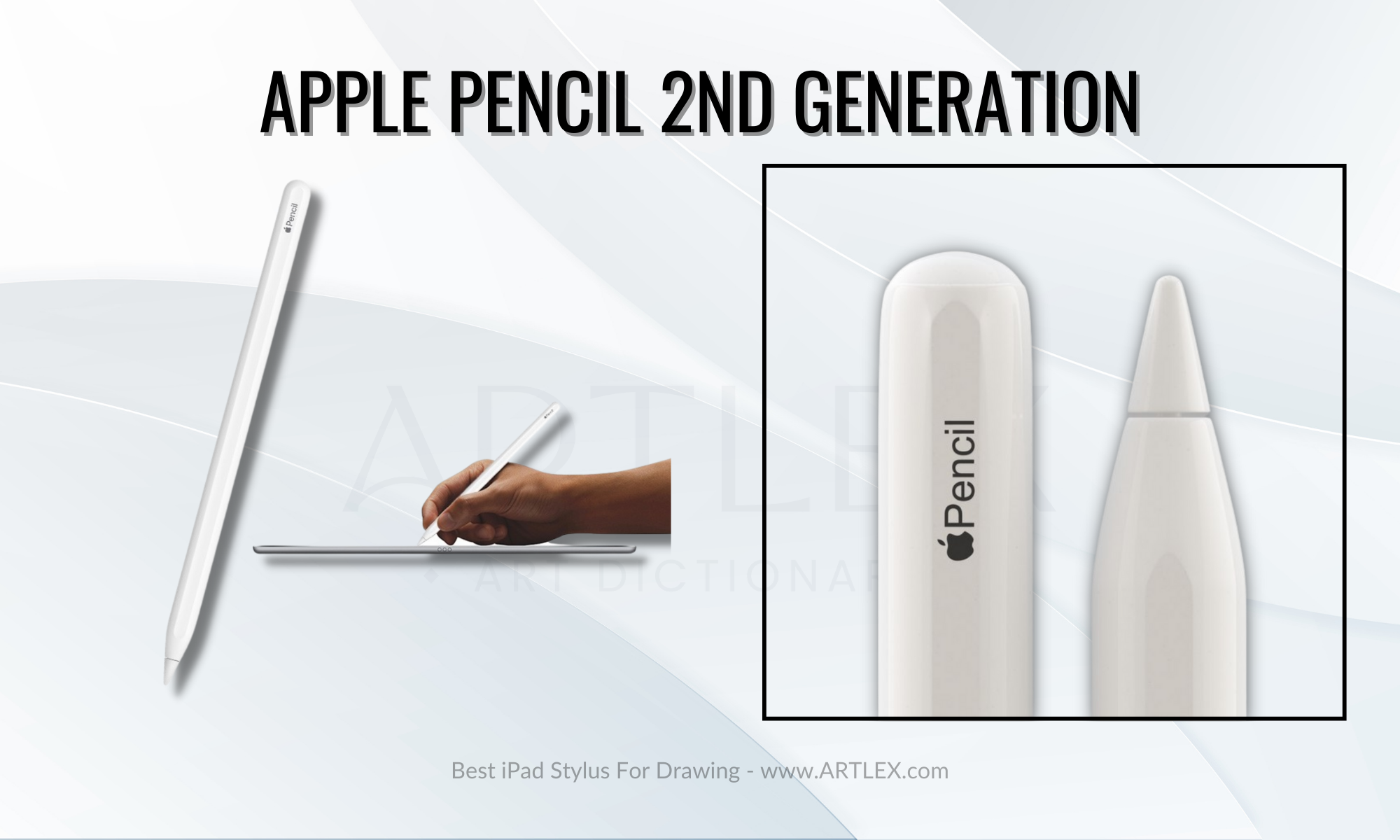
1. Best Stylus Overall — Apple Pencil 2nd Generation
Selection Criteria:
- iPad Compatibility: iPad Pro (1st-4th gen 11”, 3rd to 6th gen 12.9”), iPad Air (4th and 5th Gen), iPad Mini 6
- Our score: 8/10
- Our score: 10/10
- Our score: 10/10
- Our score: 9/10
- Our score: 10/10
- Our score: 7/10
About the Apple Pencil 2nd Generation
If you’re in the market for a stylus for your iPad, the Apple Pencil (2nd gen) is worth a look. It’s specifically designed to work with the latest iPad models (you can check out the compatible devices here), and it’s got a ton of features that make it the top pick on our list. First off, it’s got enhanced precision, which is excellent for anyone who needs to write or draw with high accuracy. It also has instant connectivity, so you can start using it immediately without any tedious setup. Plus, it charges magnetically, which is super convenient. Another cool feature is tilt sensitivity, which lets you create different shading effects just by tilting the stylus. And if that wasn’t enough, it even supports touch gestures and has a programmable button for even more functionality.
But the real star of the show is the pressure sensitivity. This is especially important for artists, as it allows you to create thin or thick lines depending on how hard you press down. The Apple Pencil (2nd gen) also has a design closely resembling a pencil, with a thick replaceable tip and a flat side to prevent rolling. It’s got a perfect weight and is compatible with all apps, whether they’re artistic or not.
And if you’ve got the latest iPad Pro models (6th gen 12.9 and 4th gen 11), you’re in for an even bigger treat. The Apple Pencil (2nd gen) has a feature called “Hover” on these models, which takes the iPad’s screen sensitivity to a whole new level and enhances the precision and functionality of the stylus, especially for creative apps.
All in all, the Apple Pencil (2nd gen) is definitely the best stylus for iPad out there.
Pros:
- Full compatibility
- Great design
- Magnetic Charge
Cons:
- On the expensive side
2. Second Best Stylus — Apple Pencil 1st Generation
Selection Criteria:
- iPad Compatibility: iPad Pro 9.5, 10.5, 12.9 (1st and 2nd Gen), iPad Air (3rd Gen), iPad (6th to 10th gen) iPad Mini 5
- Our score: 8/10
- Our score: 10/10
- Our score: 10/10
- Our score: 8/10
- Our score: 10/10
- Our score: 7/10
About the Apple Pencil 1st Generation
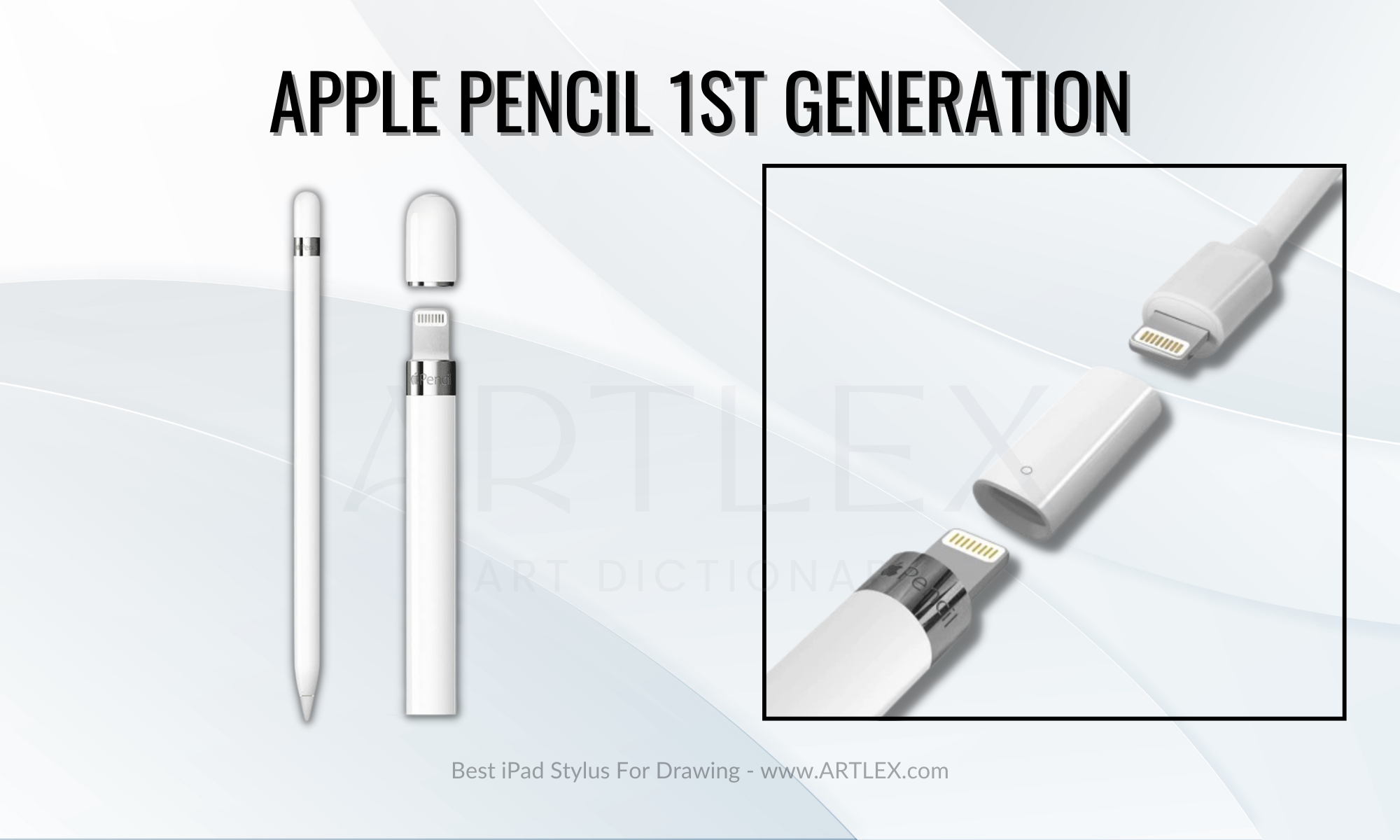
The Apple Pencil (1st generation) is a super handy stylus that allows you to take your iPad experience to the next level. Whether you’re an artist looking to draw more precise lines or a student wanting to take handwritten notes, the Apple Pencil (1st generation) is up to the task.
It’s super responsive and can detect different pressure levels, so you can easily create thin or thick lines. Plus, it’s got a lightning connector for charging, so you’ll never run out of battery in the middle of a project. And if you’re into art, you’ll love that it can detect the angle of your hand, so you can create different shading effects just by tilting it. It’s compatible with a few different iPad models, so you’ll want to check which one you have before you buy.
If you get a new Apple Pencil 1, it already comes with lighting to a USB-C adapter. However, if you want to use your old one with the new iPad 10th gen, you’ll need to get an adapter.
Ultimately, the Apple Pencil (1st gen) is the best choice for artists who own older iPad models and for those who bought the new iPad 10th Gen.
Pros:
- Full Compatibility
- Lighting charge
- Includes a replacement tip
- Includes charging adapter
Cons:
- It doesn’t have the best design
- Not as ergonomic as the 2nd gen
- Rolls easily, and parts can get lost easily as well
3. Best Non-Apple Stylus — Zagg Pro Stylus
Selection Criteria:
- iPad Compatibility: 12.9-inch iPad Pro (Gen 3, 4, 5 & 6), 11-inch iPad Pro (Gen 1, 2, 3 & 4), iPad (6th & 7th), Apple iPad 10.9 in (Gen 10)
- Our score: 9/10
- Our score: 6/10
- Our score: 10/10
- Our score: 8/10
- Our score: 8/10
- Our score: 7/10
About the Zagg Pro Stylus
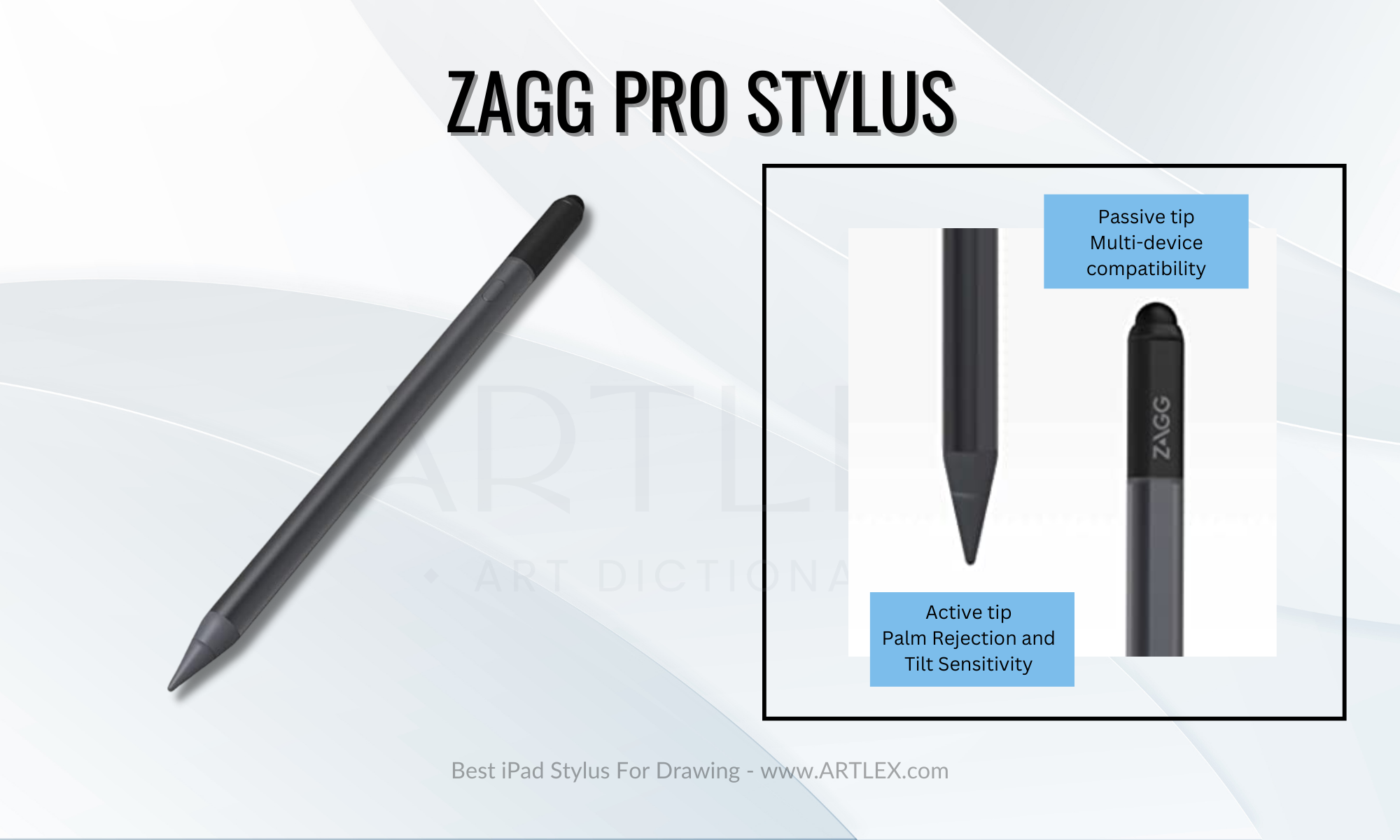
If you’re in the market for a stylus that’s built to last, the Zagg Pro stylus might be worth a look. This digital pen is made of high-quality materials and has a slim, lightweight design that makes it easy to handle. It’s an active stylus, has a fine tip that allows for super precise writing and drawing, and is said to have a natural pen-like feel. That’s a plus for anyone who wants a comfortable stylus to use for long periods.
The Zagg Pro stylus is also supposed to have pretty impressive tilt sensitivity and responsive touch. This can be very helpful if you’re into art and design and want to be able to create variations in line thickness or shading.
It has a great design and a hidden charging port and looks terrific with the iPad since it attaches magnetically, just like the Apple Pencil. And it’s a hybrid stylus, which means if you ever run out of battery, you can use the capacitive side to scroll, navigate, and use it on multiple devices.
Whether you’re a student taking notes or an artist looking to create digital masterpieces, The Zagg Pro stylus is a solid choice for anyone who wants a high-quality stylus with a fine tip and good design without the Apple premium price tag.
Pros:
- Amazing design
- Hybrid stylus
- Very robust and high-quality build
- High compatibility and instant connection
Cons:
- Only compatible with later iPad models
- Battery life could be longer
4. Best Ergonomic Stylus — Logitech Crayon Digital Pencil
Selection Criteria:
- iPad Compatibility: Only compatible with iPads from 2018 and later
- Our score: 7/10
- Our score: 6/10
- Our score: 10/10
- Our score: 6/10
- Our score: 10/10
- Our score: 8/10
About the Logitech Crayon Digital Pencil
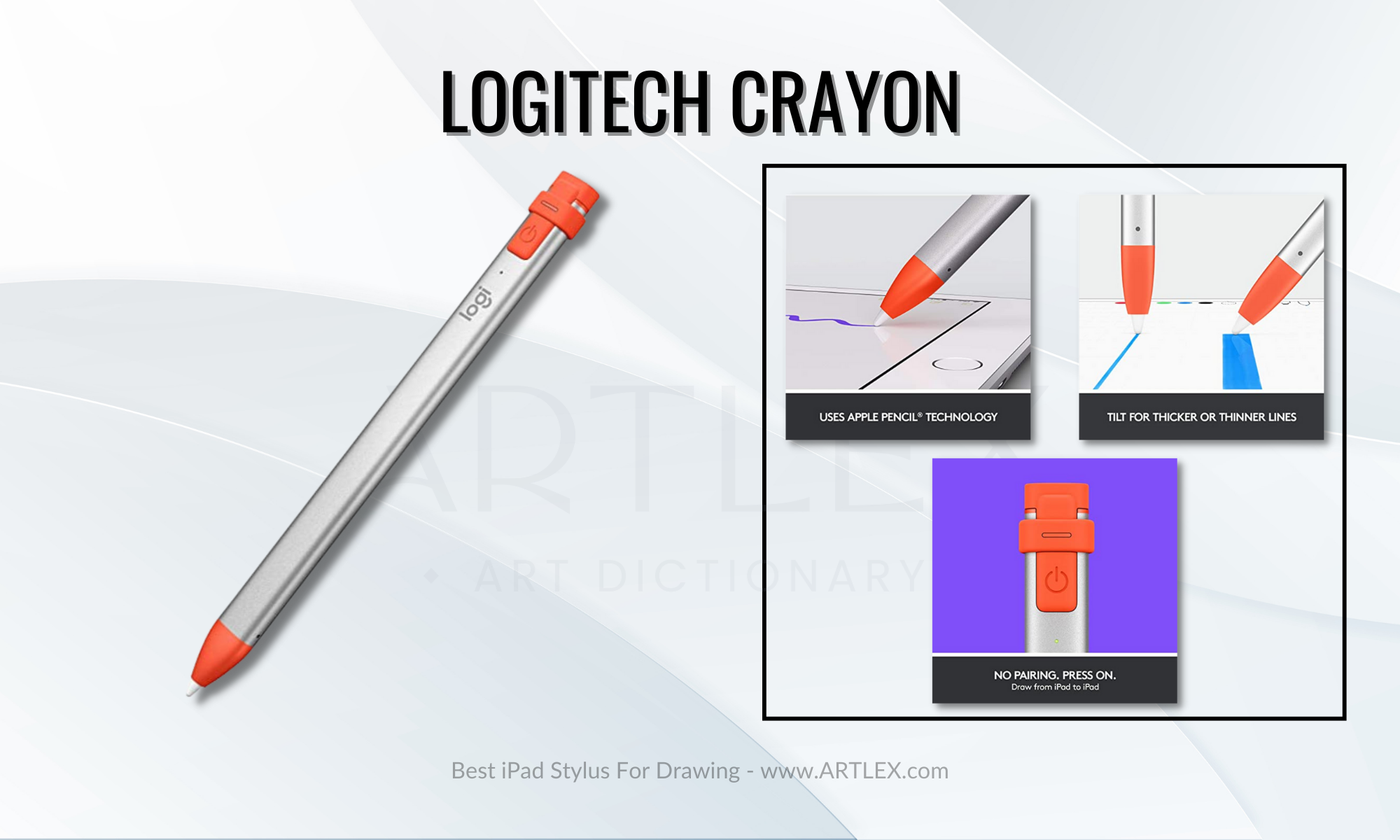
If you’re on the hunt for a stylus designed specifically for iPad use, the Logitech Crayon might be a perfect choice. Its design is inspired by crayons (hence the name), it has a really nice hold, it’s not straining on the hand, and it’s made of durable materials, so it can hold up to regular use. One of the standout features of the Logitech Crayon is its high precision, which allows you to write and draw with a ton of accuracy. It’s got a fine tip that’s great for detailed work, and it’s got a natural feel that’s similar to writing with a pen or pencil.
Another cool thing about the Logitech Crayon is its tilt sensitivity. This lets you create line thickness variations or shading by changing the pencil angle, which is quite useful for designers and artists. It’s also got a responsive touch that makes it easy to navigate apps and menus.
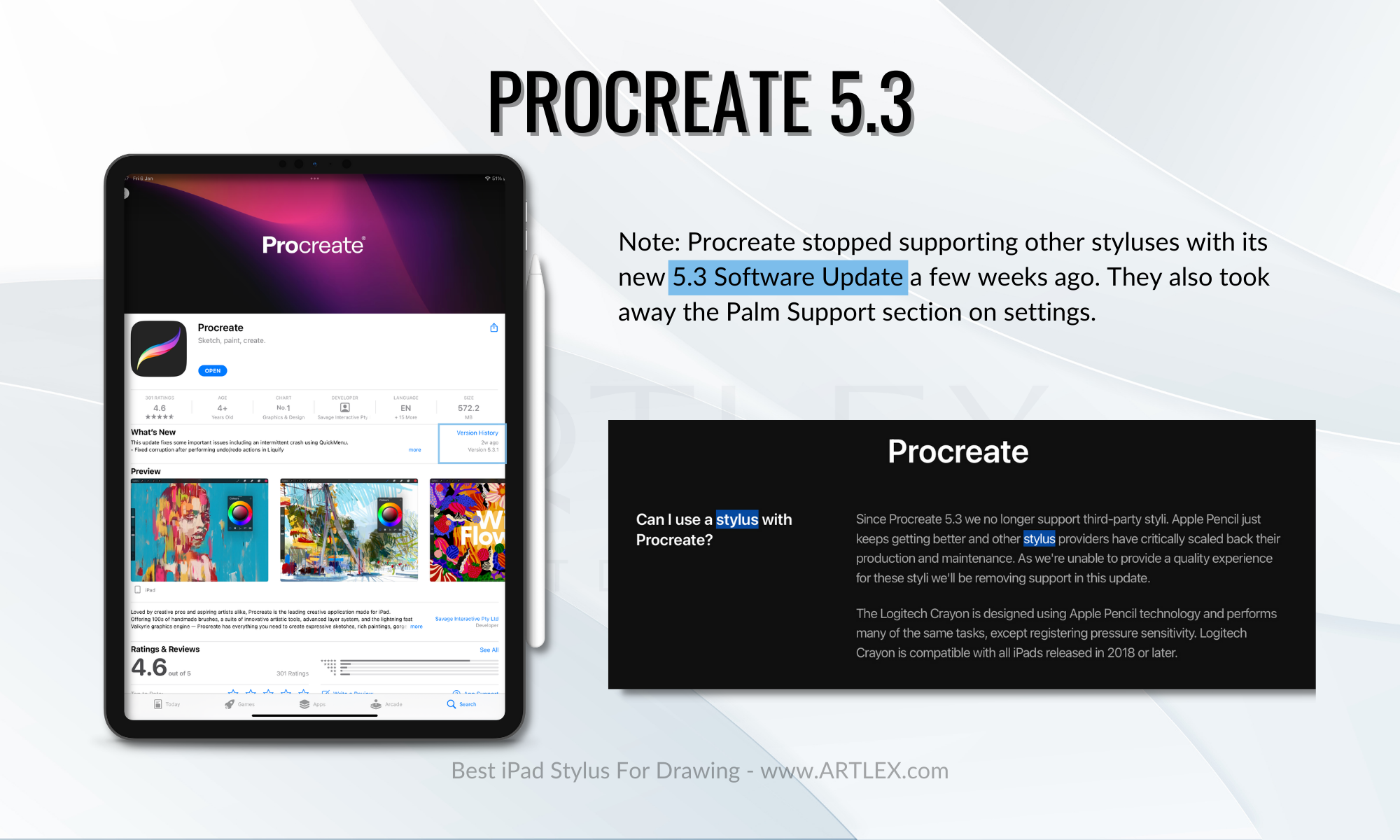
It’s designed with Apple technology, which makes pairing much easier, and it’s the only stylus compatible with Procreate 5.3. The first version features a lighting charging port, perfect for those who use older iPad models; however, the 2.0 version changed the charging adapter to USB-C. If you own a compatible iPad model and want to boost your productivity or artistic skills, it’s definitely worth considering
Pros:
- Uses Apple Technolgy
- Supported by Procreate 5.3
- Very ergonomic
Cons:
- It might still be expensive for some
- Battery life is not the best
5. Best Multifunctional Stylus — Adonit Note Plus
Selection Criteria:
- iPad Compatibility: iPad models from 2017 onwards
- Our score: 9/10
- Our score: 8/10
- Our score: 10/10
- Our score: 9/10
- Our score: 10/10
- Our score: 7/10
About the Adonit Note Plus
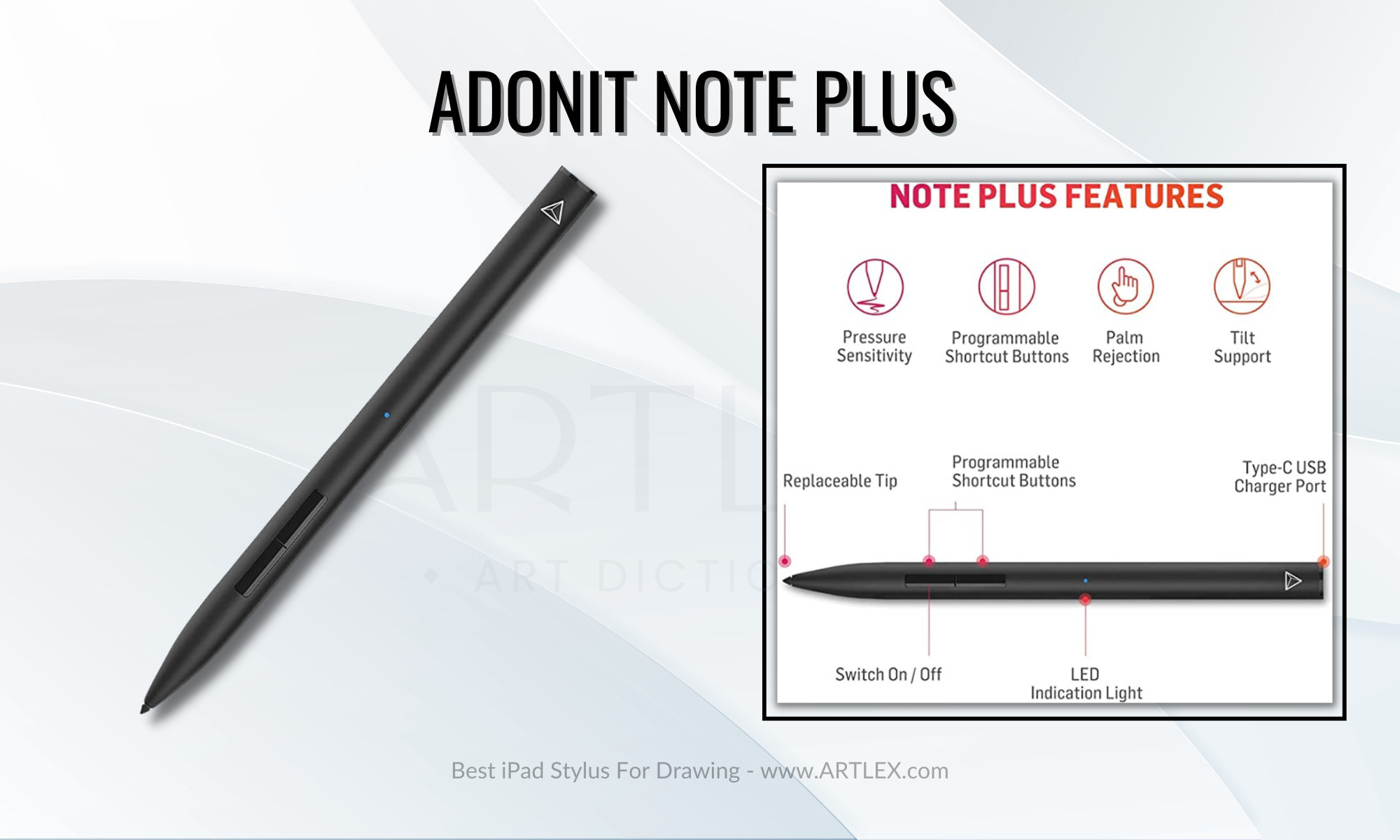
The Adonit Note Plus is a stylus built to last and looks professional. This digital pen is made of high-quality materials and has a sleek design. It’s a fine tip, especially for super precise writing and drawing, and it’s said to have a natural pen-like feel. That’s definitely a plus for anyone who wants a comfortable stylus for long use periods.
One thing to note about the Adonit Note Plus is that it is the only non-apple stylus that offers pressure sensitivity, although this is limited to certain apps (Sadly not Procreate, check app compatibility HERE). While this might be a drawback for some users, it’s worth keeping in mind if you’re planning on using the stylus for artistic purposes. It also comes with two programmable buttons and a replaceable tip, so you can switch it out when it starts to wear down.
In conclusion, the Adonit Note Plus seems like a solid choice for anyone who wants a stylus with pressure sensitivity without the Apple premium price tag. Whether you’re a student taking notes or an artist looking to create some digital masterpieces, it’s definitely worth considering
Pros:
- It has pressure sensitivity
- It also has two programmable buttons
- Great battery life
Cons:
- Bluetooth connectivity and complex pairing
- Pressure sensitivity supported only in some apps
6. Best Budget Stylus — Jamjake Stylus Pen
Selection Criteria:
- iPad Compatibility: 2018 iPad models onwards
- Our score: 9/10
- Our score: 7/10
- Our score: 9/10
- Our score: 9/10
- Our score: 8/10
- Our score: 10/10
About the JamJake iPad Stylus
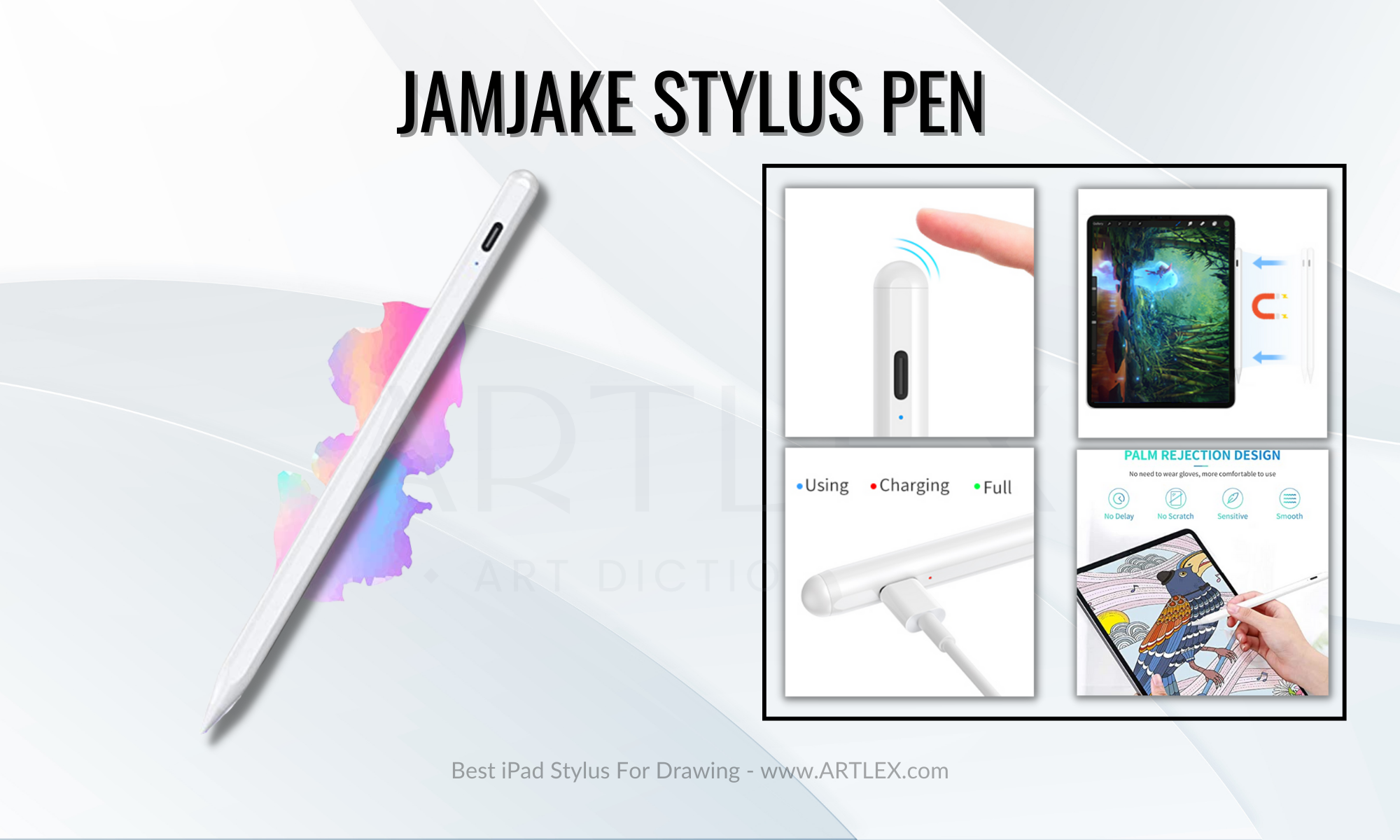
The JAMJAKE stylus for iPad is a digital pen designed for use with touchscreen devices such as tablets and smartphones. It is made of high-quality materials and offers a sleek, modern design, just like the Apple Pencil 2nd gen.
The JAMJAKE stylus is equipped with a fine tip that allows for precise writing and drawing, and it is said to offer a natural pen-like feel. It is also said to have good tilt sensitivity and responsive touch, which can make it easier to create variations in line thickness or shading. The JAMJAKE stylus also attaches magnetically to the border of your iPad, and since it has the same dimension as an Apple Pencil, it fits most cases and folios.
It includes three replacement tips and charges in only 15 minutes and offers from 8 to 10 hours of uninterrupted work, and I must admit, it’s not only the best budget stylus but also the one that has the highest price-value range.
Pros:
- Palm rejection and tilt sensitivity
- Very affordable
- Great design and magnetic storage
Cons:
- None
Conclusions
In conclusion, there are many excellent options for iPad users, but none of them work like the Apple Pencil. However, suppose you’re a student looking for a tool to help with note-taking, an artist seeking a more affordable digital pen for creating digital art, or simply someone who wants a more precise way to interact with their device. In that case, there is a non-Apple stylus out there that will suit your needs.
Our only recommendation is to check for compatibility with your specific iPad model and if the app you’re going to use supports the stylus’s additional features. With so many great options available, you’re sure to find the perfect stylus for your needs.
Купил китайский стилус для iPad за 1500 рублей. И знаете, он неплох
 В закладки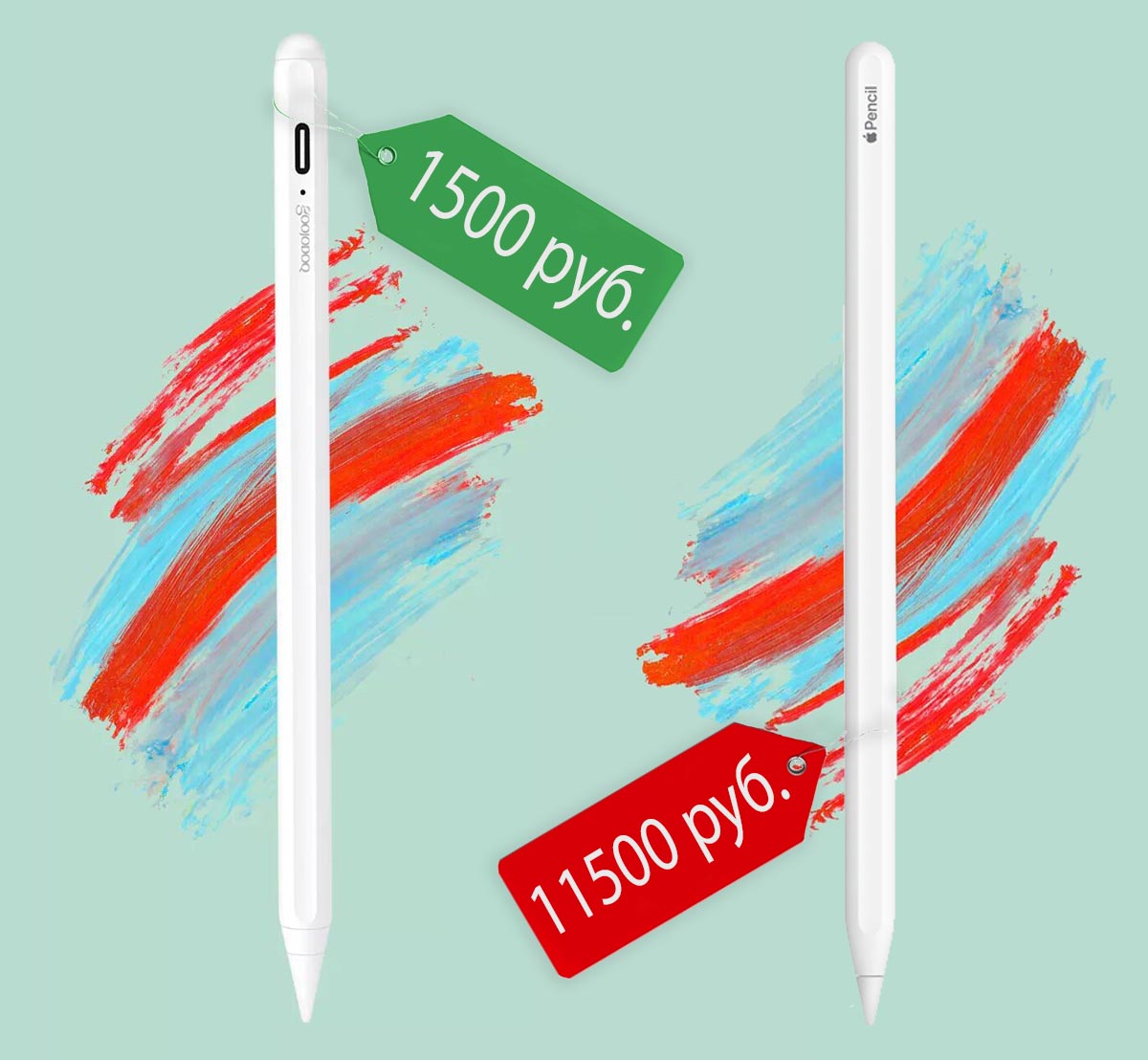
Apple Pencil — штука классная, но не для всех. Выкладывать от 9 до 12 тысяч рублей захочет не каждый.
На самой большой торговой площадке в мире давно предлагают варианты для тех, кто не может позволить себе Apple Pencil, но очень хочет рисовать стилусом на iPad.
Про один такой расскажу сегодня.
Что за зверь Goojodoq
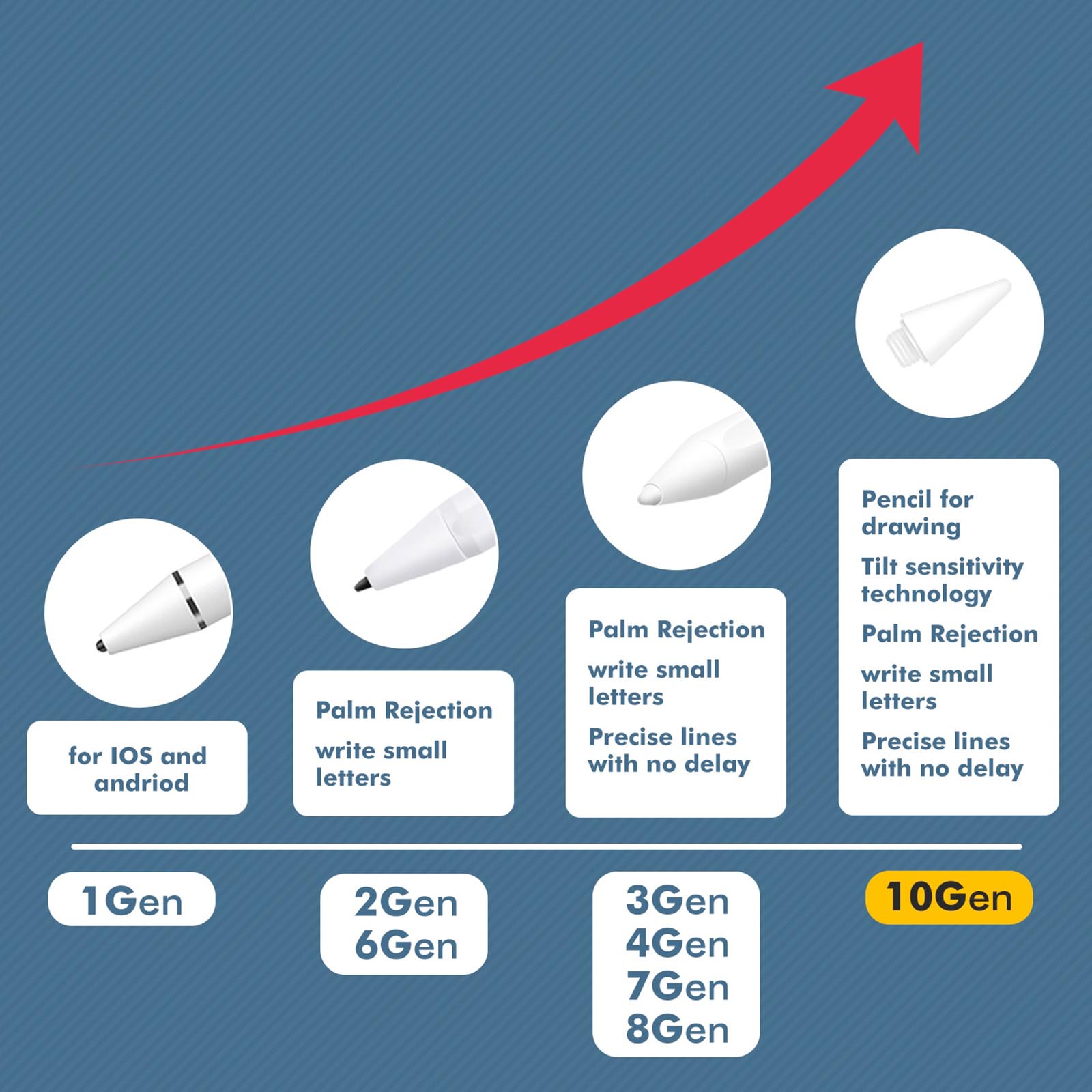
Данный стилус является уже 10-м поколением у производителя. Пока посылка шла ко мне из Китая, разработчики не сидели сложа руки и выпустили еще два поколения с небольшими минорными апдейтами.
Сначала аксессуары Goojodoq были простыми ёмкостными стилусами, которые работали с большинством смартфонов и планшетов на любой операционной системе. Затем у устройства менялся наконечник пера и способ его взаимодействия с дисплеем. В итоге получилась практически копия стилусов Apple с поддержкой разных моделей iPad.
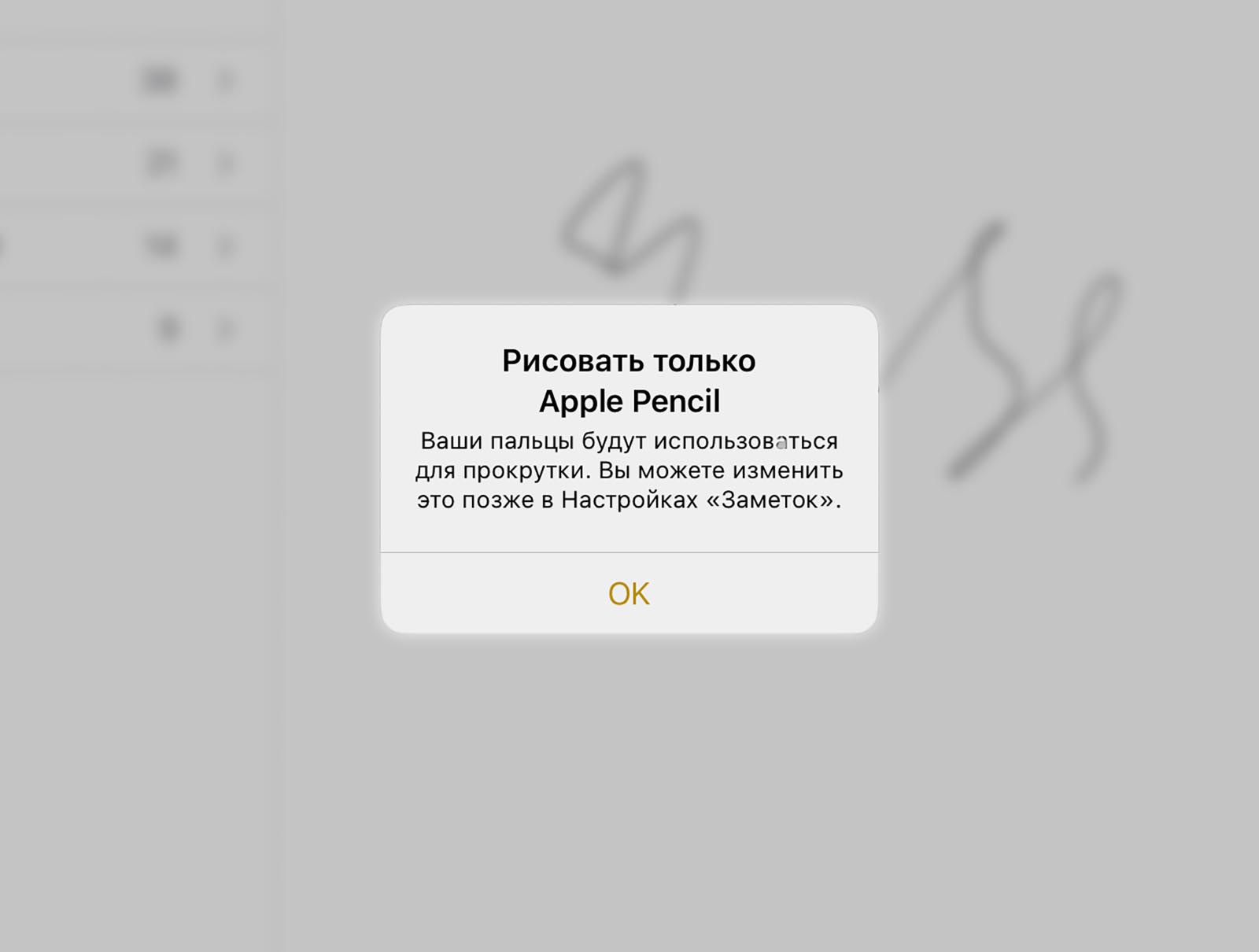
Аксессуар распознается системой как оригинальный Apple Pencil, что позволит iOS лучше отсекать ложные касания во время рисования. Многие аналогичные китайские стилусы продаются со специальными перчатками. Работать без них не получится, иначе рисовать будет не карандаш, а ваша рука. Здесь такой дичи нет.
Еще гаджет не использует Bluetooth-соединение, как аналогичные модели и не требует никакого сопряжения с iPad. Просто включайте аксессуар и начинайте работу. Так же быстро можно переходить от работы на одном планшете к зарисовкам на другом iPad. Никаких процедур сопряжения через Lightning-порт, как у первого Apple Pencil, не требуется.
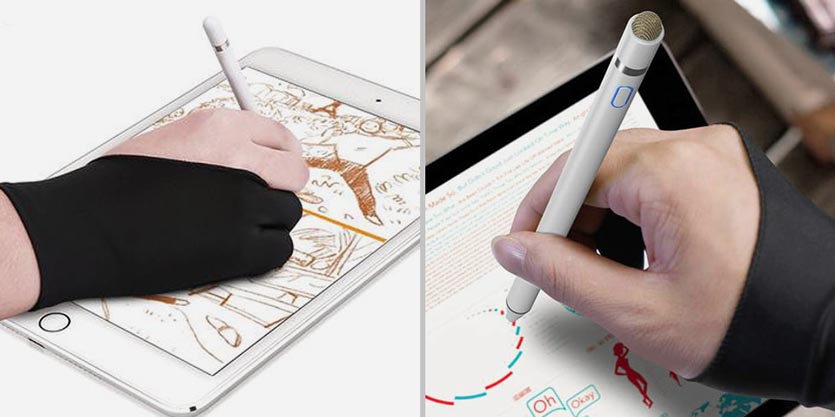
Менее технологичные аналоги стилуса не позволяют работать без таких перчатокПредвидя главный вопрос в комментариях, сразу скажу, что ни с одной моделью iPhone данный стилус не работает. Это не проблема производителя, а физическое и программное ограничение от Apple.
Все поделки, которые позволяют рисовать на экране смартфона, являются обычными “ёмкостными палочками”, которые передают нажатие от вашей руки экрану и технически не отличаются от работы пальцем.
Для каких моделей iPad подойдет такой стилус
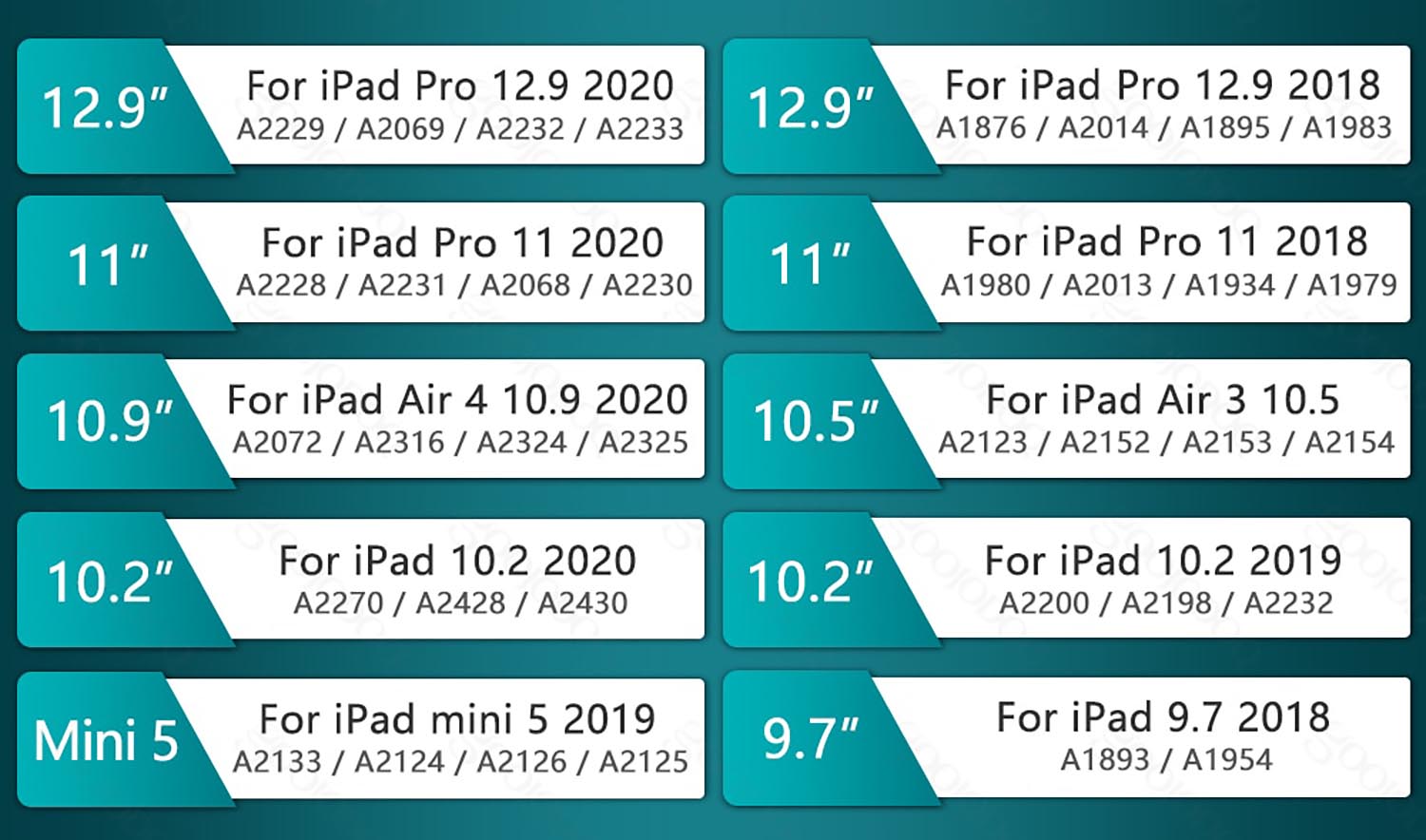
Перечень поддерживаемых моделей iPadПоддерживаются почти все планшеты, который работают с первым Apple Pencil:
▸ iPad mini 5-го поколения 2019 года – это единственный на данный момент “миник”, который работает со стилусами
▸ iPad 6-го поколения 2018 года – последний iPad с дисплеем 9.7″, самое выгодное предложение по соотношению цена/возможности своего времени
▸ iPad 7‑го поколения 2019 года – предпоследний планшет базовой линейки с кнопкой Домой и экраном 10,5″
▸ iPad 8‑го поколения 2020 года – последнее на данный момент поколение бюджетного планшета с минимальными отличиями от предшественника
▸ iPad Air 3‑го поколения 2019 года – последний “эир” с физической кнопкой под дисплеем в старом дизайне
Кроме того стилус подойдет для любого iPad с поддержкой Apple Pencil 2:
▸ iPad Pro 11″ и 12,9″ 2018 года – самый первый планшет с тонкими рамками и Face ID;
▸ iPad Pro 11″ и 12,9″ 2020 года – обновленное поколение планшетов со сканером LiDAR;
▸ iPad Air 4‑го поколения 2020 года – первый “эир” в безрамочном дизайне и Touch ID в боковой кнопке с массой отличий от предшественника.
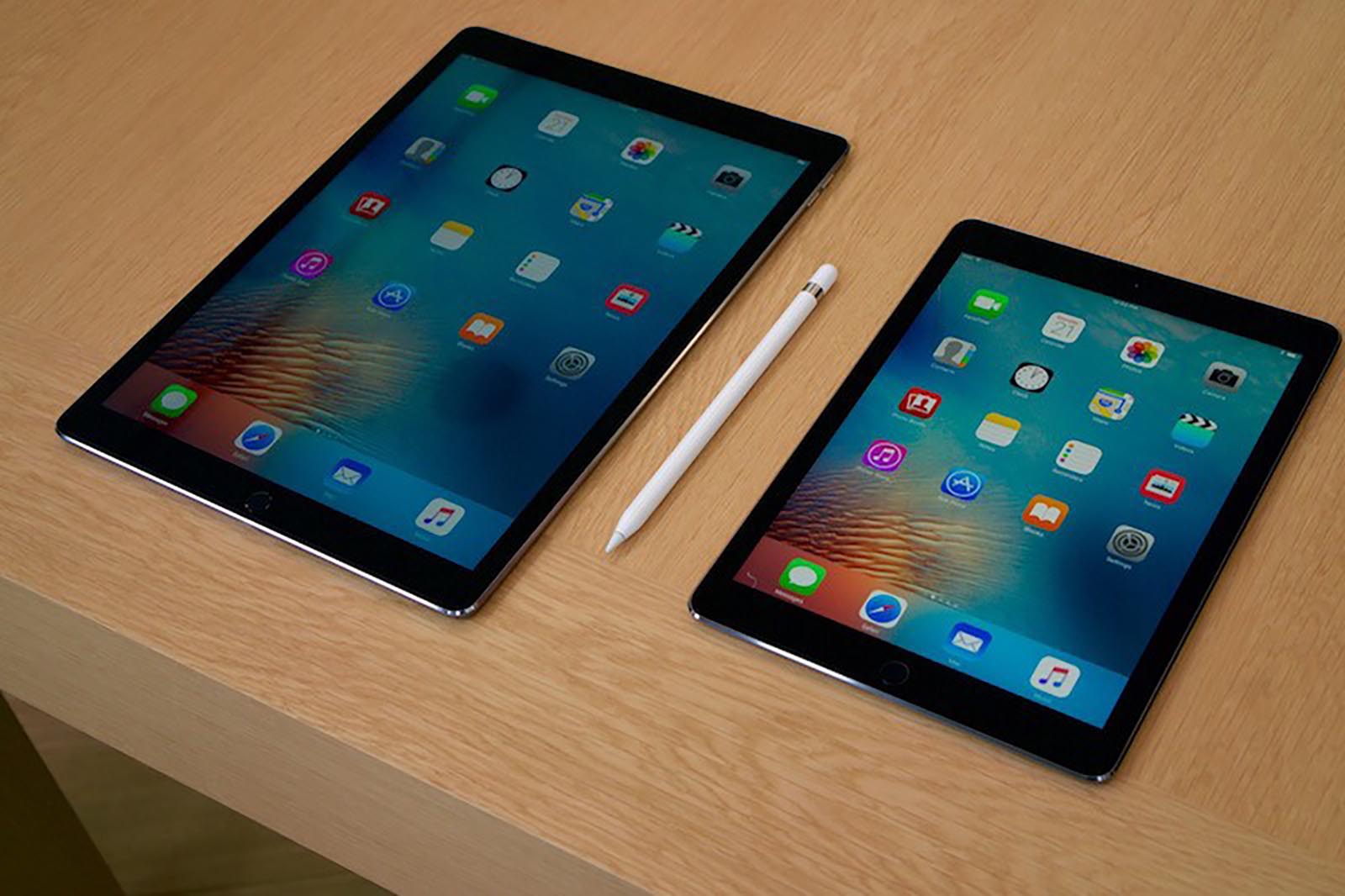
❗️Не поддерживаются старые версии iPad Pro до 2018 года, которые при этом работают с Apple Pencil:
○ iPad Pro 9,7 дюймов 2016 года – достаточно древняя “прошка” с маленьким дисплеем
○ iPad Pro 10,5 дюймов 2017 года – более новая модель линейки Pro в старом дизайне, но с диагональю 10,5″
○ iPad Pro 12,9 дюймов (1-го и 2-го поколений) 2017 и 2017 годов – последние большие “прошки” в старом дизайне с кнопкой Домой.
Какие особенности у самого доступного стилуса для iPad
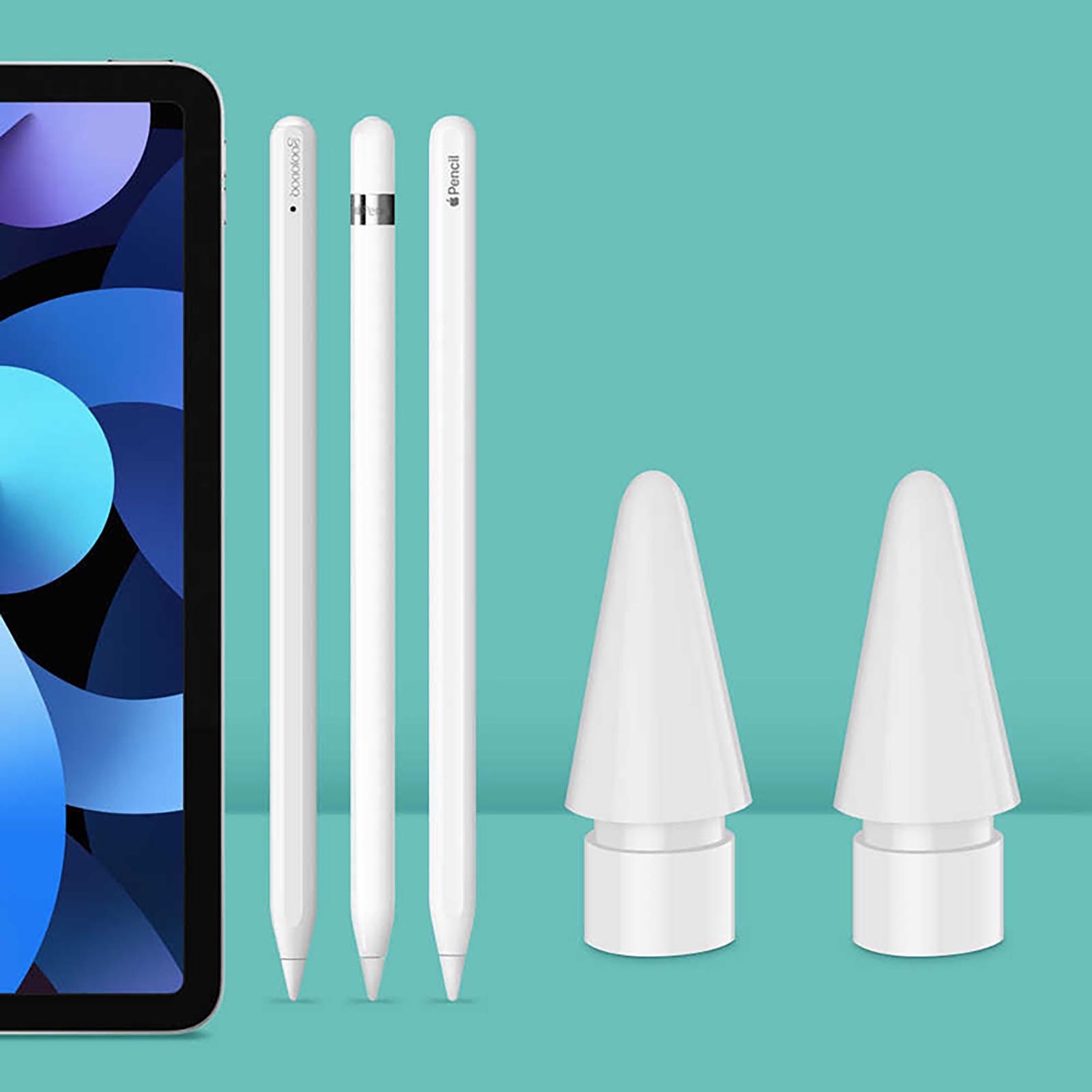
1. Дизайн и габариты очень похожи на Apple Pencil. Не самый искушенный гаджетоман вряд ли отличит данный стилус от оригинальных моделей Pencil. Размеры карандашей совпадают практически до миллиметра.
Тактильные ощущения при использовании аксессуаров схожие, Goojodoq имеет одну скошенную грань, как у стилуса Apple второго поколения. Этот элемент позволяет комфортнее держать перо в руке и предотвращает его прокручивание.
Еще данная плоскость позволяет магнититься к торцу iPad. Разумеется, никакой беспроводной зарядки при этом не будет. С новыми безрамочными планшетами стилус держится крепко, а вот со старыми моделями едва ухватывается за ребро. Справедливости ради отметим, что первое поколение Apple Pencil тоже не умеет примагничиваться к iPad.
Крепление неоригинального стилуса Goojodoq скорее не фича, а баг. Металлическая начинка устройства просто “прилипает” к магнитам для крепления Smart Cover на ребрах iPad.
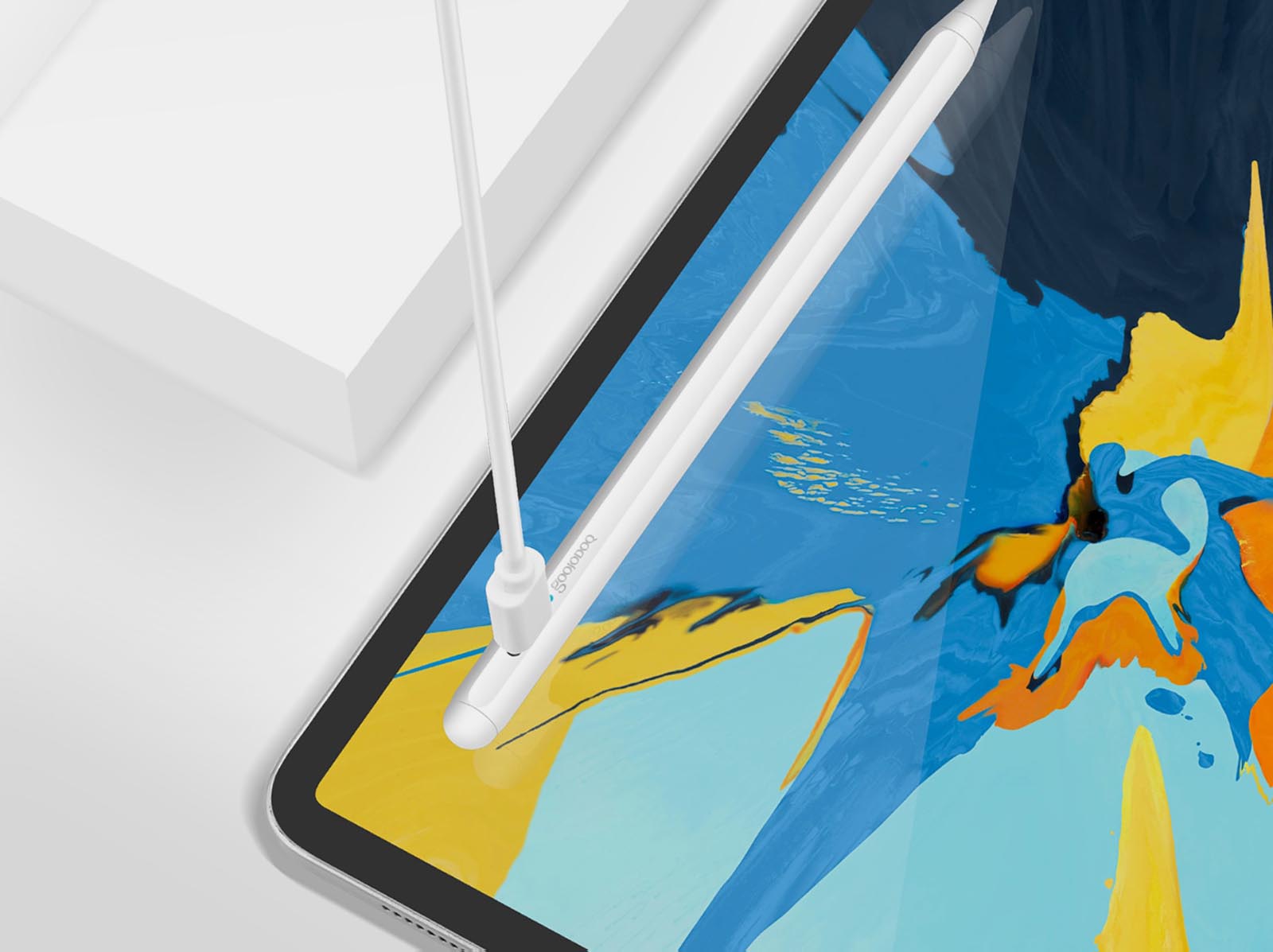
2. Аксессуар заряжается от Type-C. Разумеется, это не так круто, как магнитная зарядка Apple Pencil 2, но явно понравится всем владельцам iPad и Mac с аналогичным разъёмом. В пару к планшету не придется таскать дополнительный шнурок.
Не очень удобно будет лишь обладателям более старых планшетов с Lightning-разъемом, но даже у них дома, скорее всего, уже есть зарядка для Type-С гаджетов.
В любом случае это лучше, чем морально устаревший microUSB.
3. Стилус обладает потрясающей автономностью. Если оригинальные аксессуары Apple позволяют работать до 12 часов без подзарядки, то сторонний карандаш может прожить до 20 часов в режиме активного использования.
При этом в режиме ожидания аккумулятор не будет разряжаться почти целый год (так заявляет производитель).
Полное время зарядки составляет около 100 минут, а за 15 минут аксессуар зарядится на 4 часа работы.
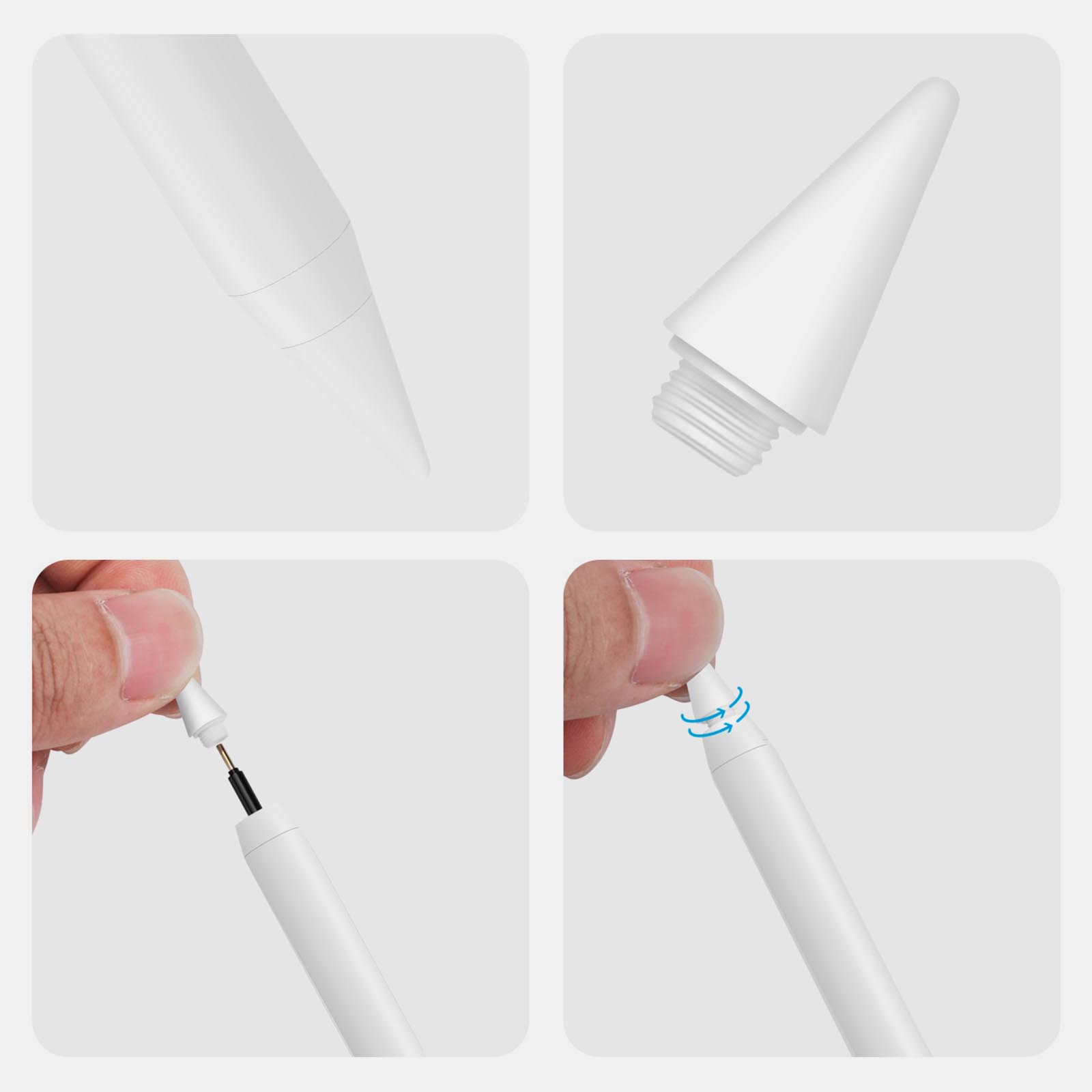
4. Присутствуют сменные наконечники. Разработчики заявляют, что насадка стилуса имеет даже более тонкое “перо”, чем у Apple Pencil, что позволяет рисовать точно и плавно.
Как и у оригинала, есть возможность заменить сработанный наконечник на новый. Один запасной “колпачок” присутствует в комплекте, при необходимости, можно дозаказать еще пачку.
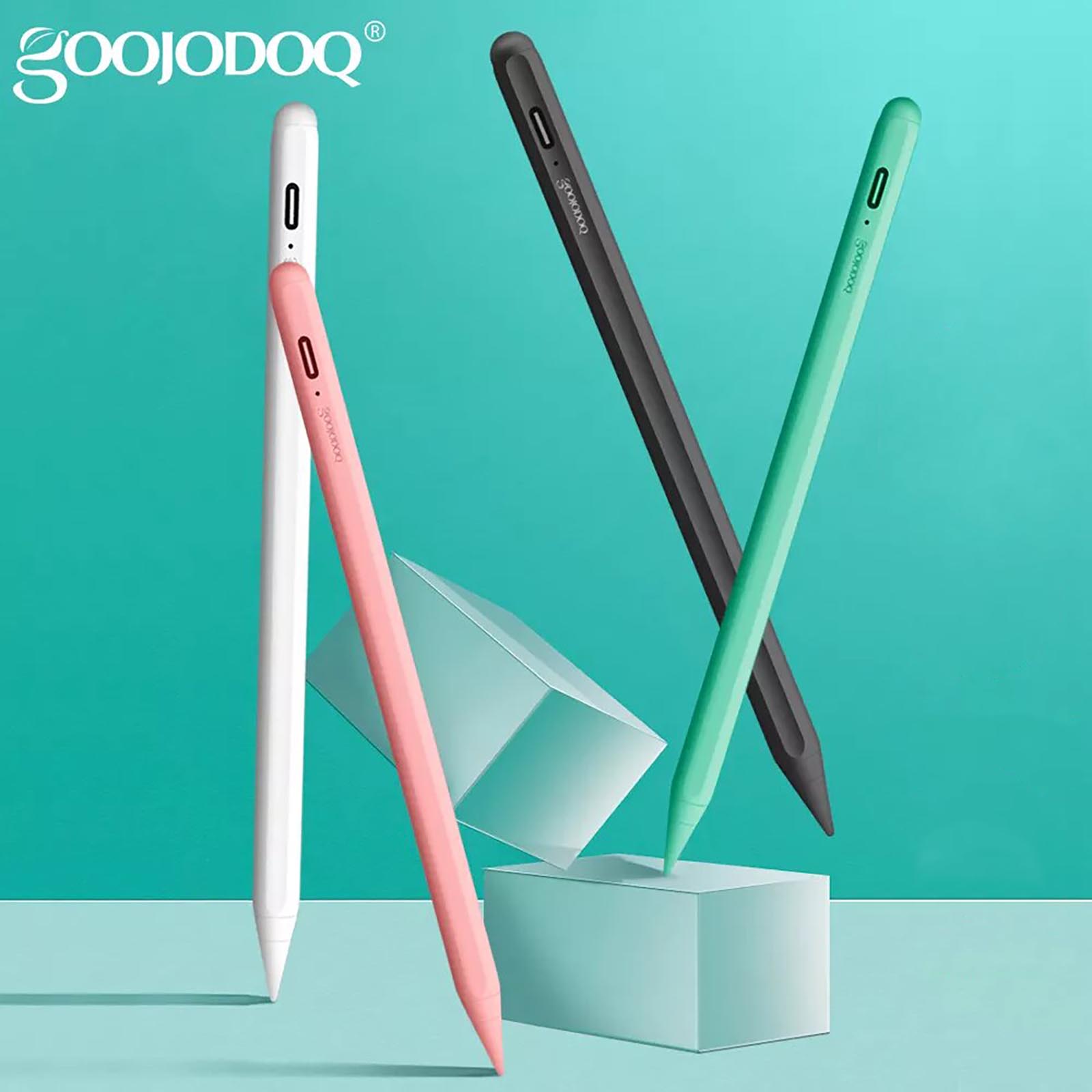
5. Есть несколько цветовых решений. Разработчики изначально предлагали аксессуар в черном и белом исполнении, а после осенней презентации цветных моделей iPad Air выпустили еще пару расцветок.
К сожалению, найти их в наличии на AliExpress крайне сложно. Странно, почему не сделали еще одну модель для синего планшета Apple.
6. Стилус поддерживает все программные фишки iPadOS. Работать с неоригинальным аксессуаром одно удовольствие. Он быстрый, отзывчивый и поддерживает все программные особенности своих оригинальных собратьев.
При первом использовании стилуса мобильная операционная система распознает режим работы с Apple Pencil и предупреждает об этом. Получится использовать все фишки и особенности iPadOS.
▸ есть поддержка режима Scribble (распознание рукописного ввода на уровне системы), к сожалению, работает только на английском;
▸ получается рисовать красивые и ровные фигуры в большинстве стандартных приложений;
▸ есть возможность быстро делать снимки экрана перетаскиванием от левого нижнего угла;
▸ а еще аксессуар прекрасно работает во всех приложениях с поддержкой Apple Pencil.
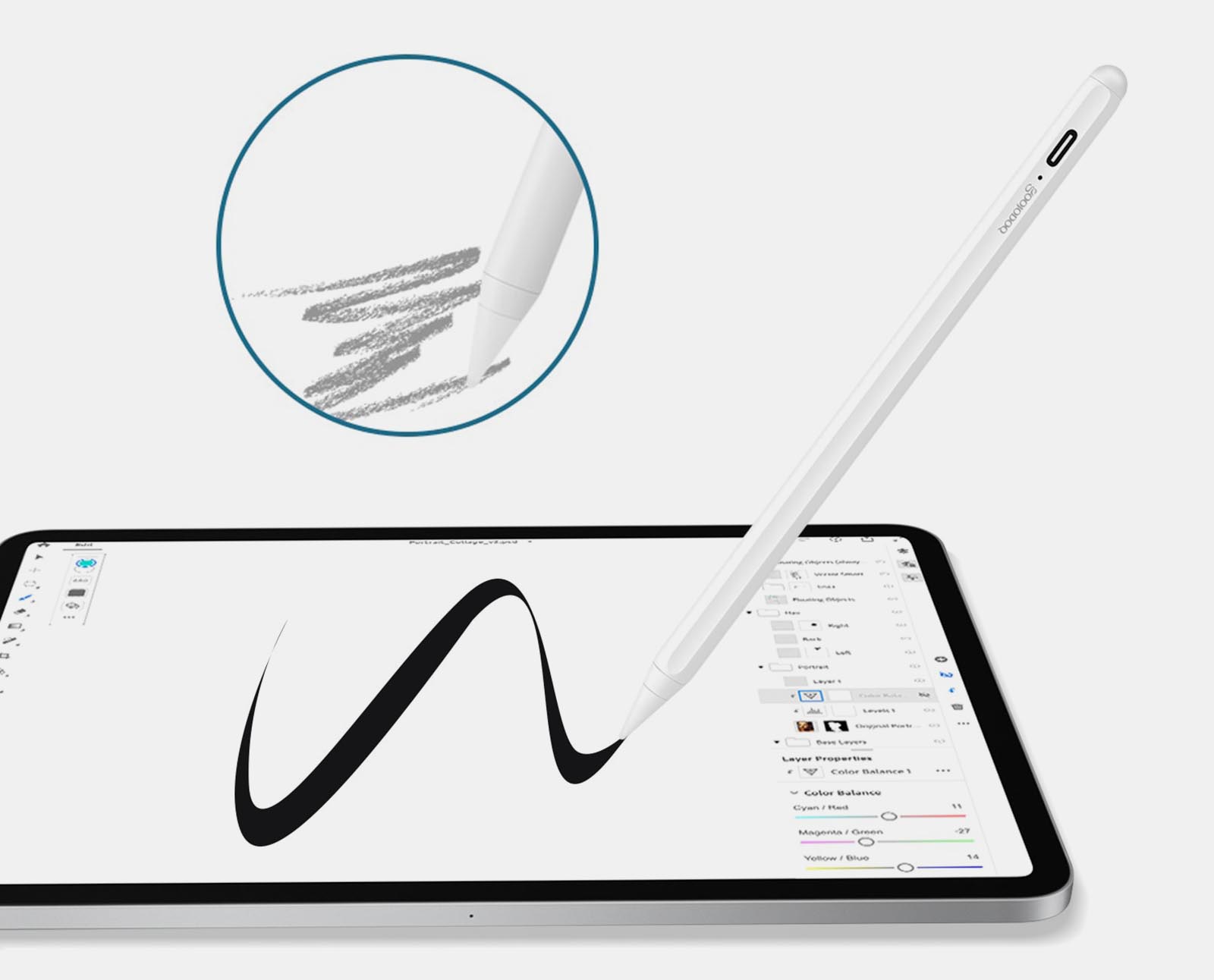
7. Стилус Goojodoq поддерживает разную степень наклона. Одна из ключевых фишек оригинальных карандашей в поддержке наклона пера при рисовании. Это позволяет рисовать линии различной толщины в зависимости от угла стилуса по отношению к плоскости экрана.
Почти прямой угол дает четкую и тонкую линию, средний угол позволяет делать жирные мазки, а острый пригодится для плотной штриховки или полупрозрачной закраски.
Работает это с соответствующими инструментами как в стандартных приложениях (где есть возможность создания эскизов), так и в сторонних.
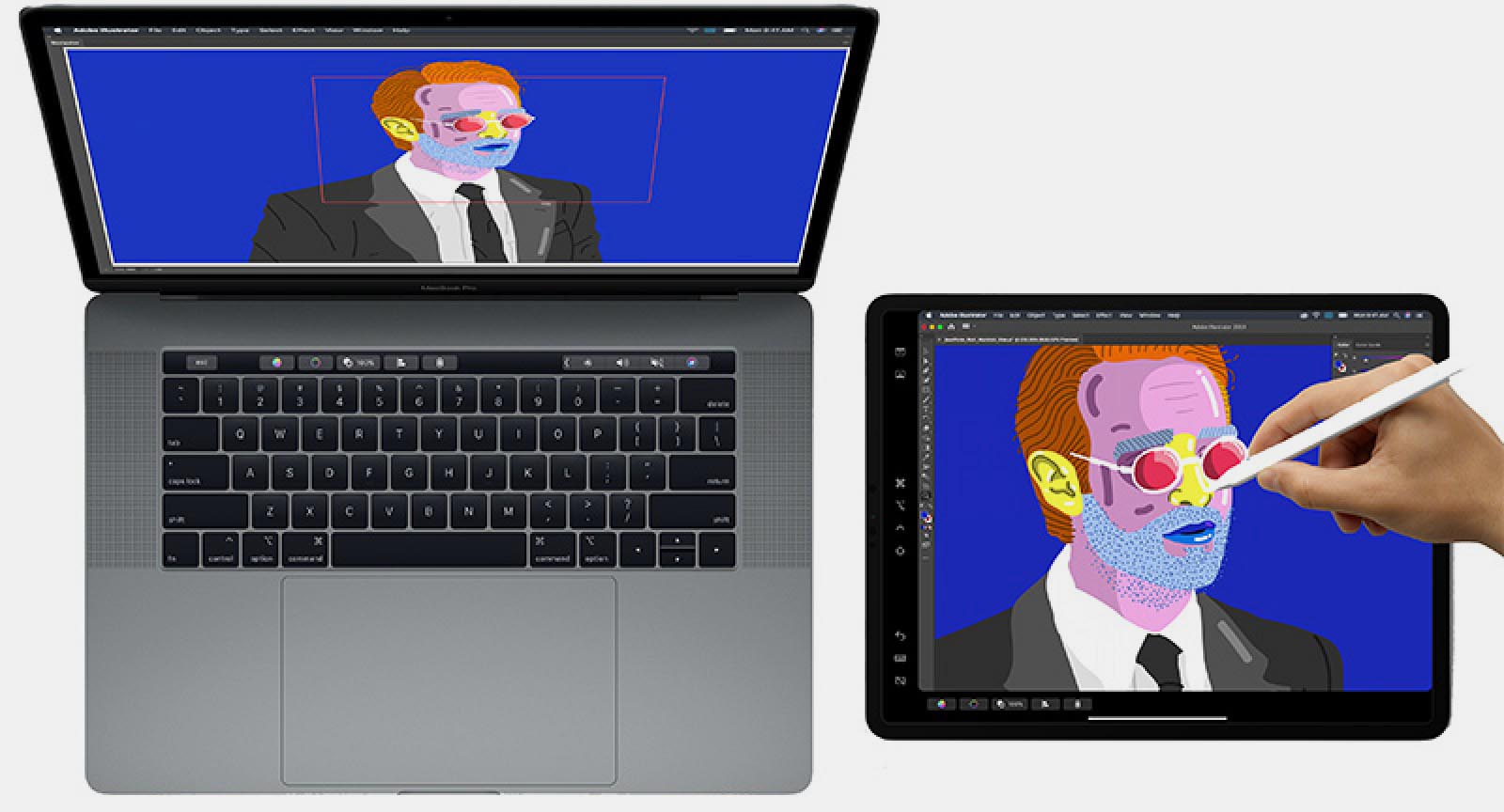
8. Можно полноценно работать с iPad в режиме Sidecar. Это способ расширения рабочего стола Mac при помощи экрана планшета Apple.
Стилус в данном сценарии необходим для управления элементами на сенсорном дисплее iPad. Без него вы не сможете нажимать кнопки, выделять объекты или делать другие привычные для настольной операционной системы действия. Только прокрутка страниц и быстрые действия при помощи кнопок под экраном.
Аксессуар поможет обойти данное ограничение и полноценно работать с macOS на сенсорном экране iPad.
Чем китайский стилус расстроил
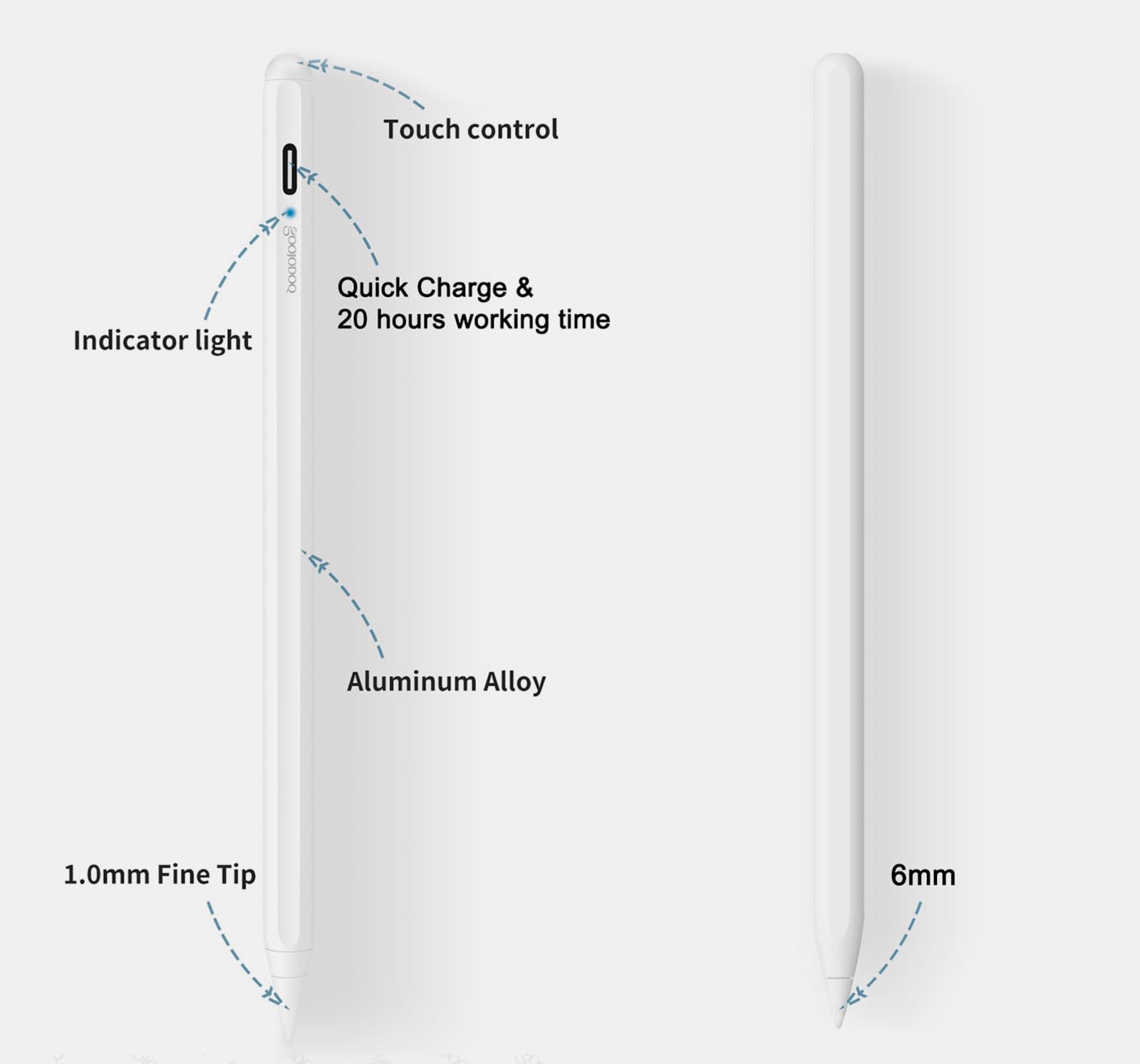
▹ Не поддерживается сила нажатия. Это фишку Apple Pencil китайцам скопировать не удалось. К счастью, она нужна далеко не всегда, многие дизайнеры, художники и создатели скетчей давно умеют обходиться без данной технологии. Есть сразу несколько техник, позволяющих в той или иной степени заменить такую фишку оригинального аксессуара.
▹ Верхний торец стилуса – это сенсорная кнопка выключения. Случайное касание “шляпки” выключает аксессуар, а понять это можно только при помощи синего диода. К счастью, включается он за секунду и не требует какого-либо процесса подключения, но кнопку можно было бы сделать физической.
▹ Синий диод и разъем для зарядки выглядят неэстетично. Можно было бы прикрыть данные элементы какой-нибудь заглушкой.
▹ Узнать заряд стилуса невозможно. Так как аксессуар не требует подключения или сопряжения с планшетом, узнать уровень заряда батареи не представляется возможным. Примерно за час до полной разрядки сигнальный диод начнет мигать красным. Здесь спасает быстрая зарядка, которая за 10 минут дает несколько часов работы, но любителям рисовать на природе придется носить с собой внешний аккумулятор.
▹ Нет жеста постукивания по стилусу. Данная фишка второго поколения Apple Pencil тоже не реализована в китайском аналоге.
Ни один из указанных недостатков аксессуара нельзя назвать критичным, особенно, если учитывать его цену.
Брать или копить на Apple Pencil
Профессионалам, для которых такой аксессуар является инструментом заработка, лучше не экономить. С оригинальным Apple Pencil вы получите весь спектр возможностей и фишек, которые предлагают разработчики из Купертино.
Китайский стилус подойдет для тех, кто только присматривается к этому виду аксессуаров и пока не знает, пригодится он в реальности или нет. Цена за “пробник” ощутимо ниже.
Стилус Goojodoq вполне подойдет для детей: с ним будет комфортно и интересно рисовать на планшете, играть в некоторые игры или раскрашивать картинки в специальных приложениях.
Можно даже взять китайский карандаш в пару к оригинальному стилусу на случай его разрядки или для работы в более сложных условиях.
Разработчики не стоят на месте и выпустили еще пару новых поколений. В последнем на данный момент (12-м поколении) добавили магнитную станцию для зарядки, многоцветный индикатор уровня заряда и изменили жест включения с одиночного касания на двойное. Вызывает вопросы лишь оригинальное зарядное устройство, найти замену которому будет крайне сложно.
�� Купить стилус Goojodoq (10-го поколения, как в обзоре) на AliExpress – от 1795 руб.
�� Купить стилус Goojodoq (12-го поколения, с магнитной зарядкой) на AliExpress – от 2370 руб.
В закладки