Youtube Vanced перестал работать на Android 6 (в 2023 году), как исправить?
Все новые версии (youtube revanced) не поддерживаются на телефоне. Т.к. там нужна версия android 8+, а у меня android 6.
Подскажите, есть ли какие-то альтернативы? Чтобы можно было смотреть ютуб без рекламы и с фоновым режимом, как было в youtube vanced?
(просьба не предлагать покупать другой телефон или пользоваться стандартным приложением youtube, где нет фонового воспроизведения и куча рекламы).
Правильно, проблема глобальная.
Официальная поддержка ЮтюбВонсед прекращена, по выражению автора, «по юридическим причинам». Судя по всему, вседобрейший Гугл его прижал настолько, что отмахаться стало невозможно.
Однако, проблема решаема. Минимум двумя способами. Оба предполагают чистую переустановку приложения, то есть с удалением последней официальной версии 17 с копейками, и установкой новой неофициальной 18 с копейками с новыми функциями, не трогая установленную microG старой версии.
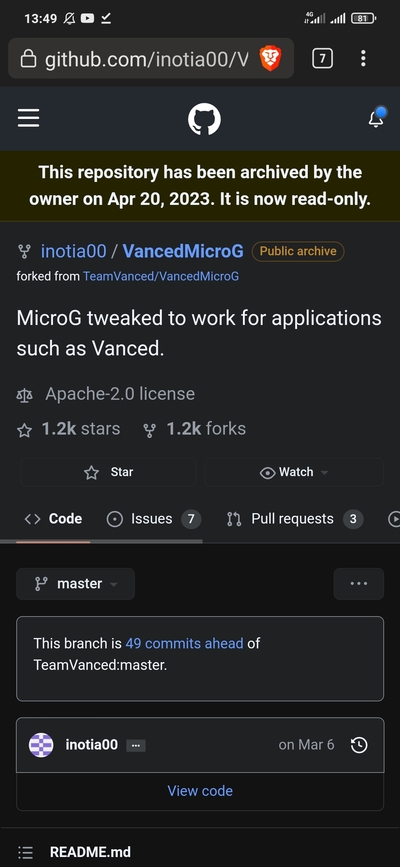
На момент публикации Вопроса я решил проблему установкой со страницы релиза GitHub актуального APK с окончанием -hotfix.apk в моем случае черного цвета, вы можете выбрать любой, предложенный под архитектуру вашего Андроида, или методом научного тыка, если вы ее не знаете, или версию Universal.
Второй способ решения проблемы — чистая установка (с удалением старого приложения) YouTube ReVanced c сайта 4ПДА NonRoot для нерутованного Андроида (для скачивания регистрация обязательна). МикроГ оставить свой, а если он отсутствует, то взять его на странице релизов GitHub(см. ссылку выше). РеВонсед продолжает обновлять функционал в соответствии с оригиналом.
Более подробные инструкции на 4ПДА. Впрочем, и этих достаточно. Других вариантов не существует.
Если не работают оба варианта на Андроид 6, то выхода опять два с половиной: обновить Андроид, если это невозможно, то прошить его кастомной прошвой(с того же 4ПДА), или, таки, сменить телефон.
Youtube Vanced
YouTube Vanced is not like official YouTube therefor YouTube Vanced offers such revolutionary advanced feature Ads Blocker, SponsorBlock, Background Play, AMOLED Mode and more for free. So if you were dissatisfied with YouTube exasperating ads? Experience the futuristic version of YouTube known as YouTube Vanced which is run on the ReVanced Patches and get features like you never used.
YouTube Vanced (v18.31.40)
Vanced Manager (v2.6.2)
Last Update: 26/09/2023 (Source: GitHub)
Fixed: Video Playback Not Working, Buffer Issue.
About YouTube Vanced
YouTube Vanced APK is a updated modded version of the original YouTube app. Which comes with many incredible features which millions of users love to use in YouTube Vanced, like in this app you can watch unlimited videos without any Ads or sponsors for free, yes it’s not YouTube Premium, but it gives features like premium. This app is developed by Team Vanced which we can download or use for totally free. Developer and senior XDA member Rafalete created this App by modifying the original YouTube app with features Sponsor Block, Return YouTube Dislike, and amazing Customization for free. This app also known as YT Vanced Mod APK just because of here you can stream without Ads for free.
Well, now if you want to know where from you can download this app? Then let me tell you this app will be available all over the Internet and many official app store like uptodown, APKPure, apkmirror, and more for free. Even you can download the latest version of YouTube Vanced Manager APK from here or free. To know more about this app or using guide, please read below.
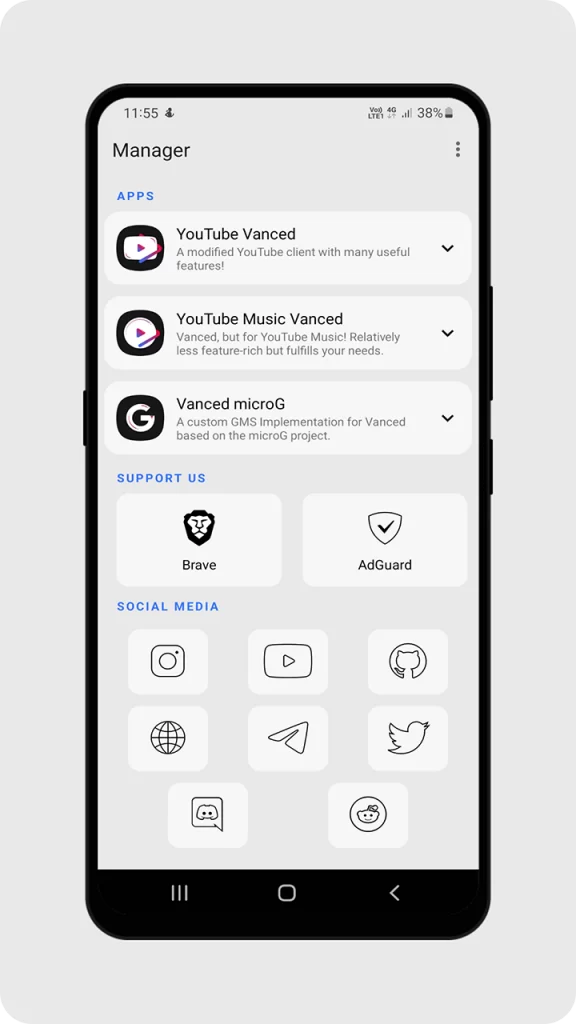
You will love the functionality
Those who are don’t know how the YouTube Vanced APK works then basically it’s so simple. Although there are no difference between YouTube and Vanced of using style. The way YouTube is working as the same way this application also work. You just have to install the application and sing in to your account to access your favorite content in this application. But the biggest thing is this YouTube Vanced provide each and every single features free. In the other hand, using the official YouTube there are premium features available for only with money. In short to avoid money premium features using the YouTube Vanced APK is all time beneficial for every YouTube users.
| App Name | YouTube Vanced |
| Version | 18.31.40 |
| Developer | Vanced Team |
| Size | 98 MB |
| Last updated | Sep 26, 2023 |
All Features of YouTubeVanced
The YouTube Vanced is popular for providing lots of useful features for free. The thing is those function that Vanced YouTube provide all are free and that’s the reason why people so much love this application over the official YouTube. Watching content with ads on every video is very annoying but with the Vanced version ads are completely not available. So these amazing features will make the YouTube Vanced special, and for this reason, millions of people prefer Vanced version compared to official YouTube.
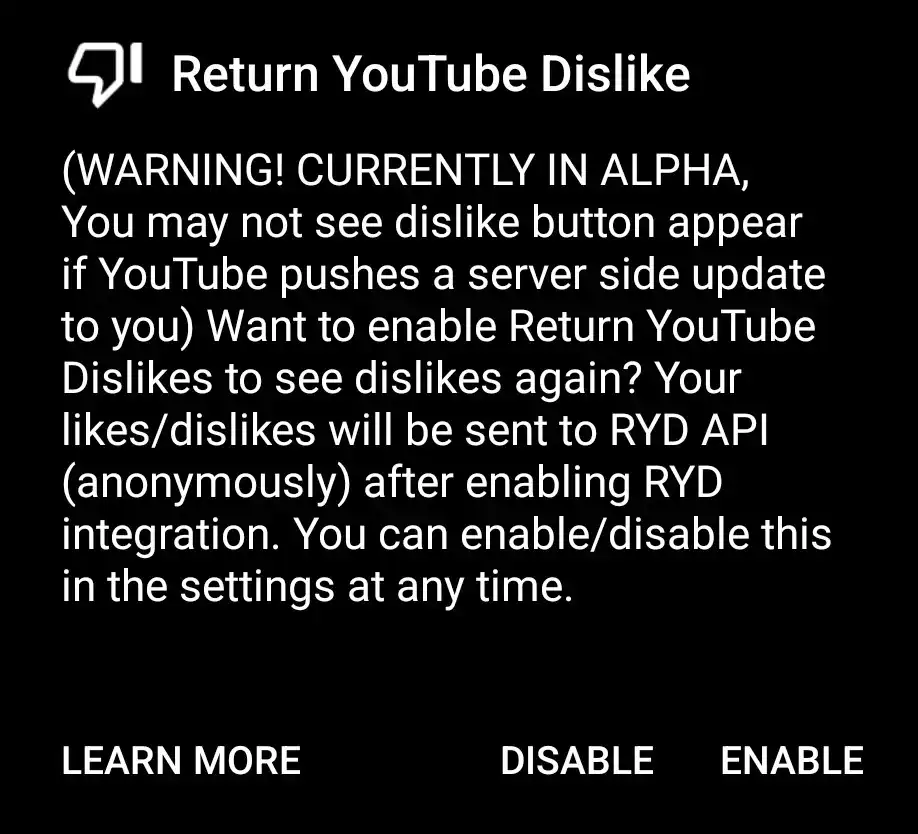
Return Dislike Button : Many people know that in the recent YouTube update the dislike button has been hide by the YouTube. So that mean no one can see dislike in any videos, Use the YouTube Vanced APK to get back the dislike button on every video. So it will be easy to see every video exact number of dislike.
Swipe Control : Control the display brightness and sound using only swipe. Basically this function is like other video watching platform such as MX Player. Basically to control the brightness and sound just have to swipe on the YouTube Vanced display, so then it will be controllable. Now don’t need to control the brightness with device notification panel.
Picture in Picture : Picture in picture is basically PIP mode where you can use other application while also you are running the YouTube Vanced, and there you will get separate display of YouTube. This function is only available on this application so to enjoy PIP mode download YouTube Vanced.
Auto-Repeat : Using the official YouTube there are not available the auto-repeat button. Basically to repeat the same start the same video we have to start again that video. But using the YouTube Vanced APK this problem has been solved, because this application comes with auto-repeat button.
Theme : The YouTube comes with daily same theme which everyone use like white and dark. And with only these theme YouTube users get bored day by day. Now to enjoy more theme download the YouTube Vanced, Because the Vanced YouTube provides themes like dark, black, white. The dark and Black theme can save the mobile battery more than 20%.
Amazing Feature of YouTube Vanced
As everyone knows that Vanced YouTube APK offers lots of useful and interesting functionality. Moreover, You can enjoy in the YouTube Vanced PIP mode, swipe control and brightness adjustment and also many features to explain. But the thing is main features you will get in the YouTube Vanced is Sponsor Block, Ads Free watching experience and Background Playback. Mostly these three function is most important for every YouTube users nowadays. Then to know more about these features read the explanation which are shared in the below of this.
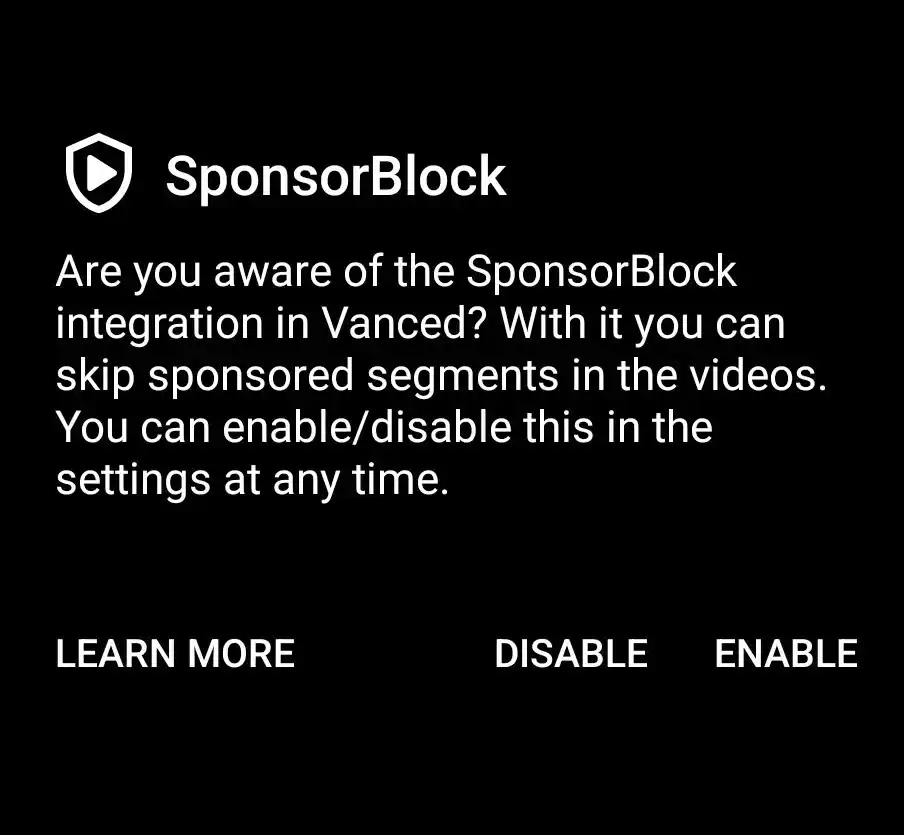
Return YouTube Dislike
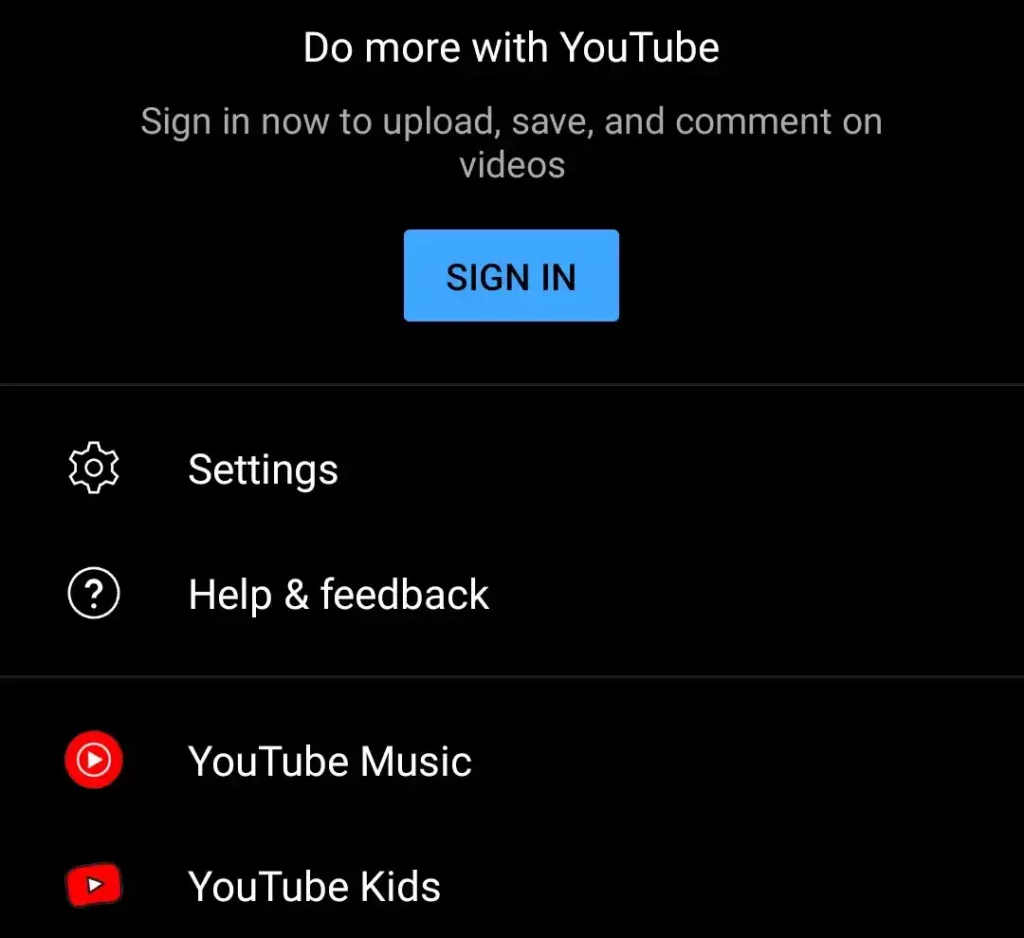
Sing In Support
Simple Interface
The interface comes with the YouTube Vanced APK is as simple as YouTube. Basically those who use YouTube they can easily access this application too. The interface comes is very similar as YouTube like so easy to use and handle. The difference between these YouTube and YouTube Vanced is this application comes with lots of extra and premium features completely free. But the YouTube don’t let any users enjoy premium features free. In short using the YouTube Vanced so simple and easy, it’s comes with very user-friendly interface which anyone can use and enjoy their favorite YouTubers content.
Available for Android
For android users this YouTube Vanced APK is just an open source to watch any videos with all premium features free. If you are an Android user then this application is only made for you just access any of your Favorite YouTube content without having ads without having a single sponsor part. Talking about IOS users then it’s very sad to say that this YouTube Vanced APK is not supported for any kinds of IOS users. Those who are IOS users they want to use this application they just simple skip this YouTube Vanced and use the official version. So if you are an Android device users then it’s an amazing opportunity to get premium features free in this application to enjoy any YouTube content.
Get the app now!
Here is the latest version of YouTube Vanced by Official Team Vanced for Android.


Sponsor Block
Nowadays almost every YouTube content comes with sponsor. The thing is no one love to watch sponsor while watching their favorite YouTube content. To avoid those every annoying sponsor YouTube Vanced APK is the only best option you can choose. Because the YouTube Vanced has feature to directly skip the sponsor part of every video. Now watch any of YouTube content without having any kinds of interruption sponsor, it’s helping you a lot to enjoy the pure content.

Background Playback
With YouTube Vanced APK play any video in the background and do what you want to do while watching anything on the YouTube. Those who are don’t know what is background playback. Basically while watching any videos on the YouTube you can’t minimize the application, because the video will be stopped. But with the YouTube Vanced it will be never happen because this application comes with background playback feature which lets you watch and listen any YouTube content in the background.

Inbuilt AdBlock
Without YouTube premium watching any content on the YouTube is so annoying because there are a lot of ads. Now those who are want to enjoy any kinds of YouTube content without having a single ad they can use the YouTube Vanced APK. The reason behind it is it’s completely ads free YouTube MOD which allow everyone to watch any YouTube content of their favorite creator without ads.
How to Install for Android
As you know, the original old Vanced developer has been discontinued the Vanced project in last year which was something which we never expect. Well, Then enter ReVanced as a real life hero with more customized and personalized features. And we are happy to share with you again the working Vanced YouTube with ReVanced Patcher.
The good news is it’s easier to install on your Android device, just you have to download the APK file with microG app then enjoy the latest version YT Vanced with no more errors and buffing. Now you can follow the perfect easy installation guide of Vanced app down below.
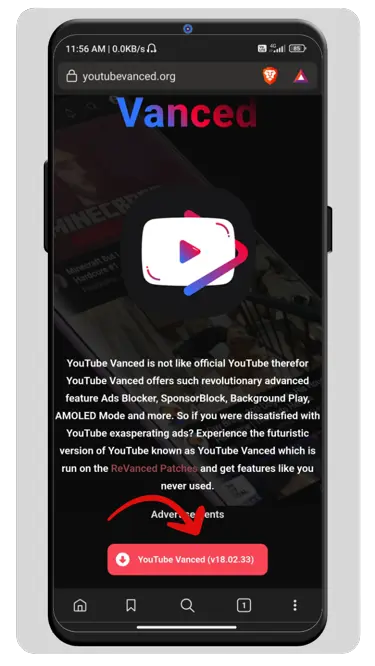
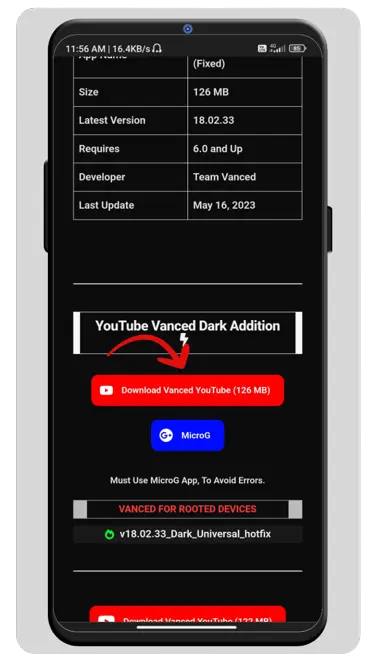
Step 01 : There are varies of site which clam that they are providing the official Vanced app, But should you trust theme or not? And after Vanced official close, there are types of scammers waiting for your personal data. So make a sense before download the app so make sure you have downloaded the APK file from YouTubeVanced.org because we give ensure that provided APK file will without malware and suspicious programming codes. (Please take a look on VirusTotal Scan results)
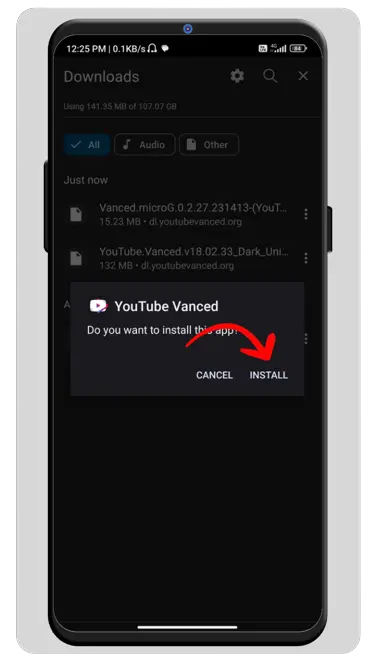
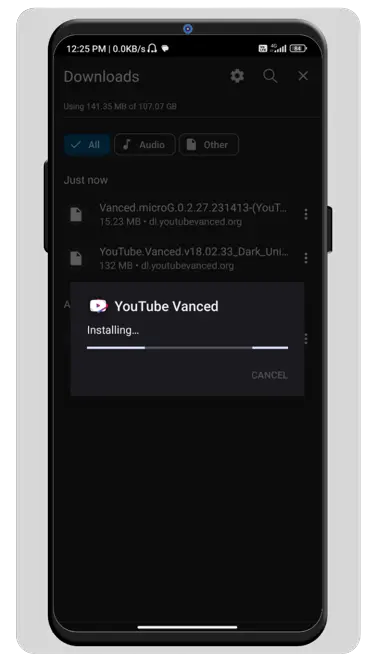
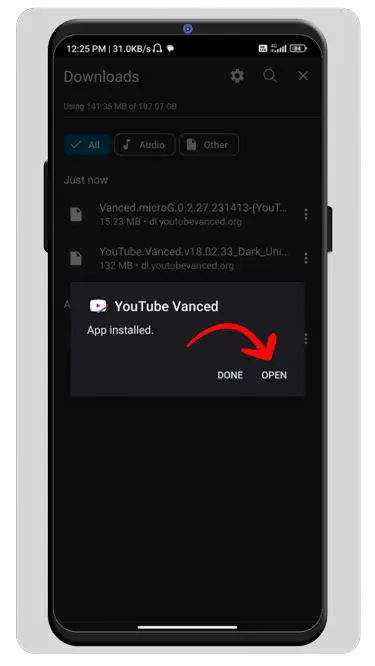
Steps 02 : Now you have to install the both APK file (YouTube + MicroG) on your Android device manually. So open your device file manager and locate the downloaded APK files and click on it. Now it will ask to enable unknown source, so you don’t hesitate to enable the setting it’s safe, even you can turn off the setting after installed the APK file.
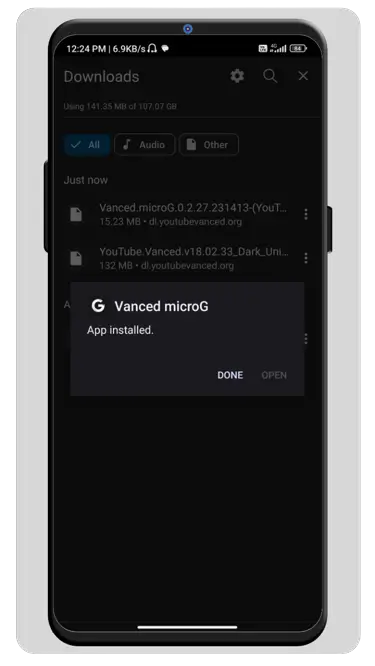
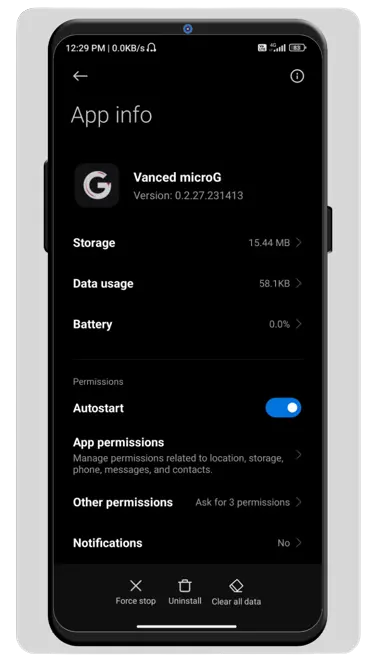
Steps 03 : The installation process will take some time, but make sure you have to also install the MicroG app if you don’t then may YouTube Vanced not work also it may force to back home screen. Well, after installed both app, visit first microg app setting and enable autostart option. And then open Vanced YT and enjoy all content without any errors and buffing the latest version which is based on official YouTube recent update. Also, you can also sing in with your Google account to unlock more features on your YouTube.
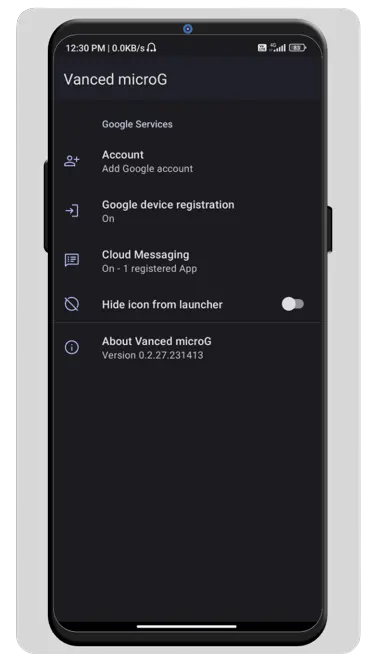
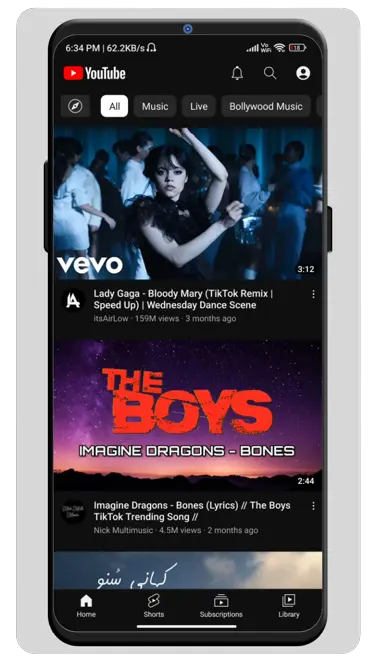
That’s it, but if you want to install this app on your (Xiaomi) MIUI device then you have to turn off an additional setting which is known as MIUI optimization. It’s necessary to do, to know how to turn off MIUI optimization, read here.
Common Errors and Their Solutions
If these solutions do not resolve your problems, please feel free to create issues here.
Problem: If There Were No Internet Connection Error?
Solutions : Simply just remove your account from Vanced MicroG or You can also try VPN (If you have and try again). Do wipe your Vanced MicroG & YouTube Vanced & YouTube Music Vanced app data and cache then enable auto start for Vanced MicroG if you have used huge customized Android version including MIUI, OneUI, FlymeOS, HarmonyOS, etc.
Problem: App Not Installed?
Solutions : Now just simply free some storage space and then try again Here you have to uninstall official YouTube Vanced client downloaded from Vanced Manager after that reinstall. Reason : Mismatch signature. Then make sure you have already downloaded Universal version of YouTube Vanced/YouTube Music Vanced.
Problem: App Crash When Opening?
Solutions : Reinstall or install Vanced MicroG, Just turn off battery optimization for Vanced MicroG. Then Allow Vanced MicroG to run on the background after that auto start (on heavy customized OS : MIUI, OneUI, FlymeOS, HarmonyOS, etc.) Wipe app data and cache. Reinstall YouTube Vanced client.
Problem: Not Responding When Watch Videos?
Solutions : If you ever get your YouTube Vanced not responding when you try to watch a video, Then the reason is returning YouTube Dislike Button, So once trying to get the dislikes from the API, but due to poor network conditions, RYD unable to get the metrics, resulting in unresponsive YouTube. Turn off RYD in settings if you often have unstable network connection.
Problem: Is It Not Responding While Not Watch Any Videos?
Solutions : Simply check your mobile device and make sure the official latest version of YouTube still run well on your device, Older devices will often have this problem because the hardware is too old.
Problem: There was a Problem Parsing The Package?
Solutions : Here you have to check your Android version, Then make sure your current Android version meet minimum required of Android version. Or Redownload APK file.
Problem: Video playback not working (buffer issue) in YouTube Vanced+
Solutions : Easy fix for YouTube Vanced+ (18.25.39+) : Just enable fix video playback buffer issue option on Vanced settings → Video. Now here will be buffering problem should be fixed.
Problem: Video playback not working (buffer issue) With old YouTube Vanced 17.34.36/17.39.35/18.02.33/18.21.34
Solutions : Enable protobuf spoof option on Vanced settings → If Enable protobuf spoof option is enabled by default, then kindly re-enable Enable protobuf spoof option. And here the problem will be solved.
Frequently Asked Questions
Is YouTube Vanced Still Working in 2023?
YouTube Vanced is a nowadays most popular and useful YouTube modded app which provide some extra features which gives feel like premium, which was developed by XDA Senior Dev Master_T, but unfortunately this app was terminated by Google LLC. Well, the good news is taken over a new developer, and you can again use this YouTube Vanced App on your Android with fully updated features with better experience.
Is YouTube Vanced Free?
This is a modded version of the original YouTube application which comes with many amazing features which peoples love to use. And to use this app, you don’t need to pay for any subscription, it’s totally free to use and safe. And this is the only reason why people use YouTube Vanced over YouTube Premium Subscription.
Does YouTube Vanced support for iOS?
The thing is YouTube Vanced is one and only available for android device and if you want to install the YouTube Vanced for your IOS device then unfortunately it’s not available.
How to install YouTube Vanced for Android?
To install YouTube Vanced for iOS is very easy in your Android, just you need to download the provided APK file and follow the interaction by the guide post and enjoy those premium features for free. You can also install the Vanced Manager APK as normal and from where you can install all Vanced apps for free.
Is This YouTube Vanced Official?
YouTube Vanced APK is a highly popular modded version of the official YouTube app, trusted and utilized by millions of users. This APK app offers an array of advanced and latest features that are not available in the official version. With YouTube Vanced, you can enjoy an ad-free video-watching experience, play videos in the background on your device, utilize picture-in-picture mode, utilize sponsor block functionality, and much more. It’s important to note that while this app is designed and developed by Google LLC, it is not an official app in a technical sense. Now, this app is not mandated by official Vanced team.
Did Vanced shut down 2023?
Yes, it’s not fake news that YouTube Vanced was discontinued, but this app now takeover others XDA developers and again continuing the YouTube Vanced project. And you can use this latest version YouTube Vanced app for Android without any error.
Best alternative for YouTube Vanced?
And if you still don’t want to use this YouTube Vanced then you can also use this app the best alternative version which is known as NewPipe. It has similar features like YouTube Vanced and free to use as well for Android. And talking about best YouTube Vanced Replacement in 2023 then it should be YouTube ReVanced. Because this is the only official alternative of YouTube Vanced
It’s illegal to use YouTube Vanced APK?
As everyone knows that it’s a modded version of YouTube app which is not available in Google Play Store. And this app was developed by XDA Senior Dev Master_T. And it’s gives features like background playback and Ads free video watch, and you are a user of this app. So you don’t need to worry if you’re using this app but always make sure you to download from a genuine source like GitHub.
Как обновить youtube vanced на андроид
YouTube Vanced
версия: 17.03.38
Последнее обновление программы в шапке: 17.02.2022

Краткое описание:
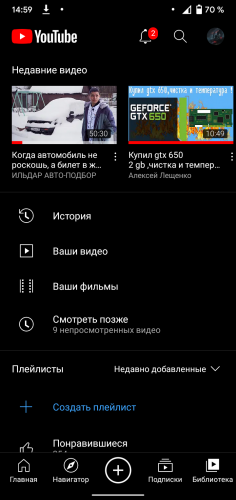
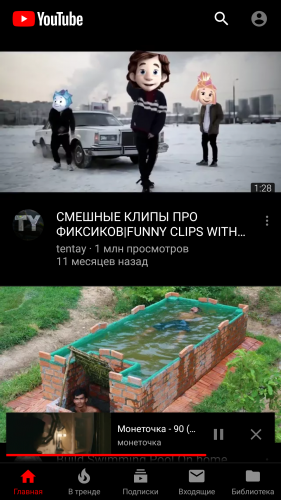
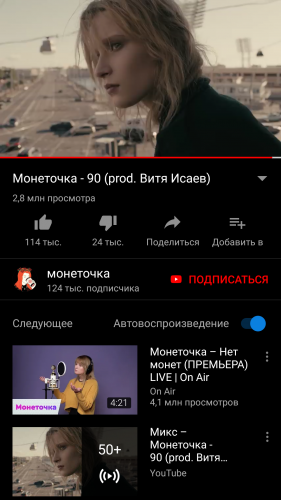
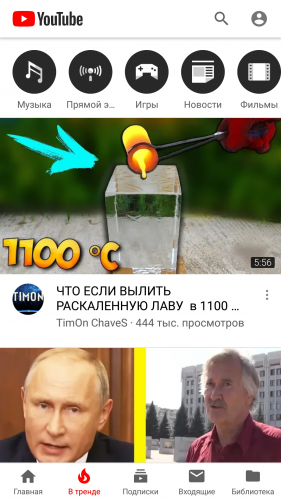
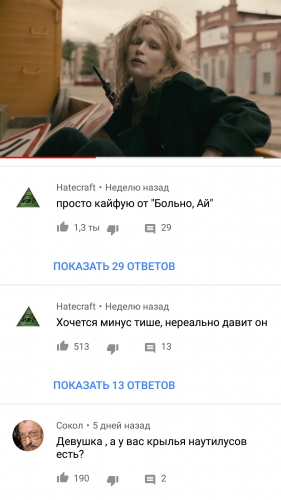
Мод YouTube без рекламы, с фоновым воспроизведением, чёрной темой и другими возможностями
- Не требуется root и google services (в NON-ROOT версии)
- Можно установить рядом с официальным приложением, не удаляя его (в NON-ROOT версии)
- Полностью вырезана реклама (всё что от неё осталось — желтые точки на полосе перемотки)
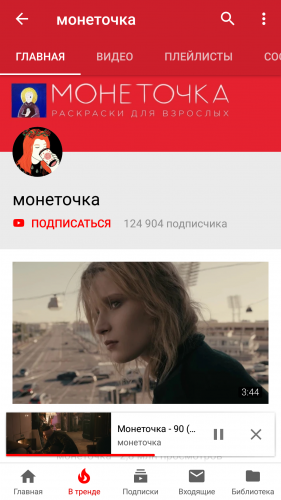
- Активировано фоновое воспроизведение (включено по умолчанию, отключается в настройках) (Настройки > Фоновый и оффлайн-режим)
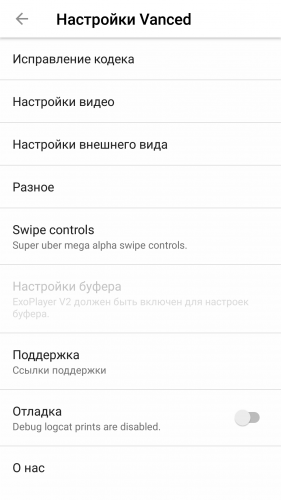
- Функция снятия ограничения разрешения. Можно смотреть 2К видео на экране 800*480 (Настройки > Vanced Settings > Video Quality)
- Выбор качества по умолчанию (для WiFi и/или моб.данных отдельно) (Настройки > Vanced Settings > Video Quality)
- Возможность отключения инфо.карточек, предложении и водяного знака канала в видео (Настройки > Vanced Settings > Layout Settings)
- Возможна активация VP9 Codec для улучшения качества и экономии трафика, но на старых устройствах без поддержки этого кодека видео будет тормозить (Настройки > Vanced Settings > Codec Override)
- Выбор стиля минимизированного видео (старый или новый) (Настройки > Vanced Settings > Layout Settings)
- Активировано увеличение видео щипком (теперь работает на всех устройствах)
- Добавлена настройка повтора видео (Настройки > Vanced Settings > Misc)
- Добавлена возможность выбора между стандартной белой темой и дополнительной тёмной/чёрной (Настройки > Vanced Settings > Layout Settings)
- Добавлена возможность принудительного включения HDR (Настройки > Vanced Settings > Misc)
- Добавлена настройка выбора скорости видео по умолчанию (Настройки > Vanced Settings > Video Quality)
- Добавлена возможность отключения кнопки трансляции на ТВ (Настройки > Vanced Settings > Layout Settings)
- Добавлена возможность включения в тестовом режиме новой версии плеера ExoPlayer v2 (Настройки > Vanced Settings > Misc)
- Добавлена опция автоматического включения субтитров при отключении звука
- Добавлена опция включения кнопок перемотки
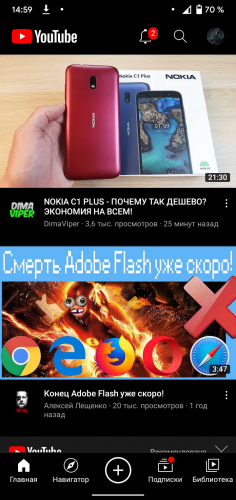
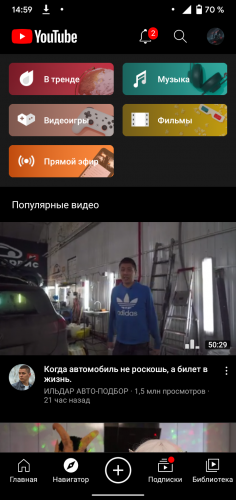
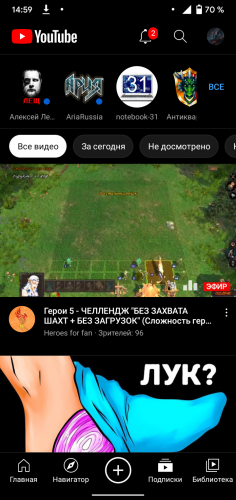
Требуется Android: 5.0+
Русский интерфейс: Да
Разработчик: Team Vanced
Домашняя страница: https://vancedapp.com
Основная тема: YouTube
Альтернатива для Android TV: Smart YouTube TV | SmartTubeNext
Имя пакета: com.vanced.android.youtube
Имя пакета microG: com.mgoogle.android.gms
- модель аппарата, версию Android и название прошивки
- точную версию мода YouTube Vanced и microG (название установленного файла или ссылку на него) и вариант установки (non-root / root / magisk)
- если есть тормоза при воспроизведении, то нужно добавить скриншот со статистикой
- если проблема с определенным видео или каналом, то дать ссылку на него
- были ли прочитаны FAQ в конце поста с модом и последние несколько страниц темы
- подробное описание самой проблемы и её предысторию (после чего появилась)
Как скачать видео в YouTube Vanced (и не только) + альтернативы
Так как же всё-таки можно скачать видео?
Проблемы с авторизацией в свой аккаунт через microG (Подключитесь к Интернету, Проверьте подключение к сети и т.п.
Решение насущных вопросов
О рекламе, которая может появляться в новых версиях
Новый способ рассылки рекламы. Она появляется рандомно на некоторых регионах/провайдерах/аккаунтах/аппаратах и пока не получается её отследить.
Если появилась реклама — попробуйте переустановить или поставить прошлые версии (не только 14.xx, но и 13/12).
С версии 13.50.52 есть возможность отключить некоторую рекламу, но появляется новая: в ландшафтном режиме (удалена в 14.21.54), в поиске и в других местах. В 15.xx.xx версии реклама на главной странице сверху и в ленте.
О глюках, которые могут появляться в новых версиях
Прежде всего не забывайте, что Google постоянно косячит в ютубе, чуть ли не каждая третья версия с глюками. И в нём всё так же куча глюков на разных прошивках/устройствах. Не валите сразу всё на мод 🙂 И если оригинал может обновиться через три дня и глюк пропадет, то с модом так не получится, т.к. на него уходит довольно много времени. К тому же активация скрытых функций тоже может вызывать проблемы.
Так что при появлении каких-либо новых глюков — не стесняйтесь ставить прошлые версии мода.
О том, когда будет обновление
Обновление будет тогда, когда в оригинале появятся какие-то новые полезные функции и у команды vanced будет время на создание мода. Ну или если вдруг мод перестанет работать, как это было со старым microG.
Чтобы микрог не слетал в умный режим в miui Автор iskandarov31
Для тех кто не может применить патчи андроида и поставить мод отвязанный от маркета,а youtube в маркете просит обновиться Автор inkognito09
Почему вансед превращается в «тыкву». обычный Ютюб Автор sylver17
Проблема очень долгой загрузки/постоянных тапов «повторить» на Главной Ютуба (Рекомендованные), Ошибка сервера: 503 Пост Штангенциркyль
МикроГ на андроиде 4.3 и ниже имеет проблемы с авторизацией и чаще всего не работает Возможный вариант решения проблемы, автор Kubarev
После перезагрузки исчезает youtube установленный через vanced(root метод) Пост dianamavrik
Инструкция по настройке дополнения Sponsor Block Пост BarHan
О возможном конфликте приложения с Adguard Пост Raziel72
Способ как отключить стандартный YouTube на miui Пост rootkit666
Для работы свайпов громкости и яркости в версии 15.33.34 Пост Goblin mini
У кого Xiaomi и стоит MIUI 11 и не приходят уведомления Пост IgorRadaev97
Не приходят уведомления. Решение проблемы Пост waQpc | Решение с картинками, автор Klaus333
Как установить youtube vanced в 2023

-Ставьте наши теги, если Ваш пост о программе, приложении или браузере(в том числе о расширениях, дополнениях в нему), его недоработке, баге, обновлении. Это может быть пост — обзор или отзыв.
-При возникновении споров относитесь с уважением друг к другу, а так же приводите аргументы.
Разрешено всё, что не запрещено правилами Пикабу.
Все работает, но почему то после 50 секунд просмотра видео, оно начинает бесконечно грузится. перезапуск толком не помогает, вместо 50 секунд длится 1:10, а потом тоже самое
первая ссылка в посте больше не актуальна, замените пожалуйста

Как избавиться от рекламы ВЕЗДЕ?(Включая онлайн игры,браузеры без отключения интернета)
Всем привет.Это мой первый пост.Надеюсь он вам поможет.А также вся инструкция находится в скринах.
У вас тоже было такое,что у вас в игре или браузере каждую секунду вылезает куча рекламы?Сегодня я вам покажу как отключить рекламу НАВСЕГДА И БЕСПЛАТНО.Сразу скажу,что это с другой стороны и мешает.В играх с наградами за рекламу вы не сможете получать их.Так что решайте сами,что вам важнее.Ну,пожалуй начнём.
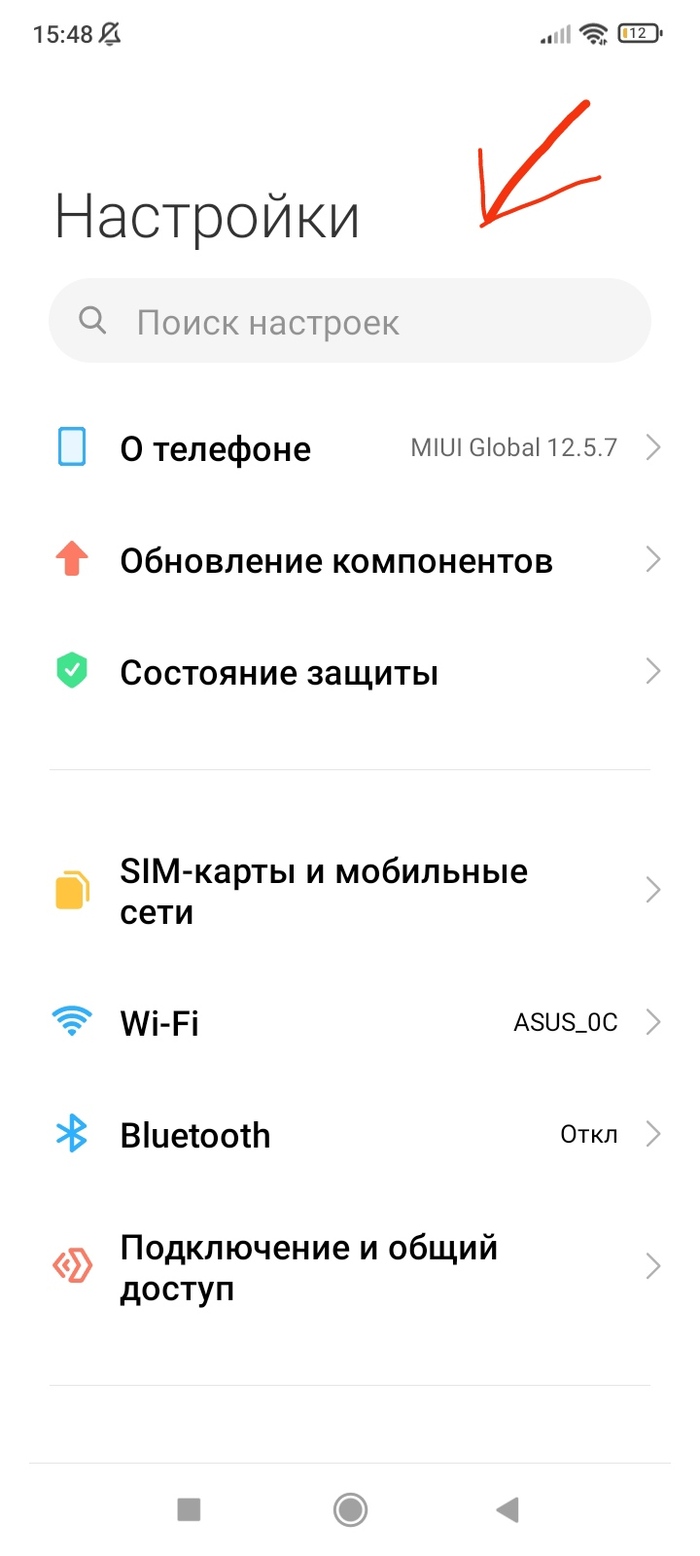
Для начала кто бы мог подумать,нужно перейти в параметры телефона и нажать на поиск.
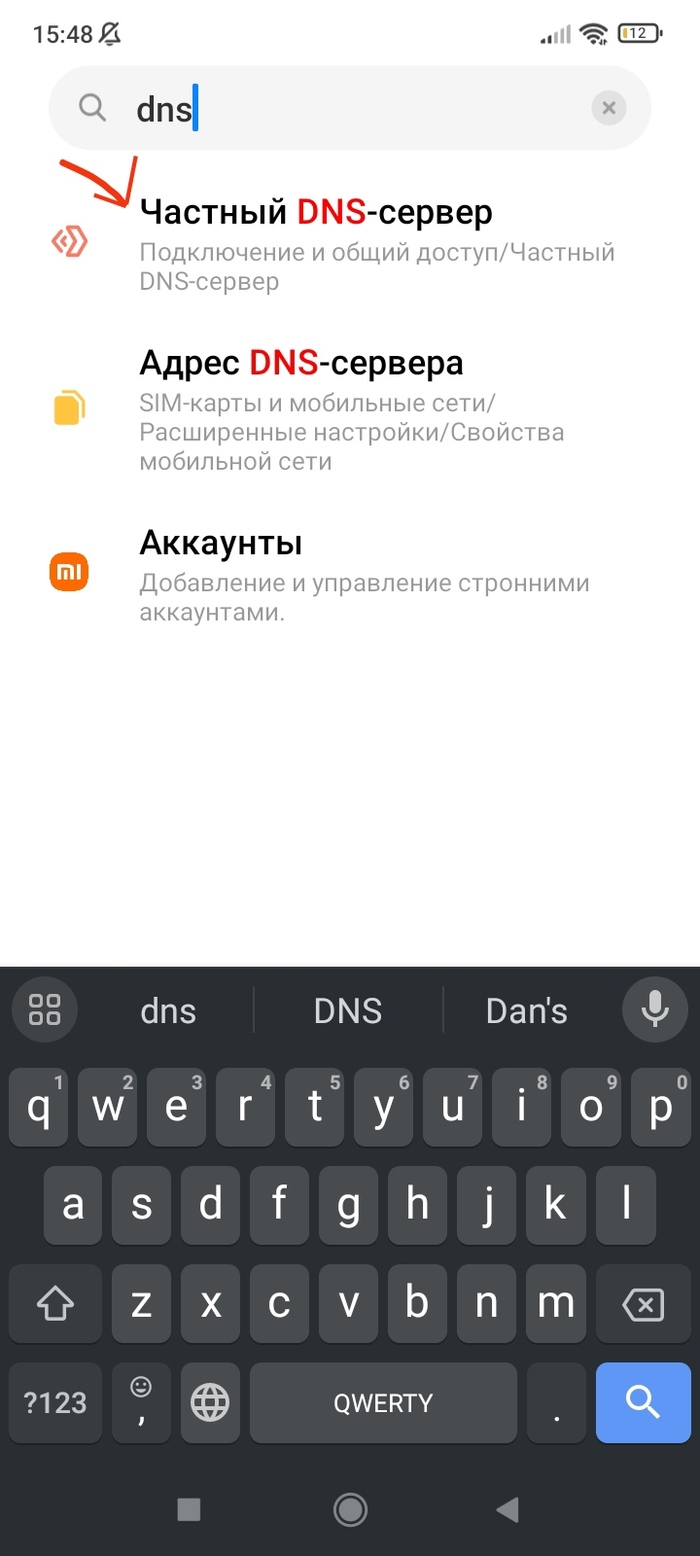
Далее в поиске пишем dns и нажимаем на частный DNS-сервер.
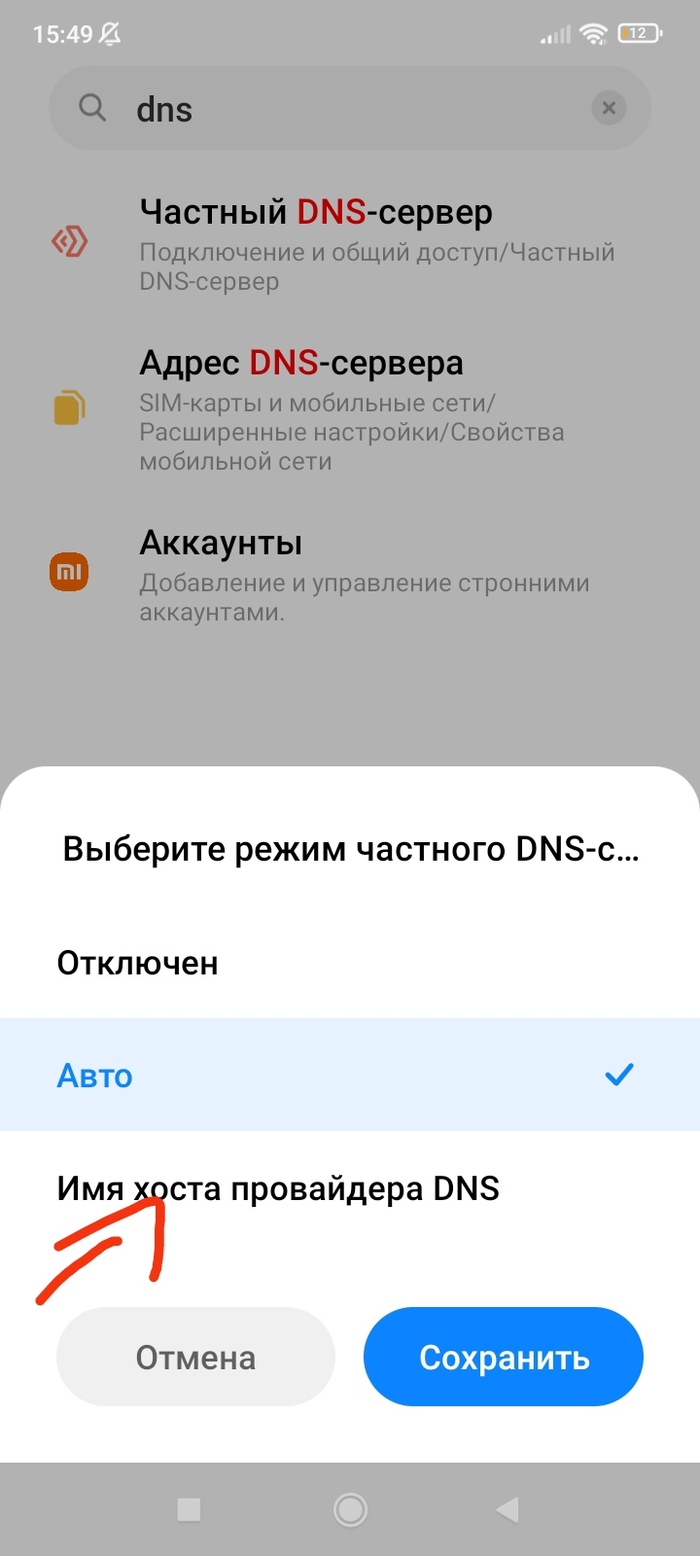
Нажимаем на данную опцию и нажимаем на имя хоста.
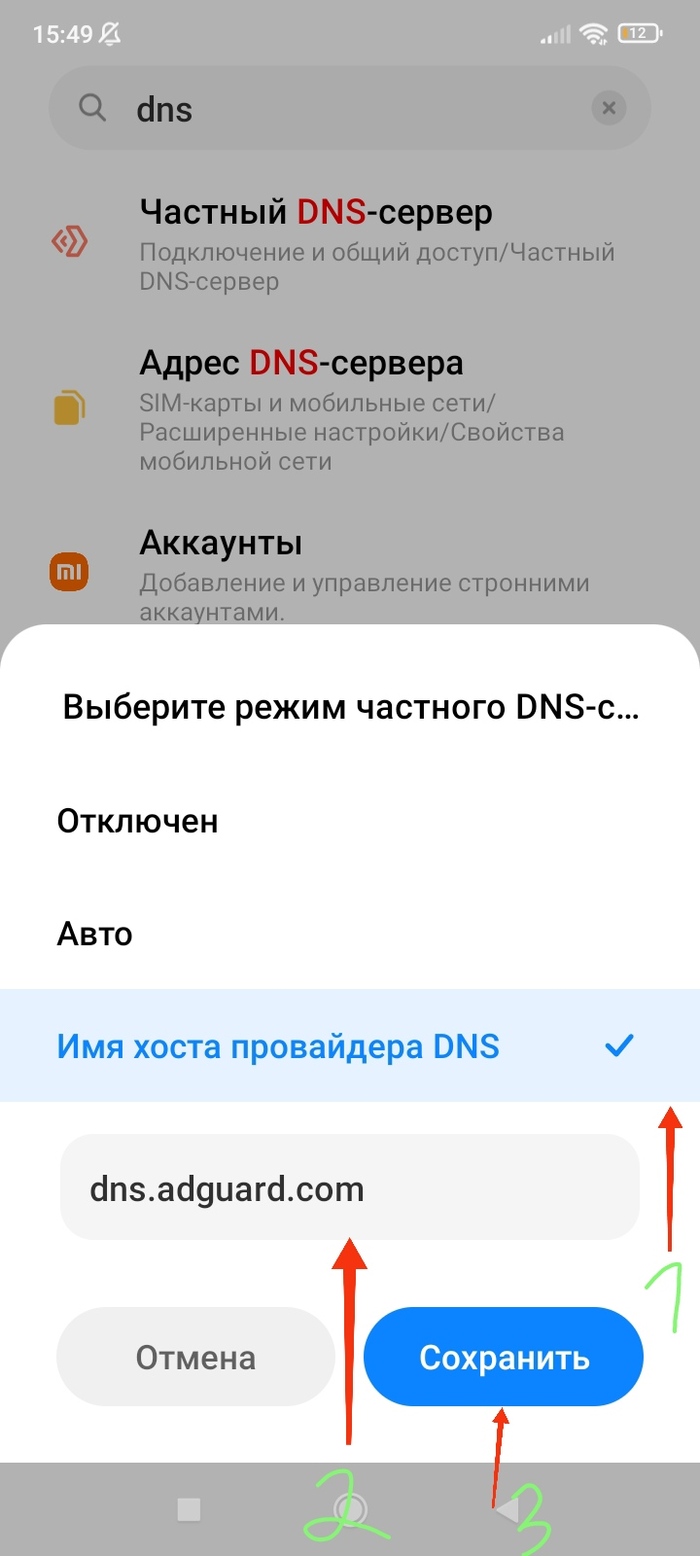
Далее пишем в строку для ввода копируем и вставляем следующею команду.Команда: dns.adguard.com
Надеюсь я вам помог убрать надоедливою рекламу с вашего устройства.Спасибо за прочтение.Всем пока и до новых встреч.

World TV Client — Обновление 2.5
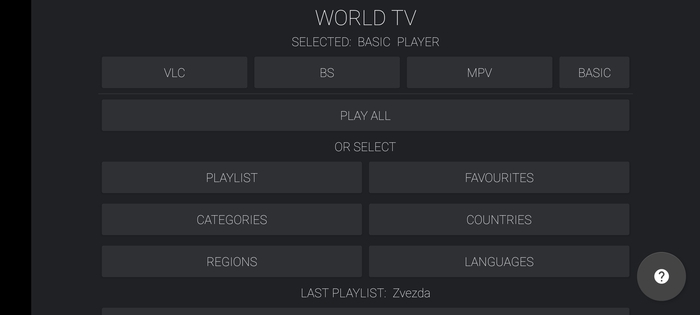
Добрались шальные ручки до обновления.
В этот раз нововведений не очень много, в основном это исправление некоторых багов и одно наиболее значимое обновление на этапе тестирования. А именно:
— Добавлен встроенный плеер. Он задумывался изначально как метод просмотра каналов Wink ну и обычных каналов конечно тоже. В сторонних плеерах эти каналы мы видим как баннер с призывом идти в. а точнее к ним на сайт.
Сразу заметил ограничение: При Просмотре через местный интернет все норм, но если подключить vpn, то мы все равно получаем этот баннер.
Прошу потестить обновление ну и отписаться конечно же, как вам новый плеер.
Для новых пользователей в кратце опишу суть программы:
World TV Client Это каталог тв каналов со всего мира. Базы постоянно самообновляются и на текущее обновление насчитывают более 5000 каналов.
В приложении теперь есть одни встроенный плеер и еще три сторонних.
Советую поставить все доступные плееры и в случае если один плеер не может открыть какой то канал, попробовать открыть его через другой

Предварительный выпуск Android 14
Компания Google представила первую тестовую версию открытой мобильной платформы Android 14. Релиз Android 14 ожидается в третьем квартале 2023 года. Для оценки новых возможностей платформы предложена программа предварительного тестирования. Сборки прошивки подготовлены для устройств Pixel 7/7 Pro, Pixel 6/6a/6 Pro, Pixel 5/5a 5G и Pixel 4a (5G).
Продолжена работа по улучшению работы платформы на планшетах и устройствах со складными экранами. Обновлены рекомендации по разработке приложений для устройств с большими экранами и добавлены типовые шаблоны интерфейса для больших экранов, учитывающие такие применения, как социальные сети, коммуникации, мультимедийный контент, чтение и совершение покупок. Предложен предварительный выпуск Cross device SDK с инструментами для разработки приложений, корректно работающих с разными типами устройств (смартфоны, планшеты, умные телевизоры и т.п.) и разными форм-факторами.
Проведена оптимизация координации выполнения ресурсоёмких фоновых работ, таких как загрузка больших файлов при наличии Wi-Fi-соединения. Внесены изменения в API запуска приоритетных сервисов (Foreground Service) и планирования задач (JobScheduler), в которые добавлена новая функциональность для запускаемых пользователем работ, связанных с передачей данных. Введены требования по указанию типа запускаемых приоритетных сервисов (работа с камерой, синхронизация данных, воспроизведение мультимедийных данных, отслеживание местоположения, доступ к микрофону и т.п.). Упрощено определение условий активации загрузки данных, например, для загрузки только при доступе через Wi-Fi.
Внутренняя система доставки широковещательных сообщений приложениям (broadcast system) оптимизирована для снижения энергопотребления и повышения отзывчивости. Улучшен приём приложениями зарегистрированных потоков сообщений — сообщения могут помещаться в очередь, объединяться (например, серия сообщений BATTERY_CHANGED будет агрегирована в одно) и доставляться только после выхода приложения из кэшированного состояния.
Использование в приложениях функции выполнения операций в точное время (exact alarms) теперь требует получения отдельного полномочия SCHEDULE_EXACT_ALARM, так как применение данной функциональности может негативно влиять на время автономной работы и приводить к повышенному потреблению ресурсов (для заданий, выполняемых по расписанию, рекомендуется использовать активацию в приблизительное время). Приложениям с реализацией календаря и часов, использующим активацию в точное время, при установке должно быть предоставлено полномочие USE_EXACT_ALARM. Публикации в каталоге Google Play приложений с разрешением USE_EXACT_ALARM допускается только для программ с реализацией будильника, таймера и календаря с уведомлениями о событиях.
Расширены возможности масштабирования шрифтов, максимальный уровень масштабирования шрифта увеличен со 130% до 200%, а для того, чтобы текст при большом увеличении не выглядел слишком большим автоматически теперь применяется нелинейное изменение уровня масштабирования (уже большой текст увеличивается не так сильно, как мелкий).
Предоставлена возможность указания настроек языка, привязанных к отдельным приложениям. Разработчик приложения теперь может изменять параметры localeConfig через вызов LocaleManager.setOverrideLocaleConfig для определения списка языков, показываемых для приложения в интерфейсе настройки Android.
Добавлен API Grammatical Inflection для упрощения добавления переводов элементов интерфейса, учитывающих языки с системой родов.
Для предотвращения перехвата вредоносными приложениями intent-запросов в новой версии запрещена отправка intent-ов без явного указания пакета или внутреннего компонента.
Повышена безопасность динамической загрузки кода (DCL, Dynamic Code Loading) — для избежания подстановки вредоносного кода в динамически загружаемые исполняемые файлы, данные файлы теперь должны иметь права доступа, допускающие только чтение.
Запрещена установка приложений, для которых заявлена версия SDK ниже 23, что позволит блокировать обход ограничений полномочий через привязку к старым API (версия API 22 запрещена, так как в верcии 23 (Android 6.0) появилась новая модель управления доступом, позволяющая на лету запросить доступ к системным ресурсам). Установленные ранее приложения, использующие старые API, после обновления Android продолжат свою работу.
Предложен API Credential Manager и реализована поддержка технологии Passkeys, позволяющей пользователю проходить аутентификацию без паролей с использованием биометрических идентификаторов, таких как отпечаток пальца или распознавание лица.
В Android Runtime (ART) реализована поддержка OpenJDK 17 и предоставляемых в данной версии языковых возможностей и Java-классов, в том числе классов типа record, многострочных строк и сопоставления c образцом в операторе «instanceof».
Для упрощения тестирования работы приложений с учётом изменений в новой версии Android, разработчикам предоставлена возможность выборочного включения и отключения отдельных новшеств через секцию Developer в конфигураторе или утилиту adb.