Всё, что нужно знать про кодек Apple ProRes для видео в iPhone. Это вам не в Инстаграм снимать
 В закладки
На презентации новых iPhone 13 Pro купертиновцы показали новую возможность флагманов – съемку роликов в формате ProRes. Фишку не успели доделать к старту продаж моделей, она стала доступна лишь с выходом ключевого обновления iOS 15.1.
Опция стала большим шагом вперед в развитии мобильной видеосъемки. В свое время в Apple уже создавали подобные прорывные технологии для фото вроде портретной съемки в iPhone 7 Plus или Apple ProRAW в iPhone 12 Pro.
Сейчас разберемся, есть ли смысл записывать видео в ProRes на iPhone. Какие преимущества и перспективы у данного кодека в мире мобильной видеосъемки?
Что такое Apple ProRes
Apple ProRes – это не один, а целое семейство кодеков, которые используются для сжатия видео. Кодеки разработаны компанией Apple и впервые были представлены в одном из обновлений приложения Final Cut для Mac в 2007 году.
Кодеки ProRes основаны на дискретно-косинусном алгоритме преобразования данных и используют одновременно несколько методов сжатия видеопотока.
Есть несколько разновидностей кодека ProRes.
◉ Apple ProRes 4444 XQ: самый топовый 12-битный кодек без сжатия, который поддерживает высокую скорость видеопотока, широкий динамический диапазон и альфаканал.
◉ Apple ProRes 4444: это 12-битный кодек без сжатия, который поддерживает цветовые пространства RGB/Y’CrCb и умеет хранить данные о прозрачности (альфаканал).
◉ Apple ProRes 422 (HQ): это 10-битный кодек высокого разрешения (вплоть до 8К), который имеет более высокий битрейт и качество картинки.
◉ Apple ProRes 422: аналог предыдущего 10-битного кодека, но с более низким качеством картинки и скоростью видеопотока.
◉ Apple ProRes 422 (LT): еще более облегченный вариант 10-битного кодека, который балансирует на грани качества картинки и размера исходного файла.
◉ Apple ProRes 422 (Proxy): кодек с довольно низкой скоростью видеопотока, который в основном используется для чернового монтажа.
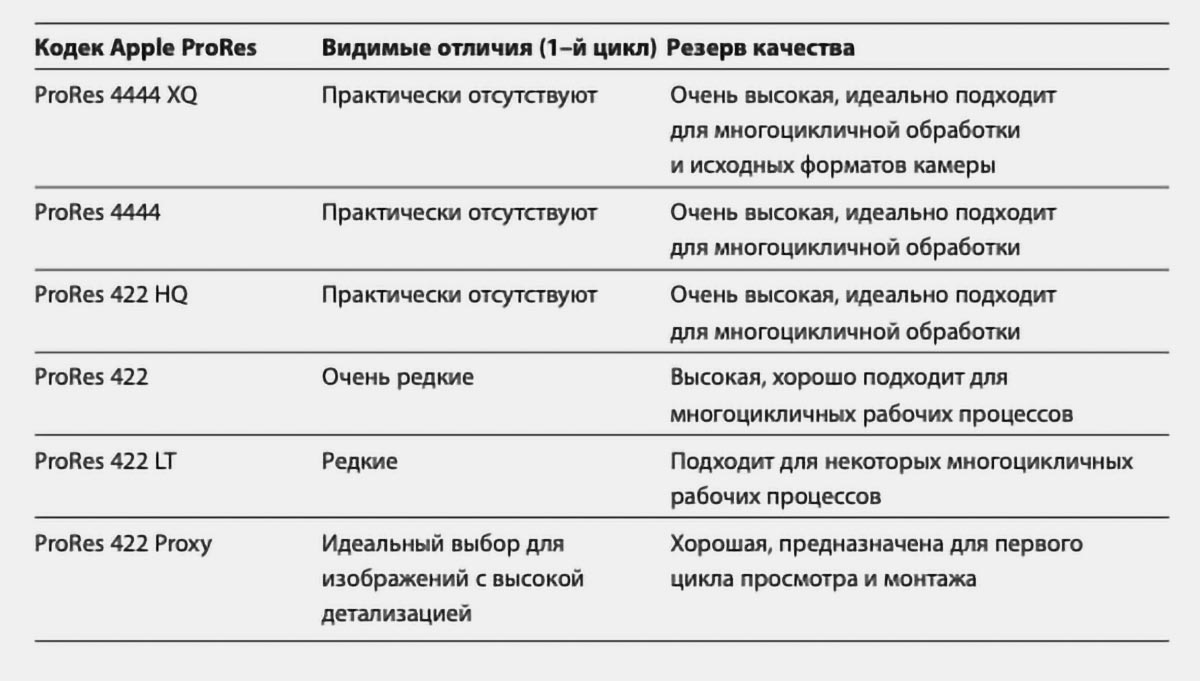
Основные отличия и предназначения разных видов кодека ProRes
Семейство кодеков Apple при полной поддержке программной и аппаратной платформ обеспечивает быструю и удобную работу с видеоматериалом. Данные в ProRes практически не требуют ресурсов устройства для распаковки, что ускоряет процесс монтажа. Особенно это заметно при работе с несколькими потоками одновременно.
Кроме того, ролики в ProRes хранят большой объем информации о цвете, как и фотографии в ProRaw, позволяя на стадии монтажа вытягивать слишком темные или, наоборот, засвеченные участки кадра.
Расплатой за эти преимущества является размер файлов, отснятых в ProRes.
Купертиновцы продают лицензии на кодирование и декодирование в кодек ProRes, благодаря чему он стал довольно популярным форматом хранения данных. Определенные камеры производителей Blackmagic, Canon, DJI, Panasonic, Sony и других умеют сохранять отснятый материал в ProRes.
Полный список производителей и моделей камер с поддержкой Apple ProRes можете просмотреть здесь.
Осенью 2021 года к списку поддерживаемого оборудования добавились смартфоны Apple.
Какие особенности и ограничения есть у ProRes на iPhone
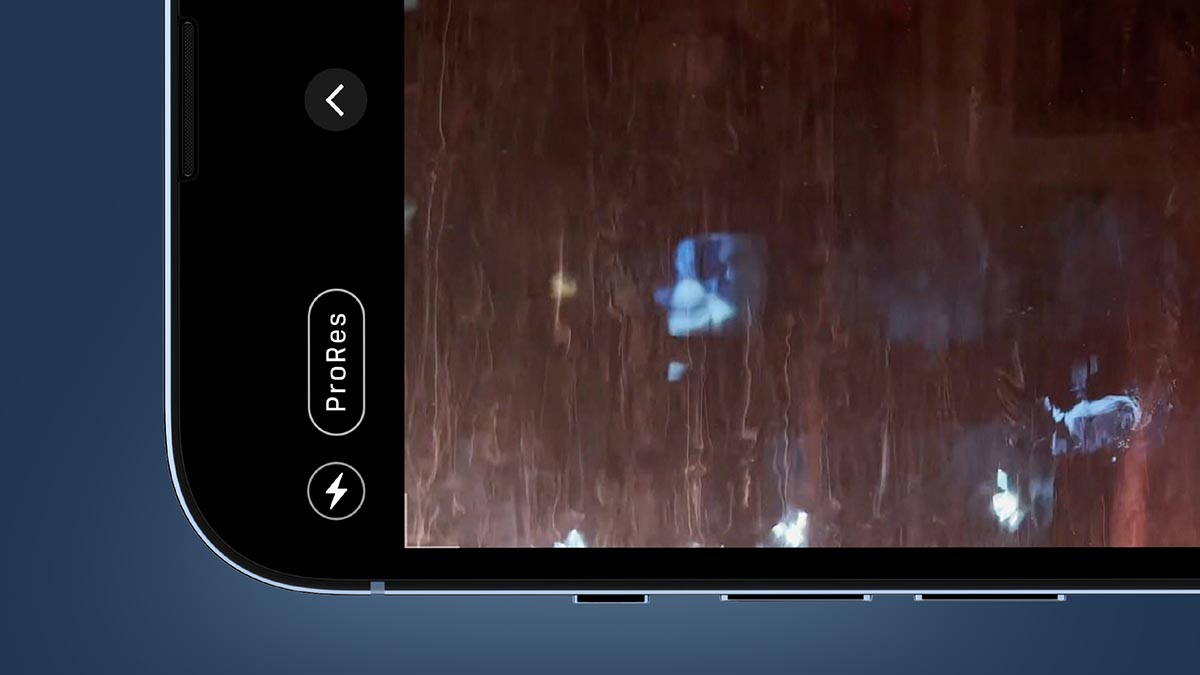
Чтобы научить мобильный гаджет сохранять видео в профессиональном, удобном для последующей обработки формате, купертиновцам пришлось пойти на ряд ухищрений.
Во-первых, кодек ProRes поддерживается только в моделях iPhone 13 Pro и iPhone 13 Pro Max .
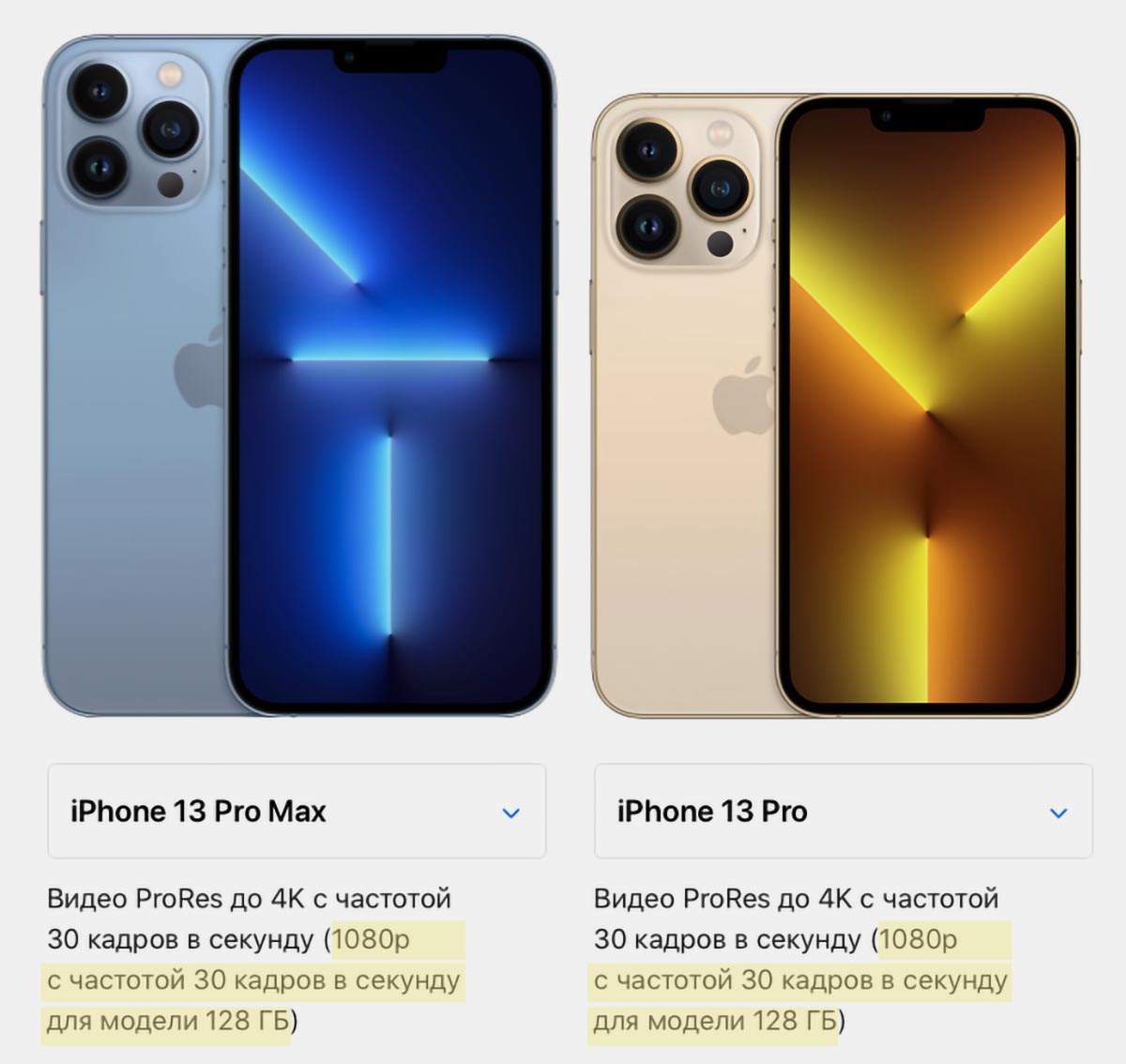
Во-вторых, как уже было сказано выше, видео в формате ProRes занимают очень много места на устройстве . Минутный ролик в 4K разрешении будет занимать около 6 ГБ. Из-за этого в Apple ограничили максимально доступное разрешение для съемки в ProRes на моделях iPhone 13 Pro с минимальным объемом памяти.
Накопителя на 128 ГБ могло бы хватить для сохранения всего 18-19 минут видео в ProRes 4K. Базовая “прошка” умеет снимать ProRes в разрешении 1080p. Смартфон Apple с максимально возможным объемом памяти в 1 ТБ способен уместить чуть более 2.5 часов видео в ProRes с разрешением 4K.
В-третьих, отснятый материал в ProRes рано или поздно придется передавать на компьютер для дальнейшей обработки и монтажа . А здесь все упирается в старый добрый Lightning, который явно выбивается из «профессиональной» направленности iPhone 13 Pro.
Стандартный разъем iPhone, который не менялся с 2012 года, позволяет передать около 3.5 Гб данных в минуту. Это значит, что минутное видео в ProRes будет передаваться около 3 минут, а часовой ролик – почти 3 часа!
В-четвертых, ProRes поддерживают не все устройства Apple . Соответственно, при передаче данных по AirDrop ролики могут быть автоматически перекодированы в H.264 или HEVC.
Это нужно помнить при попытке перебросить большой объем данных по воздуху.
Передать ProRes без конвертации можно на такие устройства:
◈ Всю линейку iPhone 13 (включая модели iPhone 13 mini и iPhone 13);
◈ iPad mini (6-го поколения);
◈ iPad Pro (11″ всех поколений или 12.9″ 3-го поколения и новее);
◈ Компьютеры Mac с OS X 10.6 и новее.
Эти устройства смогут сохранять ProRes без перекодирования, просматривать и редактировать видео.
В-пятых, изначально флагманские модели iPhone снимают с использованием кодека Apple ProRes 422 (HQ). Это один из трех видов кодека без сжатия, но, в отличие от ProRes 4444 и ProRes 4444 XQ, он не умеет хранить данные об альфаканале и записывает до 10 бит.
Сторонние приложения для съемки видео позволяют активировать кодеки со сжатием: ProRes 422, 422 (LT) или 422 (Proxy).
Как снимать в ProRes на iPhone
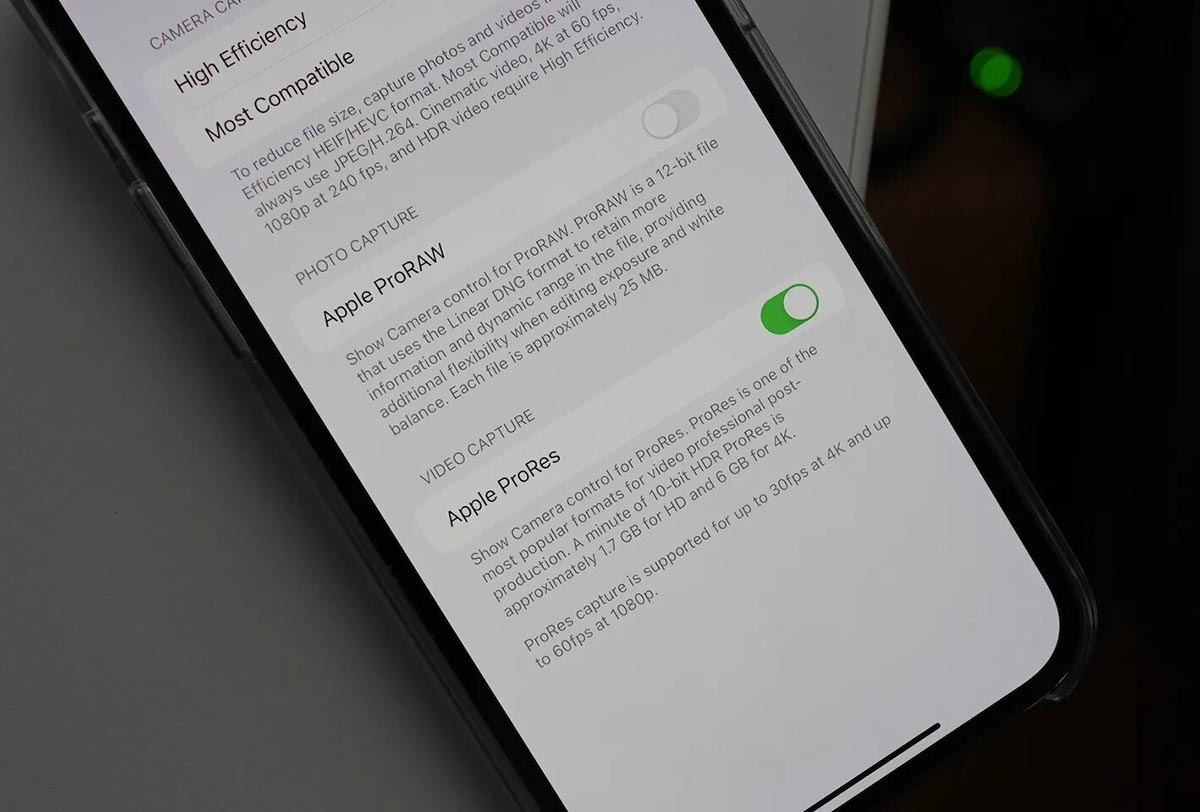
Работает данная фишка только на моделях iPhone 13 Pro и iPhone 13 Pro Max с установленной операционной системой iOS 15.1 и новее.
1. Перейдите в Настройки – Камера – Форматы.
2. Активируйте переключатель Apple ProRes в разделе Видеосъемка.
3. Включите приложение Камера в режиме съемки Видео и активируйте кнопку ProRes в верхней панели.
Обратите внимание, что съемка в ProRes невозможна в режиме «Киноэффект», при замедленной съемке или покадровом режиме.
Видеоролики могут быть сняты в разрешении 1080p 25/30/60 кадров в секунду или 4K 24/25/30 кадров в секунду.
Не забывайте, что модели с минимальным объемом памяти не могут записывать ProRes ролики в 4K.
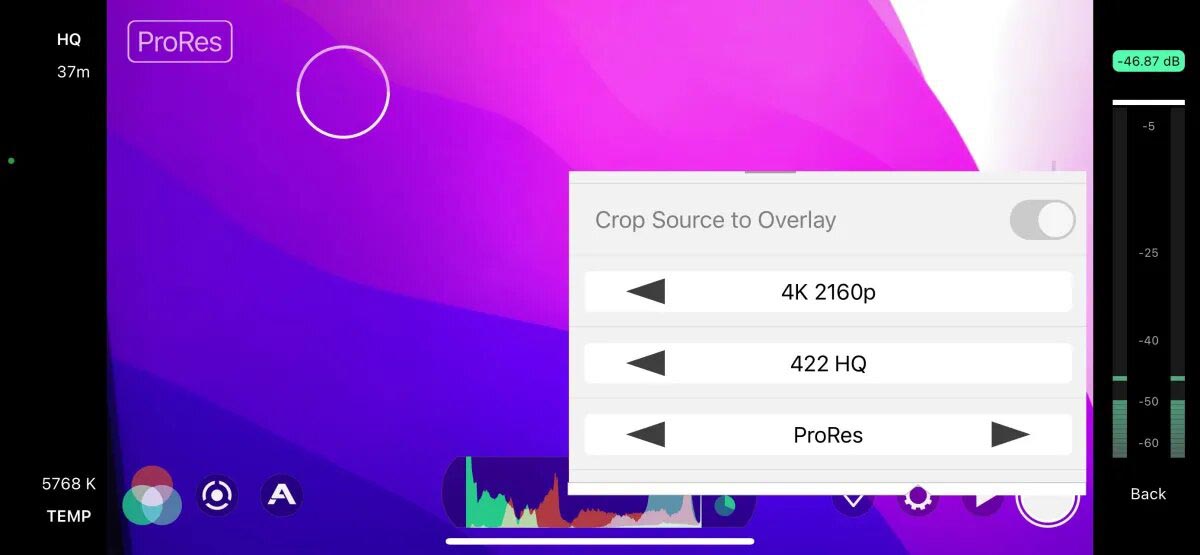
Съемка в ProRes в приложении FiLMiC Pro
Здорово, что купертиновцы не стали ограничивать работу с ProRes исключительно встроенным приложением Камера. Снимать в «яблочном» формате можно и при помощи сторонних программ.
Например, такая возможность появилась в одном из последних обновлений FiLMiC Pro.
Нужен ли ProRes в текущем поколении iPhone
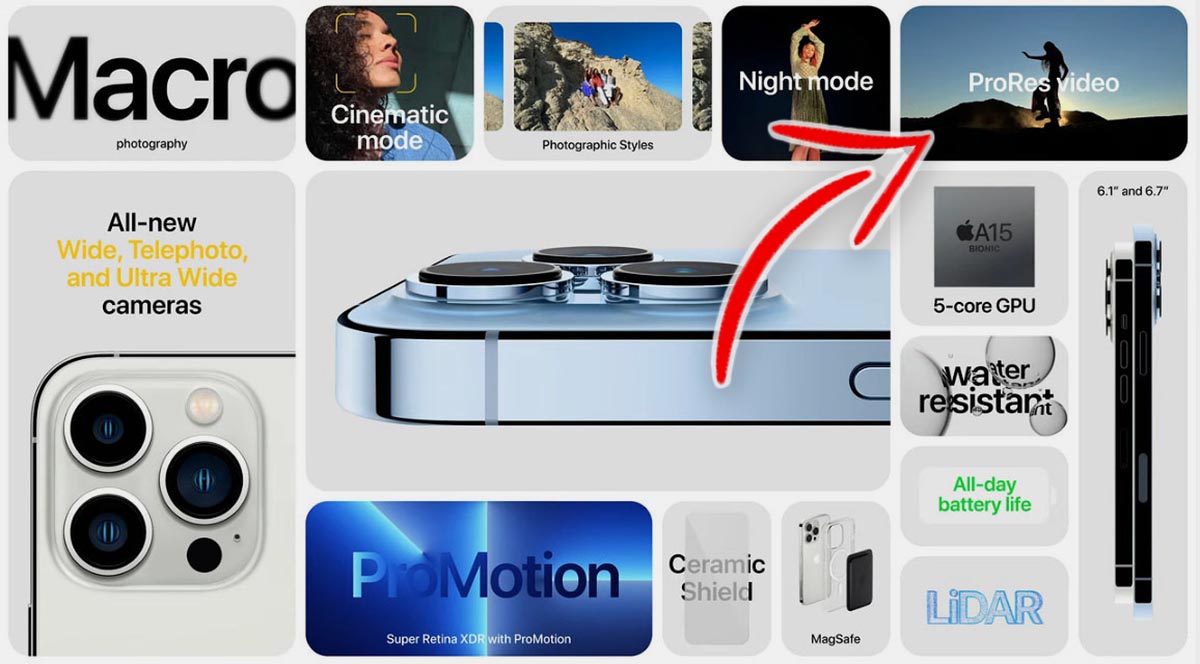
В Apple каждый год стабильно улучшают камеру новых флагманских моделей iPhone. В этом году кроме апгрейда железа купертиновцы сделали большой шаг вперед в плане программного обеспечения для съемки видео.
Новые модели iPhone 13 Pro получили поддержку кодека ProRes, но выглядит это новшество не сиюминутным бонусом, а фишкой на перспективу.
Сейчас даже при самом пристальном сравнении найти отличие между снятыми с использованием разных кодеков роликами найти непросто. Многократное увеличение, попытка найти различия в динамических сценах, агрессивная цветокоррекция или перекраска кадра пока не позволяют выявить серьезные плюсы роликов в ProRes.
Матрица iPhone еще не способна предоставить такой большой объем информации и данных, чтобы был смысл кодировать ее в профессиональный видеокодек .
Наглядное сравнение видео в ProRes и HEVC. Найдите 10 отличий.
Через два-три года, когда матрица и используемая оптика пройдут еще несколько стадий эволюции, мы обязательно получим профит от ProRes кодека в iPhone.
А пока, если вы не суперпрофессионал, использовать ProRes в текущем поколении «прошек» нет особой необходимости. Вы быстрее заполните память смартфона, а затем потратите больше времени на передачу контента на компьютер для дальнейшей обработки.
В закладки
What Is Prores On Iphone 13 Pro And How Is It Better Than H 264
Let’s dive in and explore everything about Apple ProRes.
What is ProRes on iPhone 13 Pro models?How much storage does the ProRes format require?Difference between ProRes and H.264/H.265 video codecsWhy is ProRes a big deal?
What is ProRes on iPhone 13 Pro models?#
Like H.264 and H.265, ProRes is a high-quality video format codec technology incorporated in iPhone 13 Pro models. The feature was introduced in 2007 with Final Cut Studio 2 and has made its way to many professional devices. ProRes codec uses multicore processing to support frames up to 8K at full resolution. The high color fidelity and low compression of ProRes not only let users record video but also compress the file while retaining the original quality. The codec uses compression algorithms based on the discrete cosine transform (DCT). There are many different forms of ProRes, and each form supports different data rates and resolutions at 10-bit color depth. It helps bridge the gap between large, uncompressed video and modern codecs that preserve bandwidth. However, this heavy-duty video feature comes at a cost! But before we dive into it, let’s understand a few nitty-gritty.
Different ProRes formats on iPhone 13 Pro models#
As mentioned above, Apple ProRes supports only:
iPhone 13 Pro iPhone 13 Pro Max
However, the ProRes video format comes in two different forms on the iPhone 13 Pro and iPhone 13 Pro Max – 1080p and 4K. Keeping in mind the storage requisites, Apple has limited some functionality of ProRes on both models. ProRes on 128GB models of iPhone 13 Pro and iPhone 13 Pro Max is limited to 1080p. 4K ProRes is available on a 256 GB iPhone 13 Pro or iPhone 13 Pro Max model and higher. Moreover, ProRes is currently unavailable. Apple says it will release the feature on supported devices in a future update.
How much storage does the ProRes format require?#
For the record, just 1 minute of 4K ProRes video shooting on iPhone 13 Pro and iPhone 13 Pro Max occupies 6GB of iPhone storage. To sum up, 10 minutes of 4k ProRes video will occupy 100GB of storage on iPhone 13 Pro and iPhone 13 Pro Max. Hence, it’s crystal clear why Apple introduced a 1TB variant this year. Smart move, Apple! So, if you plan to use 4K ProRes quite a lot, I recommend buying iPhone 13 Pro or iPhone 13 Pro Max with a storage capacity of 256GB or above, as 128GB will only support the 1080p video format.
Difference between ProRes and H.264/H.265 video codecs#
ProRes offers high color fidelity and a low compression ratio. Moreover, it works with all QuickTime Movie Format (MOV), such as 8K, 4K, 2K, and so on, at 10-bit codec. Whereas, H.264/H.265 (HEVC) codec offers a high compression ratio and works with such major formats as MP4, M4V, and so on, at an 8-bit codec. Moreover, H.264/H.265 (HEVC) uses the Group of Pictures (GOP) approach to compress a group of pictures to form a complex architecture. Hence, even with less file size, H.264/H.265 requires intensive CPU & GPU power. One downside of ProRes video files is their large size in comparison to the latter one.
Why is ProRes a big deal?#
It is no surprise that iPhone’s camera has a fan following of its own. There are many movies completely shot on it before too. Apple takes it a notch up with the introduction of ProRes in its iPhone 13 Pro models. This time, challenging the professional cameras! ProRes makes the professional video quality handier. And this is especially a game-changer for professional photographers, filmmakers, and video shooters. However, it isn’t fit for all. As even a single video would consume the real estate of up to 6GB. That’s everything you need to know about ProRes in iPhone 13. What do you think of it? Share your thoughts in the comments below! Read more:
Apple’s Cinematic Mode on iPhone 13: What is it and how to use itiPhone 13 vs. iPhone 12: Specs, design, and other biggest differencesBest accessories for iPhone 13 line up 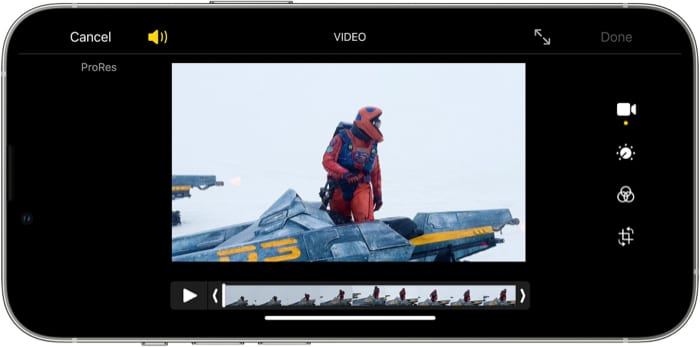
What is Apple ProRes (ProRes 4444 XQ vs 4444)? How Big is an iPhone 13 Pro 4K ProRes File?
Summary: everything you wanna know about Apple ProRes codec is here, including ProRes definition, ProRes raw, ProRes 4444 vs 4444 XQ, ProRes bit rate, ProRes format, ProRes vs H264, iPhone 13 Pro 4K 30FPS file size, ProRes licensees, etc.
By Candice Liu |Last updated on Sep.24, 2021
ProRes 4K 30FPS’ support on new iPhone 13 Pro and Pro Max brings ProRes codec back to the limelight again. Many a non-Apple fan has no idea about ProRes codec. What is ProRes and what difference among ProRes 4444 XQ, 4444, ProRes 422 HQ, ProRes 422 and ProRes 422 LT/Proxy? What is ProRes Raw? How big is a 4K ProRes file? All these questions related to ProRes are flooding into online forums, Q&A answers, Apple support site, etc.
Though these questions are not new, they’re mentioned at high frequency just in recent times. Therefore, it’s necessary to elaborate all these most-concerned ProRes questions in an overall post. That’s why this post comes. Check the part that matters to you most if you have no enough time to read through the whole post:
Table of Contents
Part 1. What is ProRes
Apple ProRes is a high quality, lossy video compression codec developed by Apple Inc. for use in post-production (further video editing), with resolution support up to 8K 4320p. The ProRes family of codecs support any frame size (e.g., SD, HD, 2K, 4K, 5K, 6K, 8K) at full resolution. And the data rates vary grounded on Chroma subsampling (YUV 4:4:4, 4:2:2), color depth (8bit, 10bit or 12bit), frame size and frame rate.
Instead of explaining ProRes codec with a long paragraph filled with obscure and abstract technical terms, here we further explain it using its key features in short phrases:
Key Features:
- Intermediate codec for us during video editing compared to H264 user-end codec for practical viewing.
- Intra-frame-only compression makes each frame stored independently and be decoded with no dependencies on other frames, which simplifies DCT-based ProRes video decoding than that of distribution-oriented format H.264 (H264 adopts both intra-frame and inter-frame compression).
- The nature of ProRes is a variable bit rate (VBR) codec.
- ProRes supports different data rates and different resolutions (from SD to Ultra HD).
- All ProRes 422-variants adopt YUV Chroma subsampling of 4:2:2 at 10-bit color depth. ProRes 4444 and 4444 XQ render even better quality with YUV 4:4:4, a color depth of 10 or 12 bits.

By the way, what is ProRes Raw? Essentially, ProRes Raw is built upon the same technology as other ProRes codecs, no internal difference indeed. The biggest difference lies in the application — it’s directly used for the raw data, thus delaying the debayering process to the post-production stage. Check here to get nitty-gritty about ProRes Raw.
Part 2. Apple ProRes 4444 XQ vs ProRes 4444 vs 422-variants
For most ordinary users, you don’t have to know the internal complicated codec compression architeture, nor the obscure RGB or Y’CbCr pixel formats. Instead, the major difference you get is enough. Apple ProRes 4444 XQ, ProRes 4444 vs ProRes 422-variants, the major gaps are quality (of course highly relevant with codec compression ratio) and application.
- ProRes 4444 XQ: is the highest-quality version of Apple ProRes for Chroma subsampling 4:4:4 (alpha channels incl.). It can reach up to 12 bits per image channel and up to 16 bits for the alpha channel.
- ProRes 4444: is an extremely high-quality version of Apple ProRes for 4:4:4:4 image sources (including alpha channels). Similar to 4444 XQ, this codec delivers a lossless alpha channel up to 16 bits.
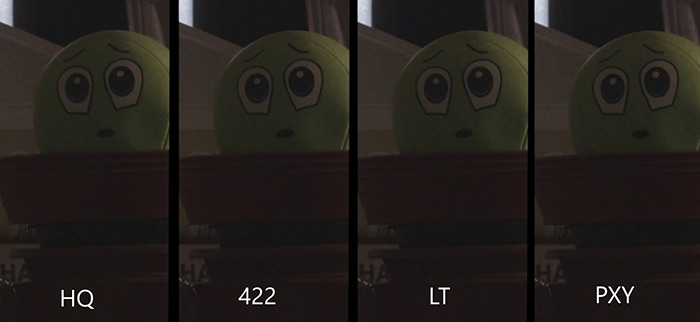
- ProRes 422 HQ: is a higher-data-rate version of Apple ProRes 422 that remains visual quality as same high as Apple ProRes 4444 but at Chroma subsampling YUV 4:2:2 with 10-bit color depth.
- ProRes 422: is a high-quality compressed codec with almost all the benefits of Apple ProRes 422 HQ kept while getting file size 34% smaller than ProRes 422 HQ.
- ProRes 422 LT: is a more highly compressed codec than ProRes 422, keeping roughly 70% of the data rate and 30% smaller file size.
- ProRes 422 Proxy: is an even more highly compressed codec than ProRes 422 LT, at low data rates.
Application:
- ProRes 4444 XQ & 4444: have very high data rates to preserve the detail in high-dynamic-range imagery (HDR) and are mostly used for keying and colour modulation in post-production.
- ProRes 422 & 422 HQ: possess higher cost performance, proper file size and high-fidelity image quality, used to export original media clips.
- ProRes 422 LT & Proxy: have comparatively low data rates, much smaller size and pedestrian video quality. You’ll benefit from using Proxy when your computer hardware configurations are low-end. It will ensure you a smooth video editing even for your media file with high bit rate and high resolution on old laggard desktop. When you’re slated to export video footage, it will exchange to the original one to guarantee the video sharpness.
Part 3. ProRes Data Rates of 4K UHD 1080p FHD
ProRes data rates vary based on oodles of factors like frame rate, video resolution, Chroma subsampling, color depth, etc. You can find dozens of resources concerning ProRes data rates, but most of them share with you a table with too many data, rangin g from SD 720 × 576 to 8K 4320p. That’s too complicated. Actually, majority of you just need the commonly used video like 1080p, 4K 2160. Thus, here we just list out the ProRes data rates of 1080p and 4K, alongside with their corresponding file size. Read below:
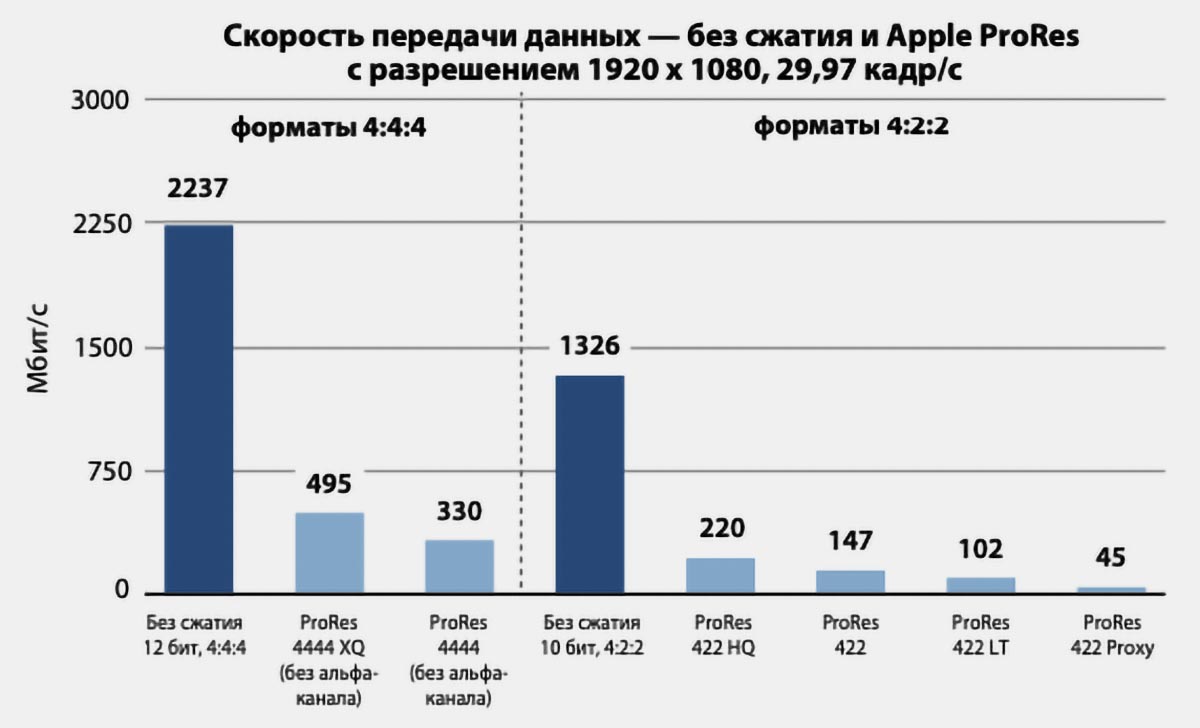
Frame Rate: 30FPS | Resolution: 1920×1080
ProRes 4444 XQ (no alpha): 495
ProRes 4444 (no alpha): 330
ProRes 422 HQ: 220
ProRes 422 LT: 102
ProRes 422 Proxy: 45
ProRes 4444 XQ (no alpha): 223
ProRes 4444 (no alpha): 148
ProRes 422 HQ: 99
ProRes 422: 66
ProRes 422 LT: 46
ProRes 422 Proxy: 20
Open a 1080p H264 30FPS video and check its info on mediainfo. Its overall bit rate is only 4.3Mb/s and the file size goes to 2.2GB per hour. That’s the wide gap between ProRes and H264 in data rates and output file size. How about ProRes 4K video? You must be jaw-dropping at a glance of data rates and file size.
Frame Rate: 30FPS | Resolution: 3840×2160
ProRes 4444 XQ (no alpha): 1989
ProRes 4444 (no alpha):1326
ProRes 422 HQ: 884
ProRes 422 LT: 410
ProRes 422 Proxy: 182
ProRes 4444 XQ (no alpha): 895
ProRes 4444 (no alpha): 597
ProRes 422 HQ: 398
ProRes 422: 265
ProRes 422 LT: 185
ProRes 422 Proxy: 82
Can you believe that? 1 hour of ProRes 4444 XQ video eats up 895GB. The same duration of a 4K H264 30FPS video only consumes 28.7GB at 66.8Mb/s bit rate. That’s why Apple limits iPhone 13 Pro 128GB to 1080p ProRes recording at 30FPS. Even though you upgrade to iPhone 13 Pro with 1TB space, it’s still impossible for you to freely shoot video at 4K ProRes 30FPS, even its ProRes 422 version.
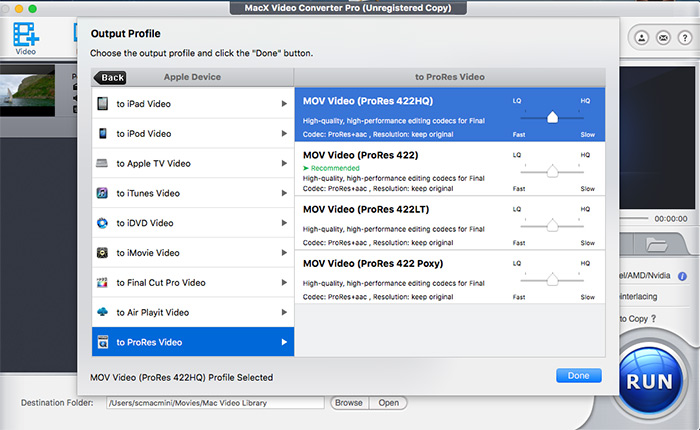
On account of incredibly huge size ProRes codec caused, most users have time to convert ProRes to MP4 format or convert ProRes 4444 to 422 to save space. MacX Video Converter Pro (professional video converter & compressor) offers you ultimate solution to free convert ProRes video to MP4 (H264/MPEG-4/HEVC), convert ProRes 4444/XQ to 422/HQ with quality and file size better balanced. Built-in High Quality Engine ensures visually no quality loss (98% quality kept)!
Moreover, it also supports you to convert any video to ProRes 422 HQ/422/422 LT/Proxy for post-production. Basic video editing is available in this tool, including trim, crop, merge, rotate, add subtitle, adjust parameters, etc.
For those who need to know the data rates and file sizes of 720p, 1440 x 1080, 2K 2048 x 1080, 4096 x 2160, 5K, 6K and even 8K 4320p, please head to Apple ProRes white paper and scroll down to P23 where you can find more details.
Part 4. What Software Supports ProRes & ProRes Raw?
Apple ProRes codec is not an open source codec. Products that are capable of playing back ProRes video or editing ProRes video need to get authoried from Apple. Using any unauthorized software (like the FFmpeg and derivative implementations) might result in decoding errors, quality degradation, incompatibility, and software crash. Thus, the authorized ProRes licensees will be your first choice when it comes to ProRes playback and post-production. Check the authorized products list:
ProRes Authorized Products:
- Adobe: After Effects CC, Premiere Pro CC, Photoshop CC, Animate CC, Audition CC, Media Encoder CC, Photoshop Elements, Photoshop Lightroom, Premiere Elements.
- GoPro: Fusion Studio
- Avid: Media Composer, Pro Tools, Media Central | Editorial Management, Media Central | Production Transcode
- Blackmagic Design: DaVinci Resolve, DaVinci Resolve Studio, HyperDeck Shuttle 2, Cinema Camera EF.
- Techsmith: Camtasia
- .

ProRes Raw Authorized Products:
- DJI: Zenmuse X7
- ASSIMILATE : SCRATCH
- Telestream: Switch
- FilmLight: Baselight, Daylight
- MTI FILM: Cortex
- Atomos: NEON 17/24/31/55, NINJA V, SUMO 19, SHOGUN INFERNO, SHOGUN 7
- .
The whole list of ProRes authorized software is a page long. Please access to Apple official support page to check more Apple ProRes licensees and developers.
Part 5. FAQs about Apple ProRes
1. What’s the difference between "Apple ProRes MXF OP1a", "DNxHR/DNxHD MXF OP1a", "MXF OP1a"?
It’s about codecs and formats. ProRes and DNxHR/DNxHD are codecs and MXF OP1a is a format. Generally, Apple ProRes codec is wrapped by Apple QuickTime container format MOV. Yet, some ProRes videos come to the public with format MXF OP1a.
2. What is editing with a proxy?
Proxy editing is a method of editing in which original media clips are presented on timeline by proxy clips. When you export video footage, you can choose to yield the original media file with image sharpness guaranteed. ProRes 422 Proxy just follows the same workflow principle.
3. Can VLC play ProRes?
Yes, it can. You still need to get ProRes decoder installed before you go.
4. Can Handbrake convert ProRes?
Not really indeed. HandBrake claims on its official HandBrake documents that it can open video files produced by QuickTime, alongside with ProRes codec. But Handbrake can’t encode to ProRes codec.
What is Apple ProRes on the iPhone 13 Pro, 14 Pro and 15 Pro / Pro Max?
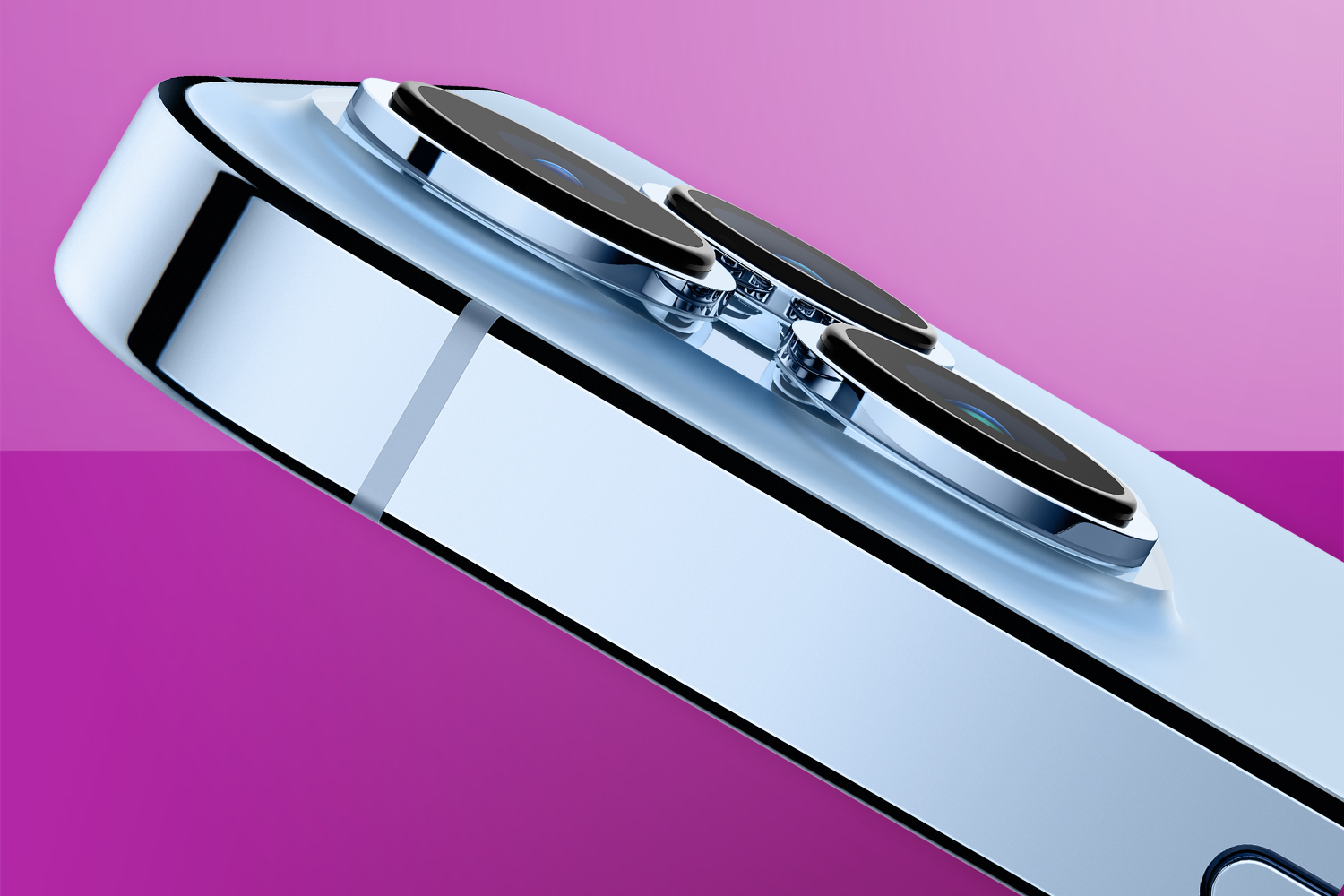
When armed with a smartphone, everyone can be a wannabe Spielberg. But with an iPhone 15 Pro or Pro Max, the idea is you can be an actual Spielberg – at least if you care about image quality. And that’s because as of iOS 15.1, ProRes has been available on Apple’s pair of flagship blowers.
For video nerds, this is exciting stuff: compared to H.265, ProRes is less compressed (“visually lossless” is the term often bandied around) and retains more detail when it comes to things like tone, colour and motion. It’s widely used by pros in post-production. Here’s everything you need to know about the flashy tech.
- Read more: Apple iPhone 15 vs iPhone 14 – what’s the difference?
So I can start shooting ProRes on my new iPhone 15 right now? Great!
Not quite. Anyone with an iPhone 15, iPhone 14 or iPhone 13 is out of luck. And even if you’ve got a Pro or Pro Max model, there’s a limitation: 128GB models are only able to capture ProRes in 1080p at 30 or 25fps. iPhone 13 and 14 Pro models with 256GB of storage and up can capture 1080p at 60fps and 4K at up to 30fps, while the iPhone 15 Pro can manage 4K60p.
That restriction is down to the monstrous amount of storage space ProRes requires – something like 30x video you usually shoot on iPhone. This is why ProRes is also off by default. You manually turn it on in Settings > Camera, and prod the ProRes button in the Camera app (or select ProRes in Filmic Pro’s Resolution settings), whereupon you’ll see how many (or few) minutes you can capture until your iPhone’s screaming for mercy.
Sounds like I should avoid it, then. But you said I’d be an actual Spielberg! Huff.
In a sense, your designs on Hollywood – or at least professional video – should drive whether you use ProRes. If you mostly shoot ad-hoc videos of your cat, the quality/storage trade off makes no sense. But if you’ve got a burgeoning YouTube or TikTok channel you want to spruce up with better-quality footage, ProRes could help.
You must also be mindful of acting like a pro regarding raw footage. ProRes will eat into device and iCloud storage alike at a terrifying rate. So like any studio pro, you don’t forever leave original footage where space is at a premium; you edit it and – if you’ve room on an external drive – then archive the raw footage.
Great. So about that editing thing… how do I start?
Although from an Apple kit perspective you need an iPhone 15 Pro to shoot ProRes, there’s wider support when you want to edit it. That extends to any Mac running macOS 10.6+, any iPhone 15 model, USB-C-equipped iPad Pros and, entertainingly, the latest iPad mini. (We told you it was powerful…). iPhone 14 and 13 models are also good to go.
Apps-wise, Apple’s – Final Cut; iMovie – are a natural home for ProRes, but third-party products support it too, such as LumaFusion. Which means that although you probably wouldn’t want to, you could shoot and edit a ProRes short film entirely on an iPhone. That’s the sort of tech evolution that would make 1980s Spielberg’s head explode (which, presumably, 1980s David Cronenberg would then gleefully use as the basis for a bizarre body horror tech flick).