Как создать анимированные стикеры для WhatsApp
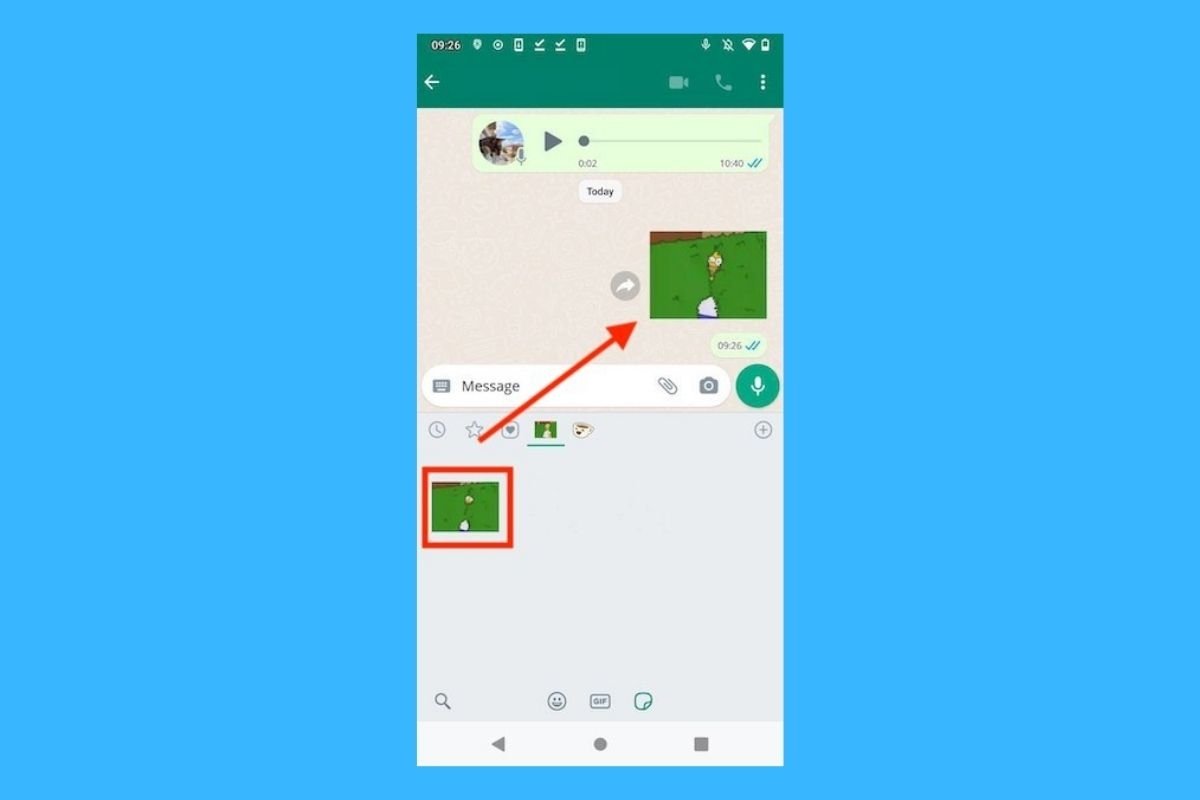
Стикеры WhatsApp являются одним из лучших способов выразить эмоции и чувства в чате. Конечно, эти графические элементы намного привлекательнее с анимацией. Можно ли создать полностью персонализированные стикеры этого типа? Да, и очень просто.

Все, что вам нужно сделать, это загрузить приложение Sticker Maker. Прямо здесь у вас есть надежная ссылка, которая поможет вам получить APK-файл. Когда вы установили этот инструмент, откройте его и нажмите Создать новый стикерпак.
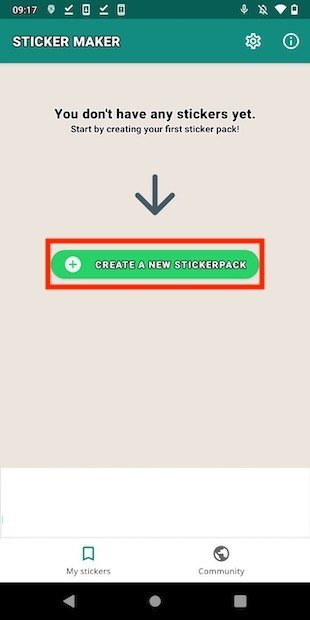
Создайте новый пакет
Дайте своему набору стикеров имя и введите имя автора. Затем нажмите Создать, чтобы продолжить.
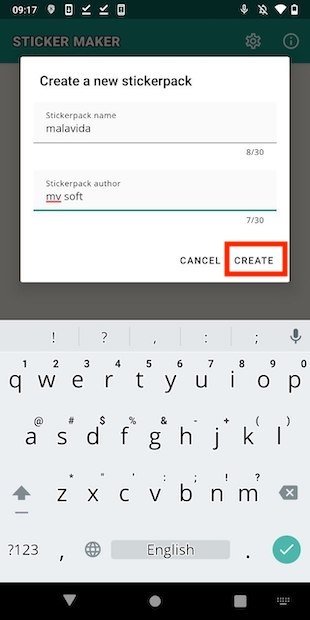
Назовите пакет
Прежде всего, нажмите значок трея, чтобы добавить значок в свой набор стикеров. Рекомендуется использовать тот, который хорошо идентифицирует контент. Это поможет вам найти свой собственный пакет, если вы установили их большое количество в WhatsApp.
Добавьте значок
Выберите источник значка из следующего всплывающего меню.
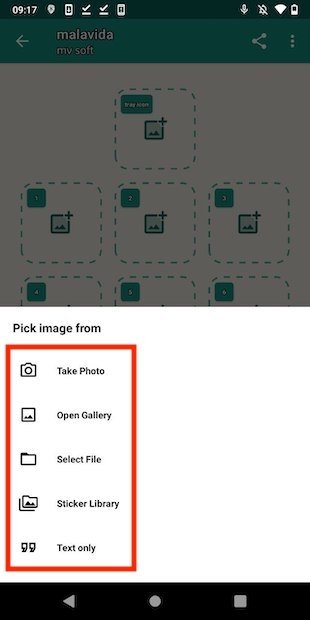
Откройте галерею
В нашем случае мы использовали телефонную галерею, чтобы найти любимые изображения.
Выберите изображение для значка
Обрежьте контур изображения или нажмите Выбрать все, чтобы использовать всю графику.
Обрежьте значок
Нажмите Сохранить стикер для подтверждения.
Подтвердите добавление значка в пакет
На данный момент у вашего набора наклеек уже есть название, автор и даже значок, позволяющий идентифицировать его. Однако у вас еще нет анимированного стикера. Используйте одно из пустых мест, чтобы добавить первый стикер.
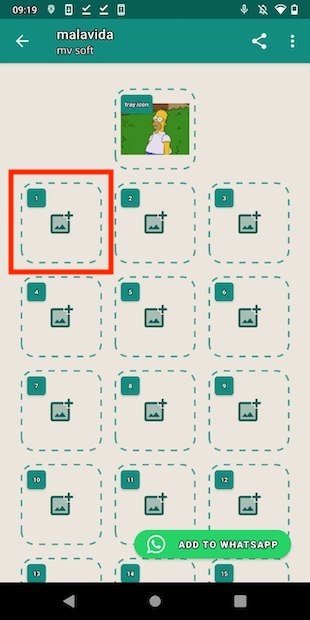
Добавте новый элемент в пакет
Просмотрите галерею или файловый браузер, пока не найдете GIF или видеофайл, который хотите использовать для создания анимированного стикера. Помните, что вы можете получить эти типы файлов из репозиториев, таких как GIPHY.
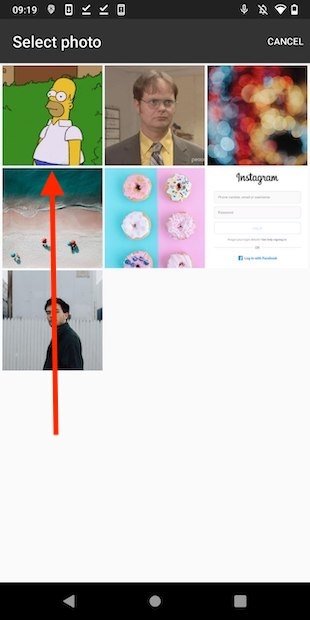
Выберите гиф или видео
Приложение запустит процесс и конвертирует GIF или видеоклип в стикер.
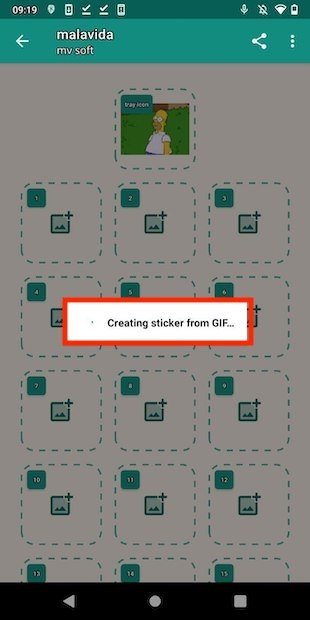
Создание нового стикера
Повторите процесс, чтобы добавить в свой набор до 30 анимированных (или статических) наклеек. Когда вы закончите, нажмите Добавить в WhatsApp.
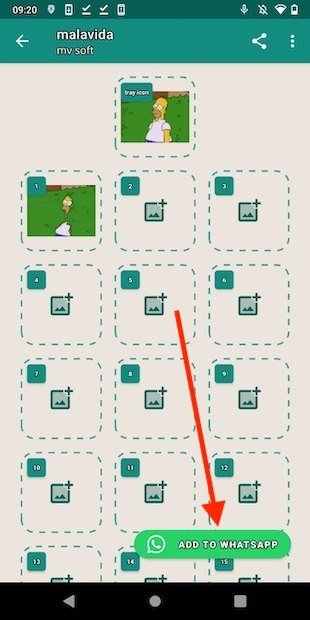
Добавьте в WhatsApp
Подтвердите, что хотите добавить пакет с помощью кнопки Добавить.
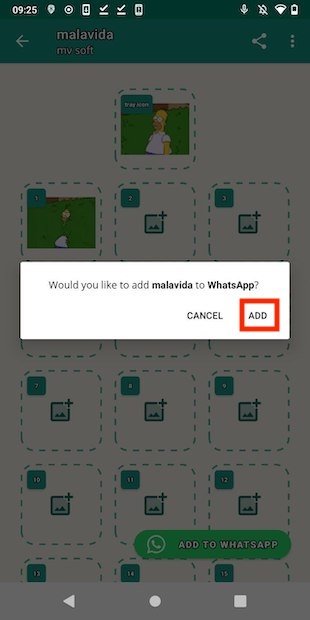
Подтвердите экспорт пакета
Наконец, откройте WhatsApp и убедитесь, что в вашу учетную запись добавлен набор анимированных стикеров.
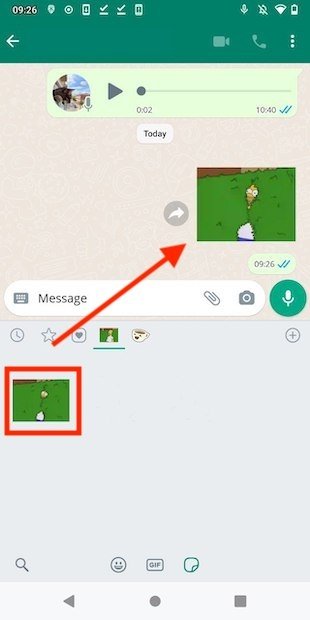
Использование пакета в WhatsApp
Не забывайте, что если вы создадите резервную копию своих сообщений на Google Диске, созданные вами стикеры также будут сохранены.
How to create your own animated WhatsApp stickers for free, easy and fast
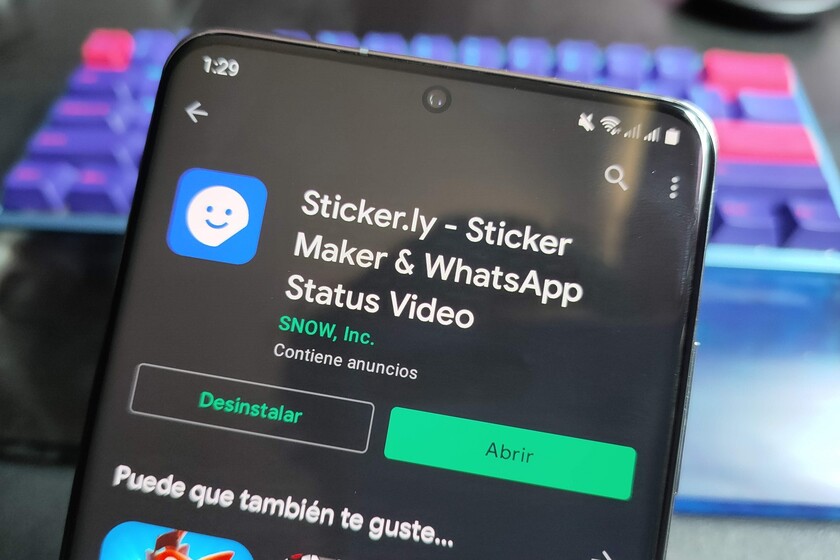
Animated stickers came to WhatsApp In the middle of last year, But its creation was limited to several ways that were not entirely direct or not allowed by WhatsApp. Fortunately, there is now a quick and easy way to do it, which is why this is our edition of our weekly section Basics of Xataka Mexico We will know How to create your own animated WhatsApp stickers.
Sticker.ly does the magic
Sticker.ly It is the application that allows us to create animated WhatsApp stickers easily and quickly. In addition to that, it is free and allows users to download their own sticker packs so that others can download them thus increasing their collection. To create our own stickers, we must follow the following steps:
- Download and install Sticker.ly
- In the main interface, we press the “+” button to start
- We can choose between creating regular, static or animated stickers
- If we choose “animation”, we’ll see three tabs appear with options to search for GIFs from our library, search for them in Tenor or an option for animated text.
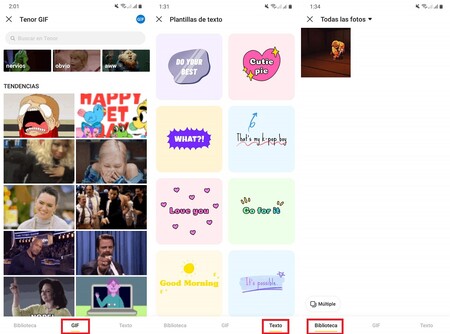
- If we choose “Library”, the GIFs that we have saved will automatically appear in our gallery. For this, it’s as easy as searching in Google for GIFs on the topic we want to make our animated stickers from
- We choose GIF for our poster, then we can edit it. Be it resizing, cropping, or even adding emojis and text
- When done, we simply save the changes. To create a pack of stickers we need at least three stickers, but if we don’t want a whole pack, we can simply import one sticker. Click on it and choose “Add to WhatsApp”.
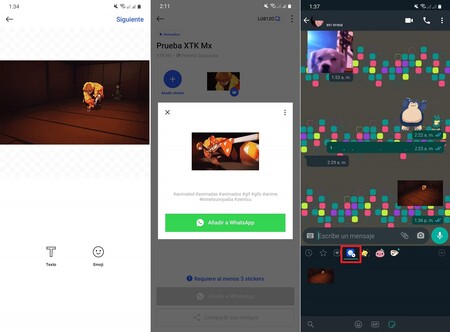
- In WhatsApp a new section will appear with the stickers created in Stikcer.ly and there we will see our new works ready for use
And that’s it xatakeros, That’s how easy and fast to create our own animated WhatsApp stickers using Sticker.ly. Use this knowledge wisely, and don’t forget to review previous versions of our section. Basics of Xataka Mexico For more useful information they didn’t know they needed.

“Evil coffee nerd. Analyst. Incurable bacon practitioner. Total twitter fan. Typical food aficionado.”
Как создавать анимированные стикеры со звуком для WhatsApp
WhatsApp давно стал приложением номер один для обмена сообщениями, оставив стандартные SMS-ки далеко в прошлом. Одним из преимуществ современных мессенджеров является возможность отправлять не только сообщения, но и любой другой контент, в том числе и смайлики и стикеры, которые, порой, намного лучше передают нужную мысль и эмоцию.
Дошло до того, что мы можем создавать свои собственные стикеры в WhatsApp, делая их из любых картинок и фотографий.
Тем не менее существует способ позволяющий сделать их ещё более живыми, а именно, подкрепить их аудио или музыкой! Как это сделать вы узнаете из этой статьи!
Как создавать анимированные стикеры со звуком для WhatsApp
Самый простой способ, несомненно, заключается в отправке самого стикера, а затем нужного аудио или трека, подготовленного предварительно в одном из приложений для редактирования аудио. Однако существуют другие куда более простые способы для поиска уже готовых стикеров на любой вкус и один из них — установка приложения Memetflix.

- Зайдя в приложение, вы увидите множество прикольных стикеров на разные темы, искать которые можно с помощью поисковика;
- Выберите нужный патч и нажмите на кнопку «Agregar a WhatsApp»;
- Готово! Теперь в вашем распоряжении будут прикольные анимированные стикеры со звуком, которые вы сможете отправить своим друзьям.
Помимо использования этого приложения, вы можете вступить в группу Stickerland Rewind IX , где собраны такие стикеры другими пользователями.
Memetflix — Stickers para Whatsapp
Лучший источник крутых анимированных стикеров для WhatsApp на любой вкус, с помощью которых вы сможете разрядить свои скучные чаты в WhatsApp.
How To Make Animated Stickers For WhatsApp?

WhatsApp has recently Launched the Animated Stickers feature and allowing its Users to send Animated Stickers in chats just like Facebook Messenger In the latest updated version.
Currently, Official WhatsApp Doesn’t support animated stickers but as per news, they will add these features in upcoming updates.
Steps To How to Make Animated Stickers For WhatsApp?
- Download And Install Animated Stickers Maker App First From Playstore Click Here To Download.
- Now Open Giphy Or Any Other Gif Platform To Download Your Gifs.
- Download And Save The Gif File In Your Device.
- Now Open Animated Stickers App And Click On Create Pack Button.
- Now Enter The Author And Pack Name Of Your Sticker Pack.
- Now Click On The Plus Button In Lower Right Corner.
- Now Select The Option From Which You Want To Add Gifs After Adding Them Click On The Tick Button In Lower Right Corner.
- Now Click On The Add To WhatsApp Option And Select YoWhatsApp, GBWhatsApp Or Any Other Modded Version Of WhatsApp.
Note: You will get an error “these types of stickers aren’t supported by WhatsApp” if you try to add the Animated Sticker in official WhatsApp.
You Can Check Some Awesome Modded Version Of Popular Apps Here
Please Use Modded Version Of WhatsApp To Avoid Such Errors And To Make Animated Stickers For WhatsApp.
- Finally, After Adding The Animated Sticker Pack To Your WhatsApp Go To Any Chat And Open Sticker Option From Emoji Icon.
- you will find the Animated Stickers For WhatsApp in the stickers option.
- Once you have it, you can share it with your friends quickly and easily.
With these simple steps, you will be able to surprise your acquaintances with these curious animated stickers.
How To Download And Install Modded Version Of WhatsApp ?
Requirements
- Download The Modded WhatsApp From here
- Go to Settings > Security on your device and enable installation from Unknown Sources Option.
Installing YOWhatsApp APK Download
Step 1. Like any additional APK file you sideload this, and you can start doing that by first Downloading the YoWhatsApp APK file from the link given above
Step 2. Next, go to your file explorer and browse that Downloaded file.
Step 3. Once you locate the YoWhatsApp APK file, tap on it, and hit the install button.
Step 4. It will start installing, and once done, open the app.
Step 5. This will be the modded YoWhatsApp APK.
Step 6. And that’s it you’re done, all the Premium features will be available for you.
As the app is modded, means all the premium features available for the paid users are unlocked here, so that’s why you will get to use them for free of charge, unless YoWhatsApp APK comes up with a much stronger security system. Then you might be able to use them, but that’s still nowhere to be seen, and for now, you can enjoy these premium services for free.
And if you find them worth your money, do consider buying them and support the app’s services.
Frequently Asked Questions Of How to Make Animated Stickers For WhatsApp
1. What Is Modded Version Of WhatsApp?
WhatsApp Mod is the Forked Version of WA with fully Unlocked Premium Features.
2. What Is Giphy?
Giphy, styled as GIPHY, is an American online database and search engine that allows users to search for and share short looping videos with no sound, that resemble animated GIF files. On 15 May 2020, Giphy was acquired by Facebook for a reported $400 million. Wikipedia
Yes, All The Link And Tutorials Are Self Tested And 100% Safe.
4. What Is Animated Sticker?
WhatsApp recently rolled out its new animated stickers feature to all of its users. This feature allows users to send animated cartoonish stickers, similar to Hike Messenger, to their contacts. These animated stickers according to the company allow users to express their feelings in a better way
How to Make Animated Stickers For WhatsApp?
In this article, I’ve explained each and every step to Make Animated Stickers For WhatsApp.
FINAL VERDICT OF HOW TO MAKE ANIMATED STICKERS FOR WHATSAPP
So this post was all about How To Make Animated Stickers In WhatsApp. I hope you will make your animated stickers and share it with your beloved friends and cousins. I hope you I’ve covered each and every step in this article so that you can do it easily. Tell me in the comment section if you have faced any problem while Maki