11 фишек телевизоров Samsung QLED TV 2020
В 2020 году линейка телевизоров Samsung QLED TV обновилась. Рассказываем о главных фишках новых моделей — о тех, которые появились в этом году, и о лучших из тех, которые пришли из предыдущих поколений.
1. Показывают невероятно детализированную и яркую картинку
Телевизоры Samsung QLED основаны на технологии квантовых точек, которые позволяют экрану передавать миллиард оттенков цветов.
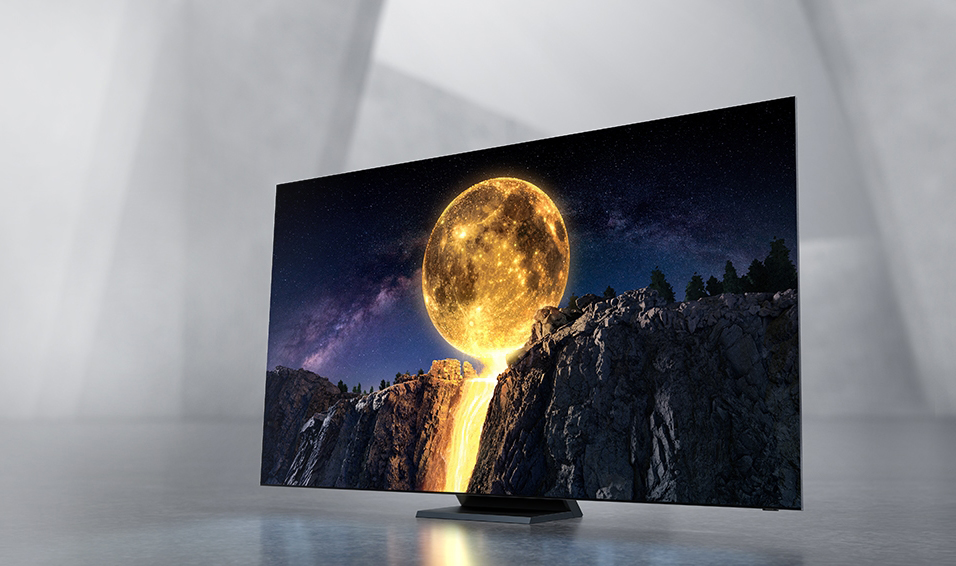
Кроме того, телевизоры Samsung QLED TV поддерживают стандарт HDR 10+ — соответствующий контент содержит дополнительные метаданные, позволяющие подстраивать контрастность и яркость для каждой сцены. Благодаря этому отлично видны все детали и в светлых, и в тёмных сценах. Запас яркости огромный — в старших моделях пиковый уровень достигает 4000 нит.
2. Создают объёмный звук
В телевизорах Samsung QLED TV 2020 года появилась технология Object Tracking Sound+ — она доступа в моделях Q950 и Q800T, которые оборудованы сразу шестью динамиками: сверху, снизу и с боков. Процессор с искусственным интеллектом анализирует сцену в режиме реального времени и отслеживает движение объектов, создавая звук, который «движется» за источником. Это создаёт эффект полного погружения в фильм.
3. Помогают не пропустить ни одну реплику в фильме
Ещё одна чрезвычайно полезная в жизни технология, которая появилась в телевизорах Samsung QLED TV в 2020 году (в моделях Q70 и старше) — Active Voice Amplifier («Активный усилитель речи»). Работает она следующим образом: телевизор следит за звуковой обстановкой в помещении, и если обнаружит, что рядом работает, например, пылесос, кофемашина или блендер, то автоматически повысит громкость. Но не всю сразу, а именно в диапазоне частот, соответствующем человеческой речи — от 100 до 4000 Гц.

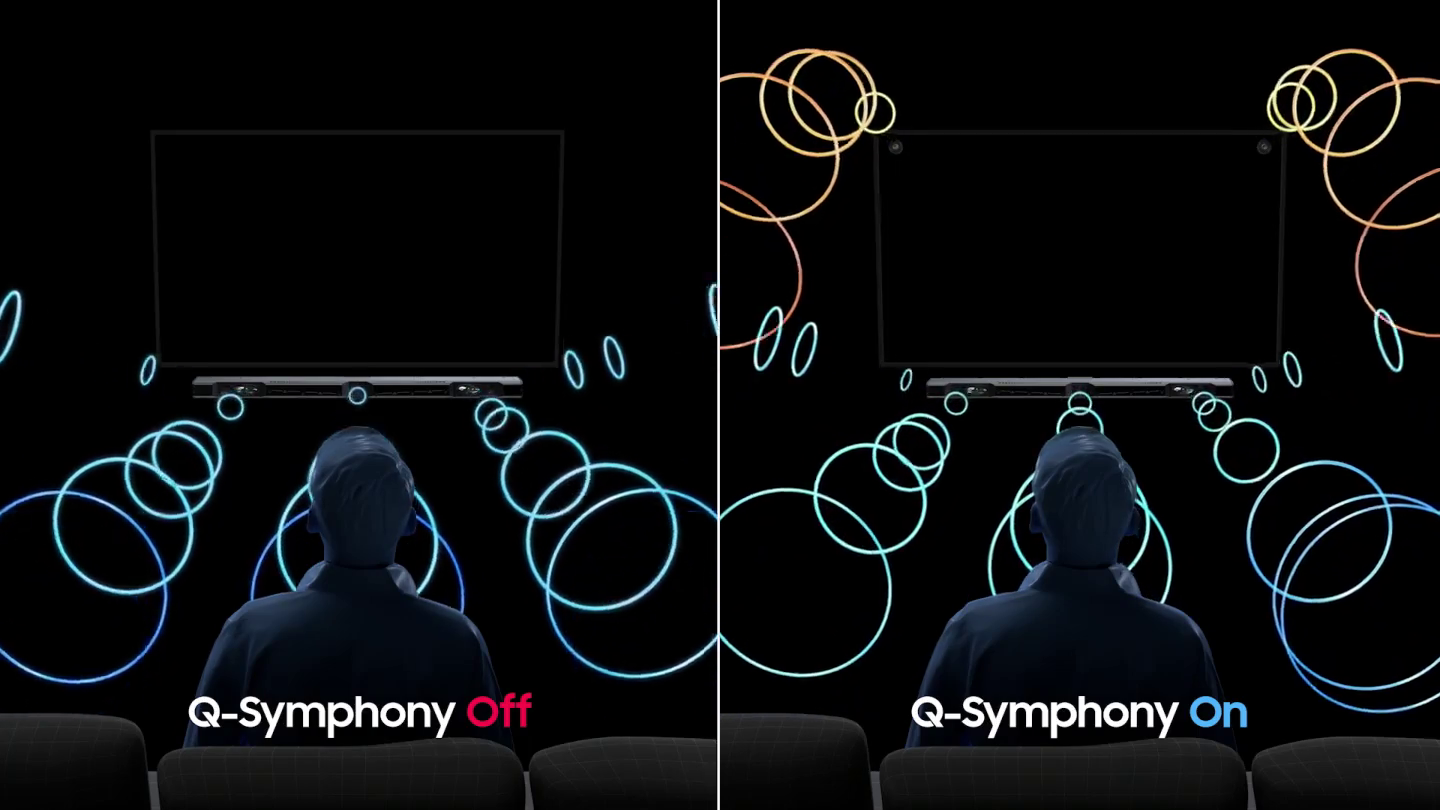
4. Могут работать вместе с саундбаром
Саундбар можно использовать с любым телевизором, но есть серьезное ограничение: звук в самом телевизоре заглушается, иначе возникают эхо и искажения. Телевизоры Samsung QLED TV в 2020 году (модели Q80 и старше) получили технологию Q-Symphony: она позволяет использовать саундбар вместе с динамиками телевизора — так сохраняется объёмность звука (помните про Object Tracking Sound+?) и усиливается его насыщенность, в частности, в нижних частотах.
5. Поддерживают Wi-Fi 6
Samsung QLED 8К (модель Q950) — первые в мире телевизоры, получившие сертификат беспроводной технологии Wi-Fi 6. Это новейший стандарт, обеспечивающий не только большую по сравнению с Wi-Fi 5 (IEEE 802.11ac) скорость, но и лучшую стабильность в сетях, где работает много устройств.
6. Поддерживают подключение к компьютерам и смартфонам на расстоянии
Телевизоры Samsung QLED TV умеют подключаться к компьютерам даже на другом конце города, страны или света, нужно только настроить ПК (он должен работать под управлением Windows) и телевизор, а также подключить к ТВ мышь и клавиатуру. Компьютер — в офисе, а работать можно из дома.
А после работы можно подключить к телевизору Samsung QLED TV компьютер, смартфон или планшет по Wi-Fi Direct и без проводов транслировать на него изображение, например, спортивную видеотренировку. А можно виртуально встретиться с друзьями в видеочате и вывести всю компанию, рассевшуюся по квадратикам, на большой экран.
7. Повышают разрешение контента вплоть до 8K без потери качества
Телевизоры Samsung QLED TV работают на процессорах Quantum 8K (4K-модели — на Quantum 4K), которые, используют искусственный интеллект для увеличения разрешения контента до уровня 8K. Этот ИИ обучен на десятках тысяч образцов, поэтому способен увеличивать разрешение без потери качества, восстанавливая все детали.

8. Создают атмосферу даже тогда, когда не показывают фильмы или передачи
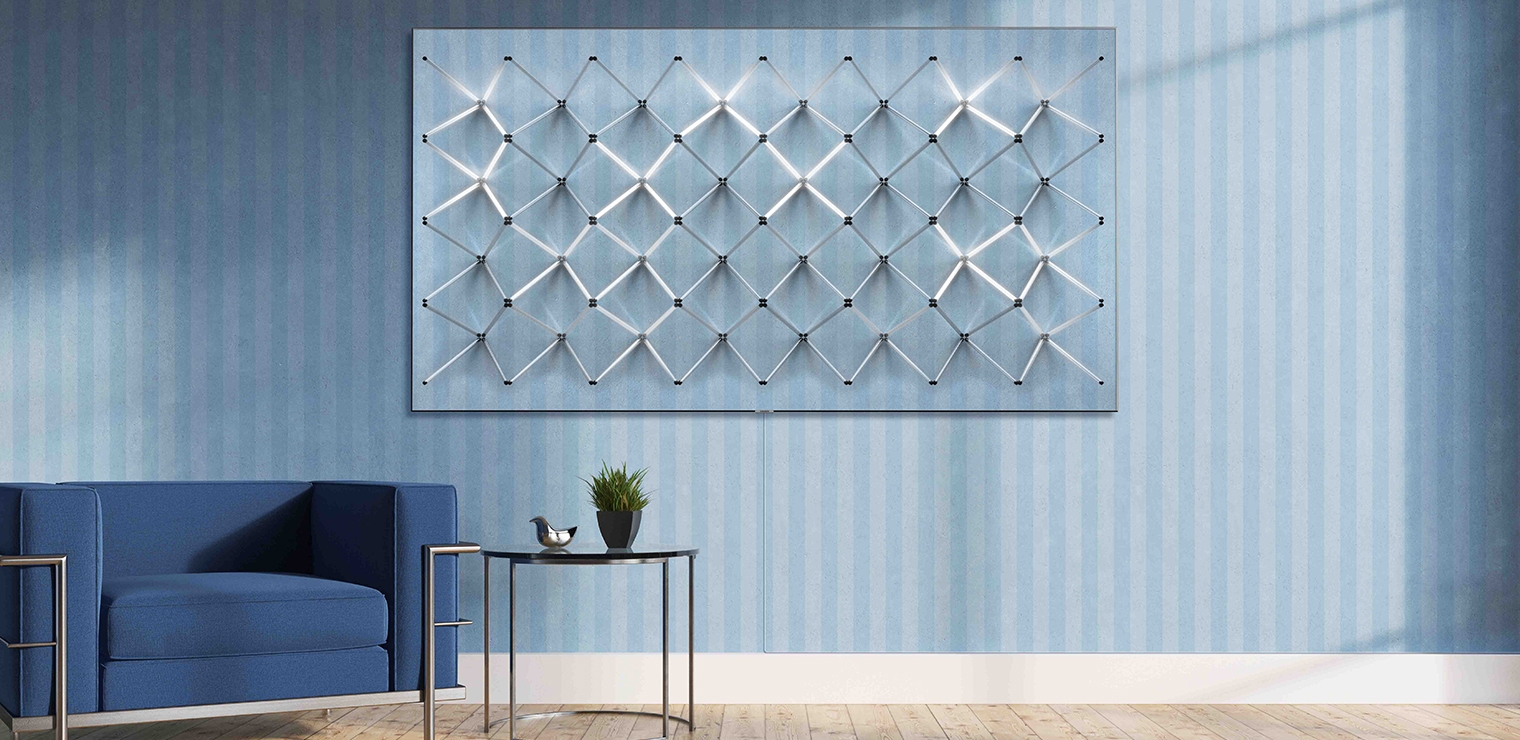
Интерьерный режим Ambient — специальный режим работы Samsung QLED TV, в котором телевизор становится частью обстановки. Он может показывать картину, сливаться с текстурой стены, показывать погоду и новости или стать окном в летний сад.
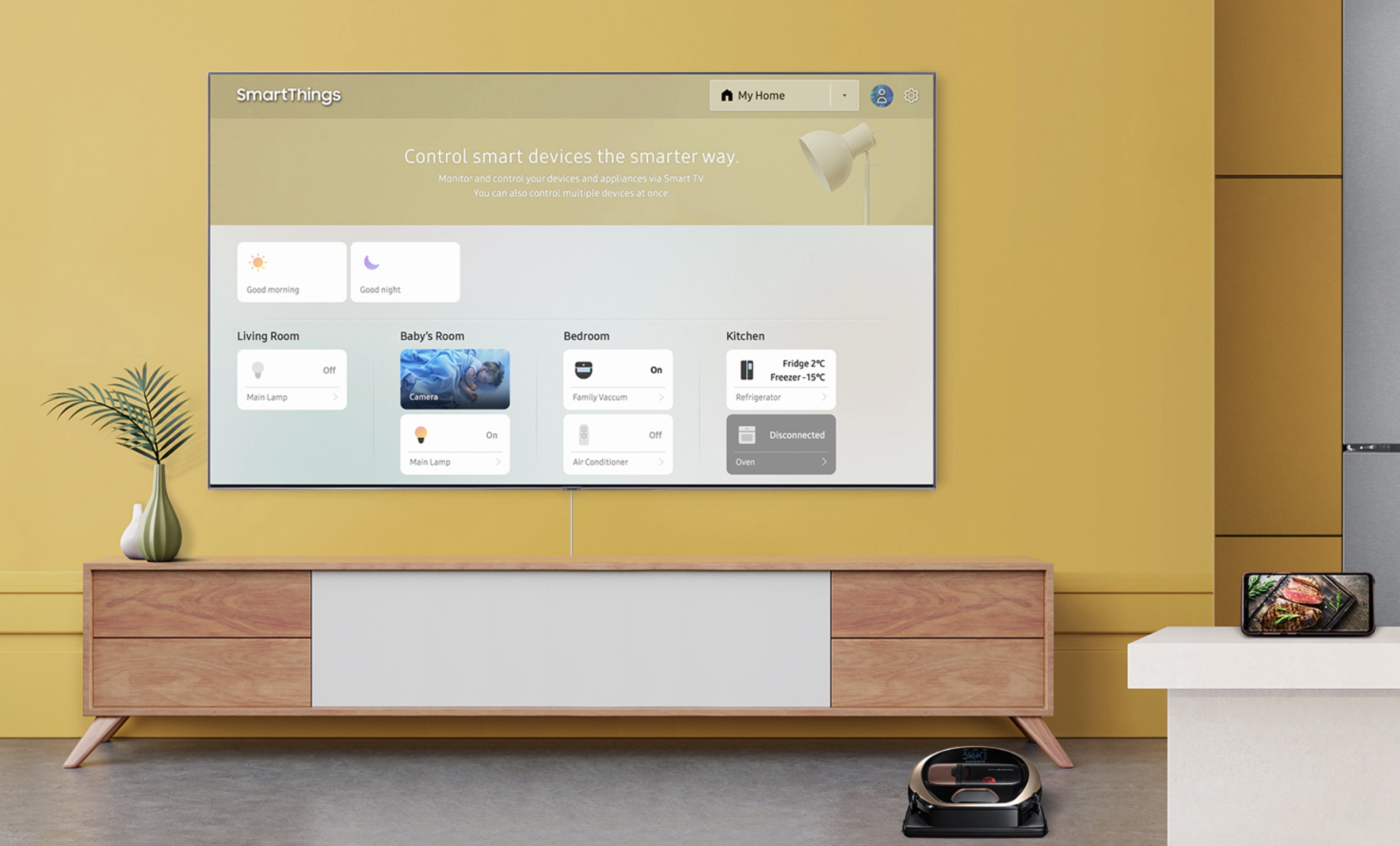
9. Управляют умным домом
Телевизор Samsung QLED TV становится центром умного дома: в приложении SmartThings можно управлять домашней техникой, а также создавать сценарии. Например, утром кондиционер сделает воздух потеплее, зажжет свет и включит чайник — обо всём «распорядится» телевизор.
10. Подключаются одним невидимым проводом
Телевизоры Samsung QLED TV (модели QLED 8K Q950T и QLED 4K Q95T) подключаются всего лишь одним кабелем, который к тому же едва заметен. Через него телевизор получает питание и соединяется с модулем One Connect, к которому, в свою очередь, подключаются другие устройства: ТВ-приставки, ресиверы, игровые консоли. Больше никаких паутин из проводов под телевизором!
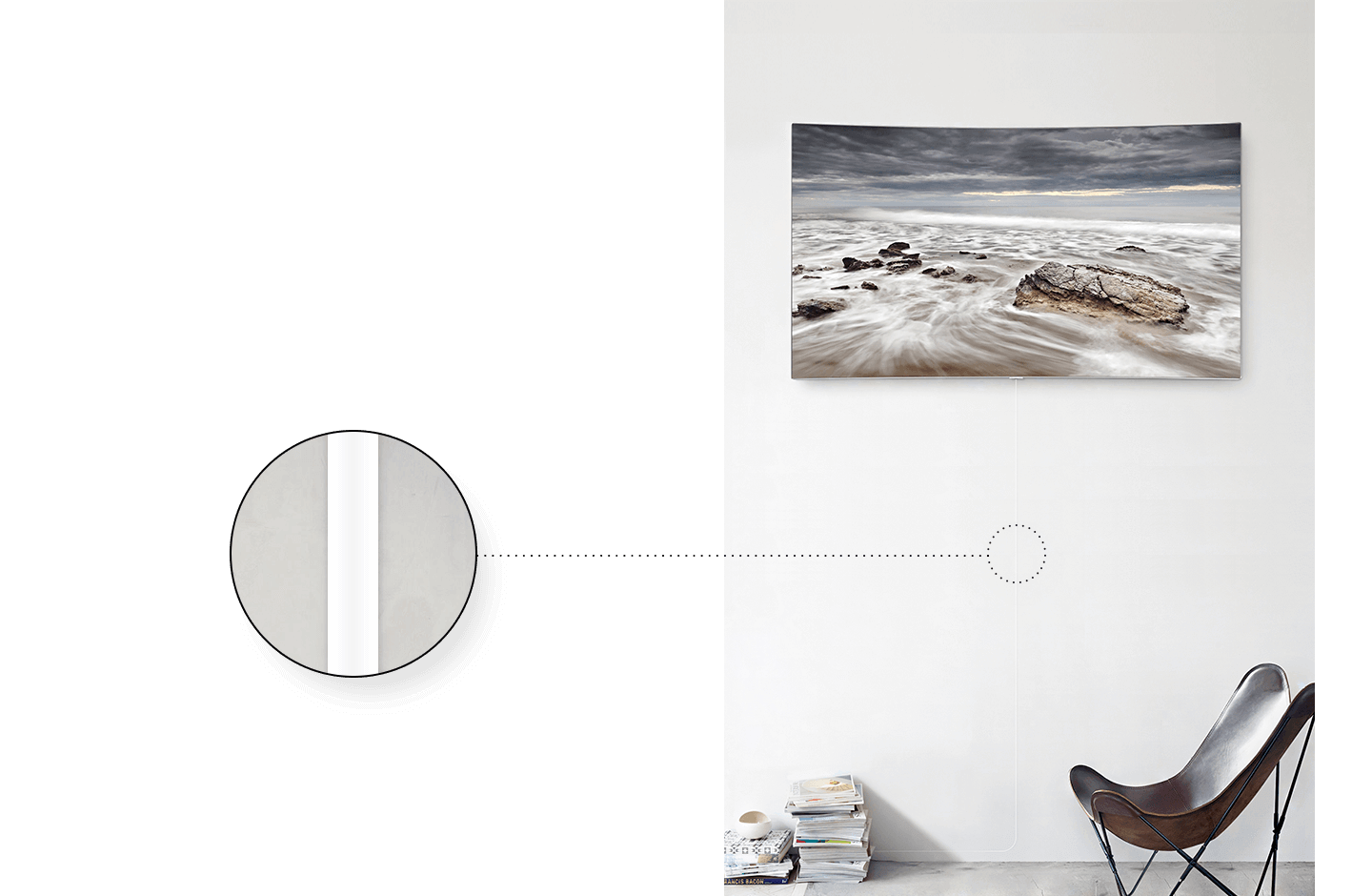
11. Поддерживают установку приложений
Samsung QLED TV работают на одной из самых быстрых операционных систем для Smart TV — Tizen (она основана на Linux). Она обеспечивает моментальный отклик на действия пользователя, а кроме того, позволяет устанавливать приложения из каталога Samsung. Там есть не только YouTube, которым сегодня никого не удивишь, но и программы для просмотра фильмов из популярных сервисов: ivi, Okko, Кинопоиск.
2022 Guide To Samsung Ambient Mode: How Does It Work?
Samsung has been known for their innovative and cutting-edge technology, and their Ambient Mode is no exception. This feature allows users to control the environment in which they are using their phone, whether it be through controlling music playback or adjusting the temperature. What is Ambient Mode? Ambient Mode is a feature that was first introduced on the Galaxy S4. It allows users to control the environment in which they are using their phone, whether it be through controlling music playback or adjusting the temperature. The main benefit of using Ambient Mode is that it can help you conserve energy by reducing screen brightness and sound quality while you are working or playing games. How Does Ambient Mode Work? To use Ambient Mode, you must first enable it on your phone by going to Settings -> Display -> Ambient Mode. Once enabled, your phone will start displaying a list of options that will allow you to customize how your phone behaves when in ambient mode. You can choose to have your phone turn off when in ambient mode, have your phone play music from a specific playlist when in ambient mode, adjust the temperature when in ambient mode, or set up a schedule for when your phone will turn off in ambient mode. If you want to try out Ambient Mode on your own device, there are several ways to do so. One way is to install an app called “AmbientMode” from the Google Play Store. Another way is to use Samsung’s own app called “Samsung Smart View.” Both of these apps allow you to set up schedules for when your device will turn off in ambient mode and play music from a specific playlist while in ambient mode.
The Ambient Mode technology lets you set a calming background for your television screen or use your own photos to blend in with your interior. By setting a timer for the Ambient Mode to switch off automatically when you’re not using the television, you can save energy by preventing it from turning off while you’re not using it. While Samsung TVs are already energy efficient, you can customize your Ambient experience even further by using the Samsung app.
You can also customize your Ambient experience by connecting your phone to your Samsung television. For instance, you can display a photo from your smartphone and change the background color and brightness. The TV can also display different overlays, such as your own photos or weather data. You can choose the right type of content to match your interior with your mood. And if you want a more interactive experience, you can turn off your Samsung TVs completely.
What Is Ambient Mode In A Samsung TV?#
What is ambient mode in a Samsung TV and why is it useful? The technology behind ambient modes in Samsung TVs is quite advanced. They are self-adjusting and can automatically adapt to the light levels in the room. Moreover, they can be programmed to turn off when no one is nearby, saving power. This feature is a great addition for those who want to make their living room a social space.
What Is Ambient Mode In A Samsung TV?Do All Samsung TV Have Ambient Mode?How Does Samsung Ambient Mode Work?What Is The Ambient Mode?Is Samsung Ambient Mode Worth It?
The Ambient Mode function is the best part of Samsung TVs, as it can make your living room look beautiful even when you are not using it. This feature lets you set the mood and display various bits of information or video decor. You can even change the background image of the TV to blend it in with your wall photo. Regardless of what your preference may be, this technology will help you get the most out of your TV’s capabilities.
If you don’t want a black screen when you’re not watching TV, Ambient Mode is a great solution. This feature will allow you to watch 8K videos or gallery-quality art. You can also display your personal photos or videos on the TV. Depending on your location, you can even select the background color to match your room’s interior design. The possibilities are almost endless, and you can customize it as per your preference.
Do All Samsung TV Have Ambient Mode?#
Samsung’s Ambient Mode technology is built into its TVs, and it automatically adjusts brightness and colors to match the room. The feature can even be set to automatically turn off when company leaves. Some TVs use motion-sensing technology to determine when the television is in a dark room. Depending on the model, you can even customize the settings for the feature. If you want more control over your Samsung TV, Ambient Mode is the best choice.
Ambient Mode can be activated by pressing the button on the Smart Remote. If you have a Samsung One Remote, you can find a special Ambient Mode button on it. To start viewing Ambient Mode, press the Home button. The remote’s menu will appear, where you can scroll through the list of options. On the next screen, you’ll see detailed information about the modes, such as the time, weather, or headlines. When you’re done, press the Power button or Home to turn off the Ambient Mode.
You can also enable this feature on the SmartThings app. The app works like mobile deposit for checks. Line your phone up on the square and the television will start scanning for available apps. This feature can be activated on all Samsung TV models. Unlike traditional TVs, this feature can be accessed from the app. You can even access your Samsung TV’s settings from your phone. The app lets you make finer adjustments to the brightness and colors of the Ambient Mode.
How Does Samsung Ambient Mode Work?#
If you haven’t already seen it, Ambient Mode is a new feature available on Samsung QLED televisions. It shows images and colors on the screen, eliminating the “black square” in the room. But how does it work? And what’s the difference between this mode and Art Mode? Let’s take a look. What is Ambient Mode? And how does it differ from the previous versions?
When the screen is off, Ambient Mode displays content on the screen. This content includes the latest news headlines, weather updates, music, and even artwork. To make the feature more interesting, Samsung has teamed up with renowned artists to display their work on the TV. Each piece of artwork has a special connection with the TV and is intended to add to the viewer’s experience. It’s also available on select remote controls.
To use Ambient Mode, you need to have a Samsung Smart Remote. On the Samsung One Remote, you need to press the Ambient button. From there, you can navigate through the menus and choose from the different tabs. You can also select a category and view more details about the selections. Lastly, if you want to exit Ambient Mode, you can press the Home button on the Samsung Smart Remote.
What Is The Ambient Mode?#
Ambient Mode is a new feature that Samsung is rolling out to many of its QLED televisions, and it works in a number of ways. It allows you to see images and colors on your phone’s screen without a black square in the room. It also lets you use voice commands to control smart devices connected to your phone, such as turning lights on and off. Using the Ambient Mode requires that you have Android 5.0 or above, as well as support for personalization on your phone.
Ambient Mode is only available on select Android smartphones. Some of these devices include the Google Pixel range, selected Xiaomi and Nokia devices, and OnePlus phones from the OnePlus 3 onwards. You’ll have to install the Google app on your phone, which should be pre-installed. After you’ve installed the app, head to the Personalisation section of your phone’s settings and tap the Ambient Mode button.
If you’re interested in checking your Google home, the Ambient Mode feature is a great way to do that. Once enabled, the feature allows you to view upcoming flight information, weather, calendar, and smart home controls, all while your phone is charging. You can even personalise the Ambient Mode on your device to turn off lights directly from the lock screen. Ultimately, this feature will allow you to control your smart home from your phone.
Is Samsung Ambient Mode Worth It?#
If you’ve considered buying a new television, you might want to consider purchasing a Samsung model with the ambient-mode option. The screen brightness will be automatically adjusted based on ambient light, and you can customize the colors and patterns to suit your preferences. The screen will also be turned off automatically when the room is dark or no one is near it, preventing unnecessary power consumption. While the Ambient Mode option isn’t as environmentally friendly as turning off your television, you will save money and help the environment.
The Samsung Ambient-mode feature is an excellent choice for people who want to create a unique atmosphere for their rooms. This mode is similar to the Art Mode option on Samsung The Frame, but it’s a lot less energy efficient. It costs forty to fifty percent more energy than a standard display. The Ambient-mode setting isn’t practical for everyday use, but it’s handy when you have guests over.
You can control the Ambient-mode setting on your Samsung television with the Samsung One Remote. You can set a timer for the Ambient feature, and use the directional pad on your remote to choose which options you want. This feature is also great for parties and entertaining. However, it’s best for occasional use. It can be an effective way to save energy while watching TV. The best way to decide whether it’s right for you is to check the specs on the TV.
Samsung Misses the Mark with QLED TVs

Samsung introduced “Ambient Mode” features for the 2019 QLED smart TVs and a line called “The Frame”, which purportedly would enable the TVs to be used as large frames for digital art. Unfortunately the features do not meet users’ expectations, as can be seen from the many complaints and “feature requests” in Samsung’s online community and other forums. Some of these shortcomings appear to be the result of product strategy, while others are probably technical failures. Here’s a list of what you can’t do with the QLED TVs. (I have a 2019 65” QLED, so I’m able to relate my own experiences. For “The Frame” products, I’m relating what I have read.)
You can’t display your own photos as full-screen art on QLED
You can use the full screen size to display Samsung’s collection of curated art, in a feature called Artwork on QLED TVs. You can display your own picture(s), but only in a matted or framed format. My 65” model measures 56” x 31.5”. The mat/frame consumes 46% of the screen, leaving 54% for the picture (45.5” x 21”). The Mono 4K and Mono Mat modes allow you to change the appearance of the mat or frame, but does not let you shrink the wasted area.
This is a design choice driven by Samsung marketing, to distinguish the QLED line from The Frame line, not a technical limitation. Ambient Mode also offers a “board” layout, a collage of eight pictures. You can choose the placement; the app chooses the sizes. The collage uses all the screen real estate to show your eight smaller pictures, so clearly they have access to the whole screen. It seems that full-screen display is available as “Art Mode” on the “The Frame” line.
These limitations are not clearly disclosed in marketing literature or on the TV packaging. Advertising pictures of “Ambient Mode” always show full screen images, never the matted images. Announcements say things like “… Ambient Mode Transform(s) Living Rooms into a Gallery Space” and “We plan to expand content for Ambient Mode by collaborating with young, talented artists over the next several years to give our customers more meaningful ways to enjoy their QLED TVs.” Apparently Samsung does not think purchasers’ own content is as enjoyable.
Samsung wants you to display their pictures rather than yours, or purchase the more expensive “The Frame” product.
You can’t display more than one large photo unless you own a Samsung phone.
“You can also display your own photos or images by uploading them using the Samsung SmartThings app.” But if the app is running on an Apple phone or tablet, you can only upload one picture into the matted mode, one into the framed mode, and eight into the Board format.
“if you select multiple images, these will be displayed in a random order”. Even on their instructional pages, which most people would not look at until after purchase, they don’t tell you that you can only upload multiple pictures from Android’s Gallery or the Samsung Cloud (which they are currently migrating to Microsoft OneDrive). You can’t import pictures from a USB drive, either. A $100 digital picture frame has more functionality for photographers than this line of TVs does.
Samsung is willing to alienate purchasers of their TVs in order to promote their phones. Do they really think people are going to switch phones to manage their TVs?
You can’t manage Ambient Mode if the TV is using Ethernet
The Smart Things app can only see the TVs that are connected via WiFi. If you want the high speed and stability of a wired connection, you give up the ability to manage Ambient Mode from your phone or tablet. I’m using a modern mesh network (TP-Link’s Deco), and my TV is connected to the Deco access point by an Ethernet cable. So it’s on the same network as WiFi devices… but wired QLED TVs can’t be seen by Smart Things.
You can’t rely on QLED to switch from Ethernet to WiFi
When you switch from Ethernet to WiFi so you can update Ambient Mode, you have to at least power-cycle the TV, and I mean pull-out-the-plug, not just turn it off and on with the remote. Usually that fails, and you need to re-register the TV with your Samsung account, a multi-step process.
You can’t make a QLED look like a real picture frame
Unlike the “The Frame” line, the QLED manual states that you have to mount the TV four inches from the wall for ventilation.
Samsung markets the QLED as a home picture gallery, but they want you to buy the more expensive “The Frame” line.
But since you need to power-cycle the QLED TV any time you mess with Ambient Mode, you’ll need those four inches to reach the power plug anyway.
All these shortcomings add up to a poor user experience which I imagine causes most QLED owners to give up on Ambient Mode after struggling with it for several hours. The Ambient Mode limitations could be addressed by a software update.
Новые телевизоры 4K от Samsung могут превратить себя невидимыми

Телевизионный рынок снова нагревается по мере того, как производители жокея за позицию, охотясь за функциями, которые подтолкнут клиентов к обновлению. OLED, ЖК-дисплеи с квантовыми точками, 4K и HDR — вот лишь некоторые из новых возможностей, которые мы видели в последние годы, и Samsung думает, что это поразило новую идею, которая заинтересовала клиентов: невидимые телевизоры.
Хорошо, я это признаю. Называть их «невидимыми» немного натянуто, но только немного. Имя Samsung для этой новой функции — «Ambient Mode», и это выглядит так:
 Вы даже можете видеть, что граница тени проецируется в изображение.
Особенность элегантна в своей простоте. Прежде чем повесить телевизор, вы сфотографируете стену, на которой он будет сидеть. Затем вы устанавливаете это изображение в качестве обоев телевизора. Телевизор может даже вставить цифровую тень вокруг краев рамки (вы можете увидеть эффект выше).
 Трудно сказать, сделал ли пользователь фотографию картин, которые были на стене, перед тем, как повесить телевизор, или отображает изображения на телевизоре с фоном, который выглядит так же, как стена. Думаю, в этом-то и дело.
Вы можете использовать эффект для фреймворка, который не стоит за вашим телевизором, давая вам возможность «повесить» цифровое искусство на то, что кажется явно аналоговым куском гипсокартона. И если ваша существующая схема декорирования благоприятствует линиям и углам, которые соответствуют обоям на телевизоре — маловероятное, но не невозможное понятие — вы можете использовать эту функцию для монтирования телевизора, который действительно был бы невидим для всех, кто не смотрел внимательно.
Другие новые функции включают в себя все-в-одном «невидимое соединение», который объединяет питание и AV в один шнур. Неясно, какой стандарт использует шнур, или же он может быть заменен пользователем, и эти решения могут ограничить ваши варианты AV, что делает телевизор менее гибким и полезным. Концепция «Невидимая связь» великолепна, если вы хотите, чтобы телевизор почти исчез, когда вы не обращали на него внимания, но изучите, ограничивает ли он ваши варианты перед покупкой.
Два телевизора в семействе Q8F и Q9F также используют Direct Full Array для обеспечения локальной подсветки и подсветки подсветки по мере необходимости. Этот параметр был добавлен в ЖК-дисплеи в последние годы, чтобы улучшить качество изображения по сравнению с такими вариантами, как OLED, и, хотя это не то же самое, что использование органических светодиодов, оно имеет тенденцию улучшать качество изображения ЖК-дисплея.
Новые телевизоры 2018 также оснащены технологией квантовых точек Samsung (отсюда и прозвище QLED), хотя вам придется смириться с Bixby в качестве «умного» телевизора. К счастью, на телевизоре нет специальной кнопки Bixby, о которой мы знаем, и нет необходимости разрушать совершенно хороший телевизор, подключив его к Интернету в первую очередь.
Samsung не давала цены на конкретные модели, но она включала разбивку тех функций, которые будут дебютировать на каких моделях. Функции, о которых мы говорили сегодня, ограничены моделями QLED, которые варьируются от 49 до 88 дюймов, но даже более низкие модели UHD по-прежнему способны к UHD и 4K:
QLED TV: Модели в 2018 QLED TV включают в себя Q9F (от 65 до 88 дюймов), Q8F (от 55 до 75 дюймов), Q7C (от 55 до 65 дюймов), Q7F (от 55 до 75 дюймов) и Q6F (от 49 до 82 дюймов). Телевизоры QLED имеют улучшенный цвет и контраст, совместимость HDR10 +, режим Ambient Mode и Smart TV с поддержкой Bixby Voice, One Remote Control и One Invisible Connection.
Premium UHD: Модели в 2018 Premium UHD TV включают NU8500 и NU8000. Премиум-UHD-телевизоры включают динамический цветной кристалл, совместимость с HDR10 +, чистые кабельные решения и усовершенствования Smart TV с помощью Bixby Voice и One Remote Control.
UHD: Модели в линейке UHD TV 2018 включают NU7100 (от 4 до 75 дюймов) и NU7300 (от 55 до 65 дюймов). Эти UHD телевизоры включают поддержку 4H UHD и HDR, чистые кабельные решения, тонкий дизайн и возможности Smart TV.
Режим Ambient выглядит как трюк, но если он работает хорошо, я вижу, как он ловит. Один из недостатков — иметь телевизор с диагональю примерно до тех пор, пока Андре Гигант был высоким — это то, как вы жертвуете всей стеной. Возможность разместить некоторые виртуальные декорации помогла бы вернуть это пространство, когда телевизор не используется, хотя для этой привилегии будет затрата энергопотребления. Тем не менее, если он уловит, мы можем ожидать, что другие производители предпримут аналогичные шаги.